This discussion has been locked.
You can no longer post new replies to this discussion. If you have a question you can start a new discussion

nRF5340, cupapp / cpuapp_ns / cpunet Which option is it?

Hello,

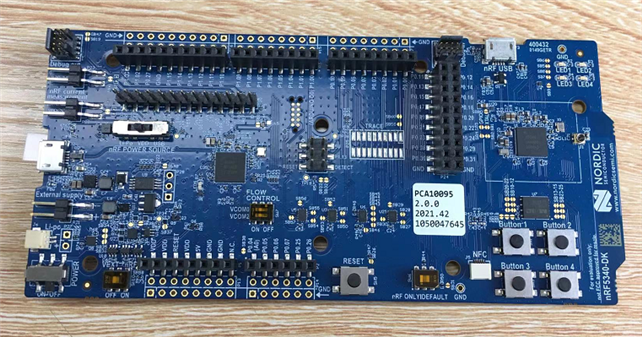
i've two nRF5340DK (QKAAD0 2050AC),

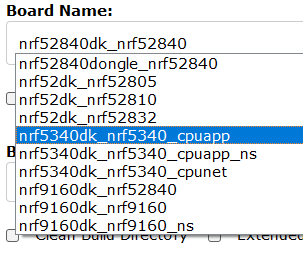
1.when using NCS1.8 create project, cupapp / cpuapp_ns / cpunet   Which option is it?

2.how to know it is 128 or 64 MHz Arm Cortex-M33?

3.what are the specific models of 5340? i need 128MHz model.
   

thanks

Best Regards

yuyou

  • Hi Yuyou,

    1.when using NCS1.8 create project, cupapp / cpuapp_ns / cpunet   Which option is it?

    This depends on what core you want to build the application for, and whether you want to build it for the secure or non-secure domain.

    • cpuapp: application core, secure
    • cpuapp_ns: application core non-secure
    • cpunet: network core.

    In Working with nRF5340 DK you will find information about the two cores, and about secure and non-secure. Additionally, we have a nRF Connect SDK tutorial which has a chapter specifically about explaining secure vs non-secure, so if you want to learn more about the differences I recommend you check it out here: nRF Connect SDK Tutorial > Secure vs nonsecure.

    2.how to know it is 128 or 64 MHz Arm Cortex-M33?

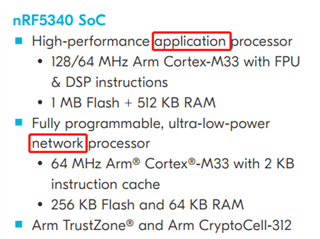
    You can find this in the specification here: nRF5340 Product Specification. The application core can run at both 128 MHz and 64 MHz, while the network core can run at 64 MHz.

    3.what are the specific models of 5340? i need 128MHz model.
    It is the one model, which has the specifications as I mention above.

    Best regards,

    Marte

  • thank you very much.

    is it means the 5340 has only one specific model,

    two cores (one 128MHz,one 64MHz)

    cupapp / cpuapp_ns  will using 128 and 64 two cores;

    cpunet  only using 64MHz core.


    Best regards,

    yuyou

  • Hi Yuyou,

    Yes, there is only one model of the nRF5340, unless you consider the physical size of the chip, but that is not relevant in this case.

    The nRF5340 has two Arm Cortex-M33 processors, where one is the application core and the other is the network core. The application core is divided into secure and non-secure domains, making it more protected from attackers. The tutorial I linked to goes into detail about this.

    As for the clock speed, the default on the application core is 64 MHz, but you can use the nrfx clock driver to configure it to 128 MHz:

    #include "nrfx_clock.h"
    
    nrfx_clock_divider_set(NRF_CLOCK_DOMAIN_HFCLK, NRF_CLOCK_HFCLK_DIV_1);

    If you are new to nRF5340, please read Working with nRF5340 DK for more information on how to work with this SoC.

    Best regards,

    Marte

  • thank you very much,

    i've got it.

Related