Suddenly unable to provision NRF52832 DK board on IOS NRF mesh APP

Hi,

I am not sure how to explain or try to recreate the issue but I'll try my best.

Tools: I have an NRF52832 Development Kit bought from Digikey Canada. I am using a Windows 10 computer. Version used are SDK 17.1.0 and NRF mesh v5.0.0.

Whenever I would flash any example firmware on the NRFmesh v5.0.0 (such as light,  sensor, dimming, UART, etc), It used to provision fine. Recently, after learning/playing around with the pin_change_int example in the SDK17.1.0, it wouldn't provision anymore when I would flash a NRFmesh example.

The flow I use to flash the firmware is as follows (using the dimming_server_project):

1) Opening the default, non-customized dimming_server_nrf52832_xxAA_S132_7.2.0.project

2) Build the project by clicking Build->Build project

3) Connect DK: Target->Connect J-link

4) Erase DK: Target-> Erase all

5) Go into Debug mode: Debug-> Go

6) In the Debug mode: Run

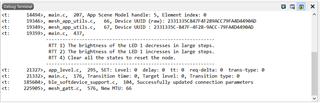
It would run fine with proof in the screenshot below.
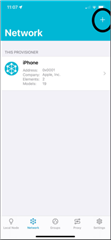
7) Go into the iOSnrfmesh app and click the plus sign
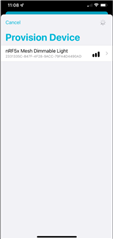
8) Click the device listed below
9) It would go into discovering the service
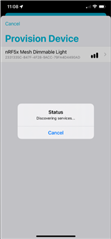
10) But after, it would go back to the same screenshot as 8).

This would be the same no matter what mesh examples I use. I tried to see if the Bluetooth module still works by flashing the firmware ble_app_blinky_pca100040_s132 in the SDK 17.1.0 and confirmed that it works by using the NRF blinky app. I have 2 other custom nRF52832 boards called BT832x and they both provision fine.

Please let me know any more additional information is needed and if this is just a bug that can be resolved.

Regards.

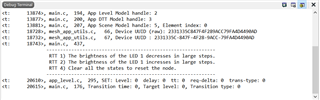
  • I forgot to mention that after step 9), it would show me the following in the main code.

  • Hi,

    This is a bit puzzling, as an erase all operation should put the board in a vanilla state. Can you double check everything is in order with the erase by issuing the following nrfjprog commands from a command line?

    • nrfjprog --recover
    • nrfjprog --eraseall

    Also, you see no more activity in the log from the device? It just stays the same, and the phone app goes back to the window listing the device, as if nothing had happened? (Except for the updated connection parameters and MTU, that is.)

    Do you by any chance have an Android device to check if the issue happens also with other implementations than the nRF Mesh iOS app?

    Regards,
    Terje

  • Hi tesc,

    Thank you for your reply. I ran the commands but no luck.

    You're right, it stays as if nothing happened. 

    I had to use my co-workers Android device and it DID work which leads me to think that the iOS thinks its already provisioned. Is there anything I can do on my end to get this to work on the iOS? It used to work which puzzles me why it suddenly stopped working.

    I tried re-installing the app and restarting my phone but no luck. 

    Looking forward for your reply

  • Hi,

    When re-installing the app, did you also remove all data stored by the app?

    Also, just to confirm, the network was reset in the nRF Mesh app before including the device in a new network? (On Android you can do that from the settings menu in the nRF Mesh app, and I expect similar functionality in the iOS app as well.)

    Do you have a different iOS device, that can be used to check if it is happening with iOS devices in general or only with your phone?

    Regards,
    Terje

Related