

Hi,
I am working on an application to transfer firmware file via BLE-GATT to nRF52833.
Can you kindly suggest any sample code for me to evaluate.
Thanks,
Ubaid
Hi,
I am working on an application to transfer firmware file via BLE-GATT to nRF52833.
Can you kindly suggest any sample code for me to evaluate.
Thanks,
Ubaid
Hello Edvin,
which will only work on Nordic boards,
Thanks for the info, wanted to know this.
Please let me know if you are stuck somewhere while testing the guide.
Will try out on nRF52833dk and get back in case of issues.
Thanks,
Hello Edvin,
may be a good starting point for you
Thanks for the suggest, I was able to send from mobile app and receive on nrf52833dk_nrf52833.
I verified on the sample RX code for DFU running on my nrf52833dk_nrf52833.,
I further need to check on TX code, that is,
1. Mobile app send firmware file to nrf52833dk_nrf52833 (device-1), which was received successfully and flashed on device-1.
2. Now I want this same firmware file to be sent from nrf52833dk_nrf52833 (device-1) to another nrf52833dk_nrf52833 (device-2) which should receive it.
Kindly suggest DFU TX sample program for me to run on nrf52833dk_nrf52833 (device-1) & evaluate.
Thanks,
Ubaid_M said:Kindly suggest DFU TX sample program for me to run on nrf52833dk_nrf52833 (device-1) & evaluate.
We do not have that, unfortunately.
I suggest that you check out the source code for nRF Toolbox or DeviceManager.
Other than that, we don't have much documentation or examples, I am afraid. The mcuboot bootloader is a Zephyr bootloader, and the counterpart is originally implemented in mcumgr, but we have no implementation for the nRF chips.
Best regards,
Edvin
Hello Edvin,
This sample worked for me, on the suggested sample I have query.
So, DFU app copies the new firmware file from nordic connect android app on DFU mode.
This firmware I built with the prj.conf having "CONFIG_BOOTLOADER_MCUBOOT=y", so the same .bin file being updated has mcuboot code as well.
Here is the sequence of events I believe are happening in the provided DFU sample app.
1. DFU app is running on my board nrf52833dk
2. nordic connect android app notifies DFU and sends the new firmware file to nrf52833dk.
3. nrf52833dk receives the new firmware file and downloads it, the DFU goes for a soft reset.
https://devzone.nordicsemi.com/guides/nrf-connect-sdk-guides/b/software/posts/ncs-dfu#:~:text=Since%20the%20DFU%20support%20is%20added%20to%20the%20application%2C%20the%20chip%20needs%20to%20be%20reset%2C%20to%20give%20control%20to%20MCUboot%2C%20which%20will%C2%A0validate%C2%A0the%20new%20uploaded%20image%20and%20swap%20it%20with%20the%20old%20image
4. Post soft reset, control goes to mcuboot which starts swapping the image.
5. This explains the swapping of firmware file which is fine.
6. But the same .bin file also has mcuboot code right..? Who replaces mcuboot code is my query..?
7. What does this line mean..? : https://devzone.nordicsemi.com/guides/nrf-connect-sdk-guides/b/software/posts/ncs-dfu#:~:text=Finally%2C%20BOOTLOADER_MCUBOOT%20includes%C2%A0MCUboot%C2%A0as%20a%20child%20image
Does it mean bootloader itself is replacing mcuboot code..? what is the meaning of
"Finally, BOOTLOADER_MCUBOOT includes MCUboot as a child image"
Thanks,
Hello,
Ubaid_M said:Does it mean bootloader itself is replacing mcuboot code..?
No, it does not.
Ubaid_M said:
It means that if you add CONFIG_BOOTLOADER_MCUBOOT=y, the compiler will add and compile the mcuboot image to your project, so that it is flashed when you use west flash. However, it does not mean that if you make any changes to the mcuboot image, it will be uploaded during DFU. If you need to update the mcuboot, you will need yet another bootloader, the "immutable bootloader", which you can read about here.
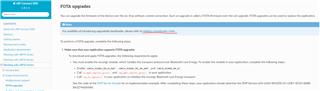
Note: the link to this is found here:
Best regards,
Edvin
Hello Edvin,
It means that if you add CONFIG_BOOTLOADER_MCUBOOT=y, the compiler will add and compile the mcuboot image to your project, so that it is flashed when you use west flash.
I was able to find out more on this, In the build folder there are 2 build files
1. One for application build file at location: "build\zephyr"
2. One for child image (mcuboot file): "build\mcuboot\zephyr"
Now if I want to flash on board the mcuboot build file found at the path : "build\mcuboot\zephyr",
Please guide how do I flash it..?
Thanks,
If you have enabled the bootloader in your project using the guide from my first reply, then it will be automatically flashed when you either flash using nRF Connect for Visual Studio Code, or "west flash -d build", or however you flash your application. It will be part of the build output.
If you have enabled the bootloader in your project using the guide from my first reply, then it will be automatically flashed when you either flash using nRF Connect for Visual Studio Code, or "west flash -d build", or however you flash your application. It will be part of the build output.
Hello Edvin,
ct using the guide
With the project I build from your suggested guide:
I got the following three build/output files at build paths:
1. build/zephyr/zephyr.hex: only application
2. build/mcuboot/zephyr/zephyr.hex: only mcuboot
3. build/zephyr/merged.hex: mcuboot+application
Out of these three, I am to understand If I flash the first build file, it will flash only application.
The second build file is for mcuboot project build.
The third build file has both mcuboot+application which can be flashed.
I just need to know how to flash the second build file, that is at "build/mcuboot/zephyr/zephyr.hex"
Please suggest..?!
Thanks
So you want to know how to flash a .hex file?
You can use nRF Command Line Tools directly. You have already installed it, since West (part of nRF Connect SDK) uses it. Use the command:
nrfjprog --program build\mcuboot\zephyr\zephyr.hex --verify --sectorerase
Best regards,
Edvin
Thank you Edvin,
Is it fine if this ticket remains open..?
I could use your help for my DFU development.
Thanks,
I will leave it open.
BR,
Edvin
Hello Edvin,
I have a requirement to map SLOT-1 into external serial flash memory & fetch it through SPI interface, when mcuboot tries to swap SLOT-0 & SLOT-1.
Under the path "bootloader\mcuboot\boot\zephyr\boards" I could see that for nrf52840, some dts are provided for QSPI interface with serial flash like:
/*
 * Copyright (c) 2020 Nordic Semiconductor ASA
 *
 * SPDX-License-Identifier: Apache-2.0
 */

/delete-node/ &boot_partition;
/delete-node/ &slot0_partition;
/delete-node/ &slot1_partition;
/delete-node/ &scratch_partition;

&flash0 {
	partitions {
		boot_partition: partition@0 {
			label = "mcuboot";
			reg = <0x000000000 0x00010000>;
		};
		slot0_partition: partition@10000 {
			label = "image-0";
			reg = <0x000010000 0x0000e8000>;
		};
	};
};

&mx25r64 {
	partitions {
		compatible = "fixed-partitions";
		#address-cells = <1>;
		#size-cells = <1>;

		slot1_partition: partition@0 {
			label = "image-1";
			reg = <0x000000000 0x0000e8000>;
		};
	};
};
But I couldn't understand where the APIs are present for swapping..?
I need to understand where do I make changes in mcuboot source code to make SPI access to SLOT-1 on external flash..?
Or will this work just with configurations..?
Kindly suggest or point me to understand with the changes.
Thanks,

