Hello,
I am very new at this. I have just started to work with the nrf9160DK board, I am using modem firmware 1.3.1, and nRF Connect SDK 1.8.0. I am trying to test asset_tracker_v2 application to connect the board to nrfcloud. Some changes are needed because I am in Uruguay (South America) so I must use NB-IoT, with Legacy PCO (ePCO is not supported).
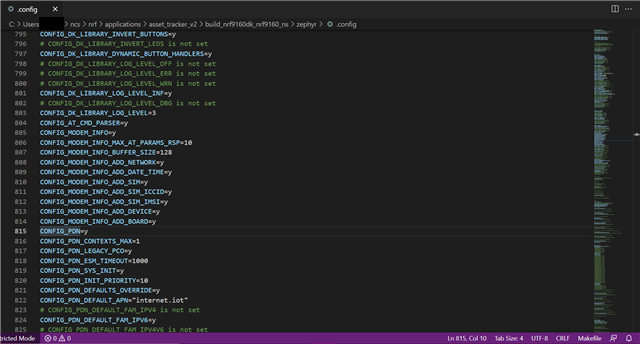
I used menuconfig in order to modify .config (and I attached a .config file). Some modification are: CONFIG_LTE_MODE_PREFERENCE_NBIOT, CONFIG_LTE_NETWORK_MODE_NBIOT_GPS (for NB-IoT and GNSS), CONFIG_PDN_LEGACY_PCO (for legacy PCO), CONFIG_PDN_DEFAULT_FAM_IPV6 (PDN uses IPv6), CONFIG_LTE_LOCK_BANDS, CONFIG_LTE_LOCK_BAND_MASK (using certain bands), CONFIG_LTE_LOCK_PLMN, CONFIG_LTE_LOCK_PLMN_STRING (selecting Uruguayan network). Also, based on another ticket from Nordic, CONFIG_MODEM_JWT was modified and CONFIG_NRF_CLOUD_CLIENT_ID_SRC_INTERNAL_UUID was selected.
LTE connection is achieved, however, nrfcloud connection fails. After booting the DK board, the following warning appears: pdn: Failed to set legacy PCO mode, err 65536 and then cloud connection is not possible. So I tried AT%XEPCO? and the answer is 1 but I had expected a 0 (Legacy PCO), it is like CONFIG_PDN_LEGACY_PCO=y is not working. If I turn off the modem and send AT%XEPCO=0, when cloud connection is attempted the following error appears: nrf_cloud_transport: MQTT input error: -128.