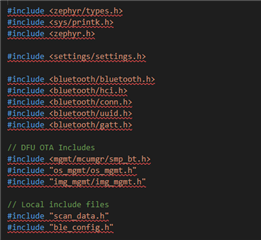
Problems when Building - seems to be associated with my build configuration

OK, I'm using Visual Studio Code with the nRF Connect extension.  I'm playing around with some simple BLE code (trying to set up DIS and then a custom service).  All of a sudden I'm getting all these issues listed as problems when I do a build.

I don't know much/enough about what's going on "under the hood" to have even half an idea what they mean, nor how to fix them.

Can anyone help me out?

Below is a screen shot of the list of issues.  Seems to be something associated with the board definition for the nRF52DK I'm using

Cheers,

Mike

Parents
  • Hi Priyanka,

    So, I noticed all these problems now come up when I do a build.  This is on top of the problems I've seen before.  Quite how my code can build successfully if its not able to find all these includes is beyond me!

    I've also included a screen shot of my .vscode settings file.  Note I did a complete reinstall of all the Nordic/Zephyr/VScode software over the weekend and so took the opportunity to move to V1.9.1 of the SDK

    Regards,

    Mike

  • Hi,

    The problem of not being able to flash is not some problem from your end. The latest VS Code v1.65 release has caused a bug in out VS Code extension and everyone experiences this problem now.We have been getting a lot of reports and we are working on a fix. For the time being, the bug can be overridden for the time being by flashing from the Command pallette, i.e. press Ctrl+Shift+P and then select "nRF Connect: Flash to Board" or "nRF Connect: Erase Board" or "nRF Connect: Erase and Flash Board". This will help take care of the problems with the actions panel for now.

    The latest version of nRF Connect extension (which will release within the week) will have a fix for the big.

    Regards,

    Priyanka

Reply
  • Hi,

    The problem of not being able to flash is not some problem from your end. The latest VS Code v1.65 release has caused a bug in out VS Code extension and everyone experiences this problem now.We have been getting a lot of reports and we are working on a fix. For the time being, the bug can be overridden for the time being by flashing from the Command pallette, i.e. press Ctrl+Shift+P and then select "nRF Connect: Flash to Board" or "nRF Connect: Erase Board" or "nRF Connect: Erase and Flash Board". This will help take care of the problems with the actions panel for now.

    The latest version of nRF Connect extension (which will release within the week) will have a fix for the big.

    Regards,

    Priyanka

Children
No Data
Related