

I use vscode to build nrf52 platform.as shown below:
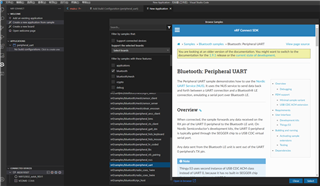
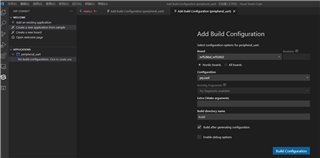
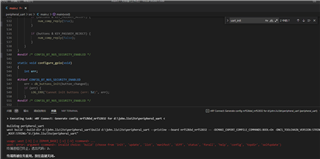
I use vscode to build nrf52 platform.as shown below:
Hello,
john.liu, can you please open the welcome page from the nRF Connect extension menu and verify that your the toolchain path is pointing to correct path? From the command pallette of VS Code, please run the nRF Connect: Generate Support information and provide the output here.
What version of nRF Connect for VS Code are you running? We know that there is an issue with the flash functionality in latest version 1.65.
Erik Hougaard, please provide more information on the issue you have.
Kind regards,
Øyvind

Hi Øyvind,
To try something simple, I added a new example-application. This is the result I got when adding a build configuration:
> Executing task: nRF Connect: Generate config nrf52840dk_nrf52840 for c:\Users\erik\OneDrive\FarrowTech\Udvikling\Software\nRF_samples\hello_world_dummya <

Building hello_world_dummya
west build --build-dir c:\Users\erik\OneDrive\FarrowTech\Udvikling\Software\nRF_samples\hello_world_dummya\build c:\Users\erik\OneDrive\FarrowTech\Udvikling\Software\nRF_samples\hello_world_dummya --pristine --board nrf52840dk_nrf52840 -- -DCMAKE_EXPORT_COMPILE_COMMANDS:BOOL=On -DNCS_TOOLCHAIN_VERSION:STRING="NONE"

usage: west [-h] [-z ZEPHYR_BASE] [-v] [-V] <command> ...
west: error: argument <command>: invalid choice: 'build' (choose from 'init', 'update', 'list', 'manifest', 'diff', 'status', 'forall', 'help', 'config', 'topdir', 'selfupdate')
The terminal process terminated with exit code: 2.

Terminal will be reused by tasks, press any key to close it.
Best regards,
Erik
Hi Øyvind,
To try something simple, I added a new example-application. This is the result I got when adding a build configuration:
> Executing task: nRF Connect: Generate config nrf52840dk_nrf52840 for c:\Users\erik\OneDrive\FarrowTech\Udvikling\Software\nRF_samples\hello_world_dummya <

Building hello_world_dummya
west build --build-dir c:\Users\erik\OneDrive\FarrowTech\Udvikling\Software\nRF_samples\hello_world_dummya\build c:\Users\erik\OneDrive\FarrowTech\Udvikling\Software\nRF_samples\hello_world_dummya --pristine --board nrf52840dk_nrf52840 -- -DCMAKE_EXPORT_COMPILE_COMMANDS:BOOL=On -DNCS_TOOLCHAIN_VERSION:STRING="NONE"

usage: west [-h] [-z ZEPHYR_BASE] [-v] [-V] <command> ...
west: error: argument <command>: invalid choice: 'build' (choose from 'init', 'update', 'list', 'manifest', 'diff', 'status', 'forall', 'help', 'config', 'topdir', 'selfupdate')
The terminal process terminated with exit code: 2.

Terminal will be reused by tasks, press any key to close it.
Best regards,
Erik

Erik, this indicates that the toolchain path is not configured correctly. Please see my previous answer.
-Øyvind
Thanks Øyvind,
Downgrading VSCode to 1.64 did the trick.
Best regards
Erik
Erik, glad to hear! Our team is working on a fix and we hope that this is released within the coming weeks.
Kind regards,
Øyvind