Hello,
I crated a custom peripheral for my application, I took the code from the Blinky example and i changed the service.
I set the FIRST_CONN_PARAMS_UPDATE_DELAY parameter like this :
#define FIRST_CONN_PARAMS_UPDATE_DELAY APP_TIMER_TICKS(20000) /**< Time from initiating event (connect or start of notification) to first time sd_ble_gap_conn_param_update is called (20 seconds). */
And the MIN_CONN_INTERVAL and MIN_CONN_INTERVAL like this :
#define MIN_CONN_INTERVAL				MSEC_TO_UNITS(200, UNIT_1_25_MS)			/**< Minimum acceptable connection interval (100 = 100 ms). */
#define MAX_CONN_INTERVAL				MSEC_TO_UNITS(300, UNIT_1_25_MS)		/**< Maximum acceptable connection interval (300 = 300 ms). */
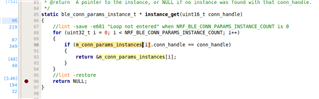
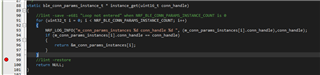
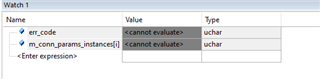
After 20s i Expect the Conn interval to be around 300ms afer 20s in order to save power, unfortunately after 20s the code crash and i have no idea where, i put logs to where i belive is the crash but i don't see anything.
			case BLE_GAP_EVT_PHY_UPDATE_REQUEST:
			{
				NRF_LOG_INFO("BLE_GAP_EVT_PHY_UPDATE_REQUEST");
				ble_gap_phys_t const phys =
				{
					.rx_phys = BLE_GAP_PHY_AUTO,
					.tx_phys = BLE_GAP_PHY_AUTO,
				};
				err_code = sd_ble_gap_phy_update(p_ble_evt->evt.gap_evt.conn_handle, &phys);
				APP_ERROR_CHECK(err_code);
			} break;
static void on_conn_params_evt(ble_conn_params_evt_t * p_evt)
{
    ret_code_t err_code;

    if (p_evt->evt_type == BLE_CONN_PARAMS_EVT_FAILED)
    {
				NRF_LOG_INFO("ble conn params failed");
        err_code = sd_ble_gap_disconnect(p_evt->conn_handle, BLE_HCI_CONN_INTERVAL_UNACCEPTABLE);
        //APP_ERROR_CHECK(err_code);
    }
		else
		{
			NRF_LOG_INFO("BLE_CONN_PARAMS_EVT_SUCCESS");
		}
}
I tried with those parameters :
#define MIN_CONN_INTERVAL				MSEC_TO_UNITS(200, UNIT_1_25_MS)			/**< Minimum acceptable connection interval (8 = 100 ms). */
#define MAX_CONN_INTERVAL				MSEC_TO_UNITS(300, UNIT_1_25_MS)		/**< Maximum acceptable connection interval (150 = 200 ms). */
And it works fine but i don't belive there is an PHY update.
On the other hand the bliky example works fine.
What did i do wrong ? For the central i used NRF connect on my phone and with the PC connected to a dev bloard.
Thank you