nrf9160dk fota using external flash

Hi all,


I'm wondering if there is a sample code that implements FOTA (would be great if it's from AWS S3 bucket) for nrf9160dk. 

This was the closest thing I was able to find, but it works for nrf52840dk. I guess I could add an overlay file for nrf9160dk, but I still don't know how to build/run test applications. Also this was done with ncs 1.7.1 and our product currently uses ncs 1.6.1. 


Cheers,
Aleksa

  • Hi Aleksa, 

    Could you let me know: 

    1 - Have you done any FOTA update for nRF9160 using the internal memory ? 
    2 - Have you tested external flash DFU with nrf52840dk ? I have made an example here that you can test. To test it you just need to use mcumgr.exe tool. 

    If you have done #2 , it should be straight forward to test that on nRF9160. I would suggest to test UART DFU first and then you can test with FOTA. 

  • 1. I have, based on this sample code.
    2. No I haven't. I will try to follow the example for the nrf52840dk, and adjust for nrf9160dk. 

    Thanks.

  • Hi Aleksa, 

    As far as I know the FOTA process would work exactly the same when you configure the SMP server to use external flash for the 2nd slot. 

    My suggestion is:

    1. Test the example I provided to do UART DFU with the nRF52840DK. Make sure you can update the firmware with mcumgr and check that the 2nd slot is on the external flash (check and verify that it's copied there)

    2. From such example you can port it to the nRF9160DK  and perform the same test

    3. After you have done #2 you can start to modify the FOTA example to use external flash (use the overlay file chose external flash) and test it. 

  • Hi Hung Bui,

    Took a small break from this, sorry for a late reply.

    I'm really not sure what to do with this. I've flashed the code you've sent me, but afterwards I find it really hard to use mcumgr. I can't find a list of commands for it. I'd like to find a command for checking images/memory (as much as possible), and to flash a new image. I was able to find some commands but I wasn't able to accomplish what I wanted. 

    Also I'm a bit confused by the sample itself. For this to work, we need to:
    1. Define flash memory in the overlay file - mx25r64 in this case
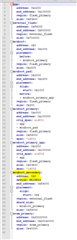
    2. I think - pm.yml so that the mcuboot_secondary goes to the external flash. Also I should define external flash start address and size? Or does the build system get that somehow from the overlay file? 


    One more q. What ncs sdk does the sample you've made use? We use ncs1.6.1 on our project. 


    Kinda confused, hopefully you can help.

    Thanks
    Aleksa

  • Hi Aleksa, 

    I would suggest to test with the default serial DFU (without external flash) please start with the smp_svr example. 

    You can have a look at the documentation of MCUMGR here and the SMP_SVR here

    Basically for a Windows computer, if the serial port is for example COM10, the commands should be: 
    List images (test to check if MCUBoot is running)

    mcumgr --conntype=serial --connstring=COM10 image list

    You should see something like this (this is a screenshot on Linux): 

    Upload image: 

    mcumgr --conntype=serial --connstring=COM10 image upload build\zephyr\app_update.bin

    My example is compiled with NCS v1.8.0. I havent tested with NCS v1.6.1 but it may work. 

    When you use chosen  nordic,pm-ext-flash = &mx25r64; in the overlay file the partition manager will automatically configure the secondary slot to the start address of the external flash. You can find it in the partitions.yml file in build folder.

    If you want to modify the location in the external flash, you need to create a pm_static.yml file based on this partitions.yml but with your own configuration. 

Related