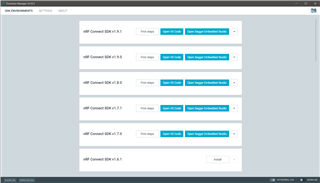
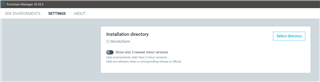
i have installed segger ide and nrf connect for desktop for programm nrf9160 , i have successfully uploaded Blinky code (zephyr) .but now i want to create a new project .
i click on crate new project and past code of Blinky in main.c file . on buid it shows error while i.am using same cade as zephyr blink sample code.
ERORR MSG
EGGER_THUMB_Startup.s:170: Error: bad instruction `l(RunInit):'
2> SEGGER_THUMB_Startup.s:173: Error: selected processor does not support `blx R0' in Thumb mode
2> SEGGER_THUMB_Startup.s:174: Error: unrecognized relocation suffix -- `b L(RunInit)'
2> SEGGER_THUMB_Startup.s:238: Error: symbol `exit' is already defined
2> SEGGER_THUMB_Startup.s:239: Error: MOV Rd, Rs with two low registers is not permitted on this architecture -- `mov R5,R0'
2> SEGGER_THUMB_Startup.s:245: Error: bad instruction `l(Loop):'
2> SEGGER_THUMB_Startup.s:247: Error: unrecognized relocation suffix -- `beq L(End)'
2> SEGGER_THUMB_Startup.s:251: Error: selected processor does not support `blx R2' in Thumb mode
2> SEGGER_THUMB_Startup.s:253: Error: unrecognized relocation suffix -- `b L(Loop)'
2> SEGGER_THUMB_Startup.s:254: Error: bad instruction `l(End):'
2> SEGGER_THUMB_Startup.s:262: Error: MOV Rd, Rs with two low registers is not permitted on this architecture -- `mov R0,R5'
2> SEGGER_THUMB_Startup.s:267: Error: bad instruction `l(ExitLoop):'
2> SEGGER_THUMB_Startup.s:268: Error: unrecognized relocation suffix -- `b L(ExitLoop)'
2> SEGGER_THUMB_Startup.s:275: Error: .space specifies non-absolute value
2> SEGGER_THUMB_Startup.s: Error: .size expression for exit does not evaluate to a constant
1> main.c:7:10: fatal error: zephyr.h: No such file or directory
1> compilation terminated.
3> nRF/Device/Source/system_nrf9160.c:28:10: fatal error: nrf.h: No such file or directory
3> compilation terminated.
4> nRF/Source/nRF_Startup.s: Assembler messages:
4> nRF/Source/nRF_Startup.s:174: Error: selected processor does not support `movw R0,0xED08' in Thumb mode
4> nRF/Source/nRF_Startup.s:175: Error: selected processor does not support `movt R0,0xE000' in Thumb mode
4> nRF/Source/nRF_Startup.s:188: Error: selected processor does not support `movw R0,0xED88' in Thumb mode
4> nRF/Source/nRF_Startup.s:189: Error: selected processor does not support `movt R0,0xE000' in Thumb mode
4> nRF/Source/nRF_Startup.s:191: Error: cannot honor width suffix -- `orrs R1,R1,#(0xf<<20)'
4> nRF/Source/nRF_Startup.s:246: Error: bad instruction `l(hfLoop):'
4> nRF/Source/nRF_Startup.s:247: Error: unrecognized relocation suffix -- `bmi L(hfLoop)'
4> nRF/Source/nRF_Startup.s:255: Error: unrecognized relocation suffix -- `bne L(Uses_PSP)'
4> nRF/Source/nRF_Startup.s:256: Error: selected processor does not support `mrs R0,MSP' in Thumb mode
4> nRF/Source/nRF_Startup.s:257: Error: unrecognized relocation suffix -- `b L(Pass_StackPtr)'
4> nRF/Source/nRF_Startup.s:258: Error: bad instruction `l(Uses_PSP):'
4> nRF/Source/nRF_Startup.s:259: Error: selected processor does not support `mrs R0,PSP' in Thumb mode
4> nRF/Source/nRF_Startup.s:260: Error: bad instruction `l(Pass_StackPtr):'
4> nRF/Source/nRF_Startup.s:262: Error: cannot honor width suffix -- `tst LR,#4'
4> nRF/Source/nRF_Startup.s:263: Error: selected processor does not support `ite eq' in Thumb mode
4> nRF/Source/nRF_Startup.s:264: Error: selected processor does not support `mrseq R0,MSP' in Thumb mode
4> nRF/Source/nRF_Startup.s:265: Error: selected processor does not support `mrsne R0,PSP' in Thumb mode
4> nRF/Source/nRF_Startup.s:276: Error: cannot honor width suffix -- `orr R2,R2,#0x80000000'
Build failed