Hi,
I am devloping base on azure_fota example and got the Peer closed connection! after used the SAS URL.
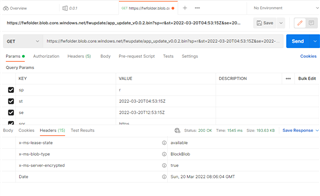
First, I complete do the FOTA by using the normal URL from blob storage, https://xxx.blob.core.windows.net/xxx/app_update_v0.0.2.bin
Then I need to add the more security on my storage by set the access level to private and try to download the new firmware with SAS URL.
This is my subject on device twin.
            "firmware": {
                "jobId": "1",
                "fwVersion": "v0.0.2",
                "fwLocation": {
                    "host": "https://xxx.blob.core.windows.net",
                    "path": "fwupdate/app_update_v0.0.2.bin?sp=r&st=2022-03-20T04:53:15Z&se=2022-03-20T12:53:15Z&spr=https&sv=2020-08-04&sr=b&sig=1fg4CAG2w1%2Ff%2BQGGCUW7auLBhP5k8YelMoFTH%2B%2BEvGE%3D"
                },
                "fwFragmentSize": 1800
Then I got the error.
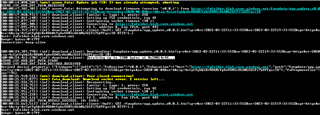
2022-03-20T05:17:28.105Z DEBUG modem << AZURE_IOT_HUB_EVT_FOTA_START
2022-03-20T05:17:28.108Z DEBUG modem << AZURE_IOT_HUB_EVT_TWIN_DESIRED_RECEIVED
2022-03-20T05:17:28.111Z DEBUG modem << Desired device property: {"firmware":{"jobId":"2","fwVersion":"v0.0.2","fwLocation":{"host":""path":"xxx/app_update_v0.0.2.bin?sp=r&st=2022-03-20T04:53:15Z&se=2022-03-20T12:53:15Z&spr=https&sv=2020-08-04&sr=b&sig=1fg4CAG2w1%2Ff%2BQGGCUW7auLBhP5k8YelMoFTH%2B%2BEvGE%3D"},"fwFragmentSize":1800},"$version":37}">xxx.blob.core.windows.net","path":"xxx/app_update_v0.0.2.bin
2022-03-20T05:17:28.183Z DEBUG modem << [00:00:37.710,540] [0m<inf> download_client: Setting up TLS credentials, tag 11[0m
2022-03-20T05:17:28.187Z DEBUG modem << [00:00:37.718,750] [0m<inf> download_client: Configuring socket timeout (30 s)[0m
2022-03-20T05:17:28.250Z DEBUG modem << [00:00:37.726,776] [0m<inf> download_client: Connecting to https://xxx.blob.core.windows.net[0m
2022-03-20T05:17:28.736Z DEBUG modem << AZURE_IOT_HUB_EVT_TWIN_RESULT_SUCCESS, ID: 30085
2022-03-20T05:18:41.606Z DEBUG modem << RRC mode: Idle
2022-03-20T05:18:43.178Z DEBUG modem << RRC mode: Connected
2022-03-20T05:18:43.237Z DEBUG modem << [00:01:52.799,346] [1;33m<wrn> download_client: Peer closed connection![0m
2022-03-20T05:18:43.244Z DEBUG modem << [00:01:52.806,701] [1;33m<wrn> fota_download: Download socket error. 1 retries left...[0m
2022-03-20T05:18:43.249Z DEBUG modem << [00:01:52.815,551] [0m<inf> download_client: Reconnecting..[0m
2022-03-20T05:18:43.889Z DEBUG modem << [00:01:53.500,823] [0m<inf> download_client: Setting up TLS credentials, tag 11[0m
2022-03-20T05:18:43.970Z DEBUG modem << [00:01:53.509,002] [0m<inf> download_client: Configuring socket timeout (30 s)[0m
2022-03-20T05:18:44.059Z DEBUG modem << [00:01:53.517,028] [0m<inf> download_client: Connecting to https://fwfolder.blob.core.windows.net[0m
2022-03-20T05:20:31.636Z DEBUG modem << RRC mode: Idle
2022-03-20T05:20:31.643Z DEBUG modem << [00:03:41.260,498] [1;33m<wrn> download_client: Peer closed connection![0m
2022-03-20T05:20:31.649Z DEBUG modem << [00:03:41.267,913] [1;31m<err> fota_download: Download client error[0m
2022-03-20T05:20:31.656Z DEBUG modem << [00:03:41.274,902] [1;31m<err> azure_fota: FOTA download failed[0m
2022-03-20T05:20:31.664Z DEBUG modem << [00:03:41.281,768] [1;31m<err> azure_iot_hub: AZURE_FOTA_EVT_ERROR[0m
2022-03-20T05:20:31.674Z DEBUG modem << Unknown Azure IoT Hub event type: 21
2022-03-20T05:20:32.137Z DEBUG modem << RRC mode: Connected
2022-03-20T05:20:32.617Z DEBUG modem << AZURE_IOT_HUB_EVT_TWIN_RESULT_SUCCESS, ID: 221288