This discussion has been locked.
You can no longer post new replies to this discussion. If you have a question you can start a new discussion

OTA is not working its disconnected

Hello,

I am using nrf52810 with custom board and i have created DFU for uploading a OTA file previously its working fine but i don't know what happens now BLE is getting disconnected while uploading OTA file. i have changed the firmware for adding extra some feature regarding working of device but i didn't change the DFU firmware or anything so after updating the new firmware i have created the new OTA file and trying to upload it, since it disconnected while uploading OTA . what is the problem if anybody have idea on this please let me know.

thank you.

Parents
  • Hi Riosh, 


    Please try to test with unmodified bootloader (and unmodified application from the SDK) just to make sure the issue was from the firmware side. 
    Please also try to test with different central device, for example NRF Connect for Desktop. 

    Could you capture log (from both the bootloader and from the phone )  and sniffer trace of the DFU update process ? 

  • Please try to test with unmodified bootloader (and unmodified application from the SDK) just to make sure the issue was from the firmware side. 

    Hello,

    Sorry i didn't get like unmodified bootloader means what i didn't change the bootloader things only i have changed the push buttons and led things as require for my application before that its working fine.

    Please also try to test with different central device, for example NRF Connect for Desktop. 

    Ok. i have used only a mobile application, better i will try with desktop application also and let you know the result.

    Could you capture log (from both the bootloader and from the phone )  and sniffer trace of the DFU update process ? 

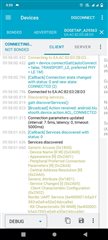
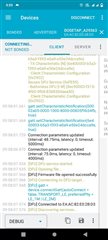
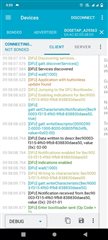
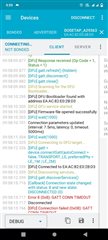
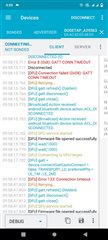
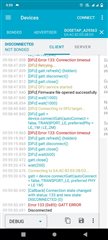
    these is the log while updating the OTA file

    1.

    2.

    3.

    4.

    5.

    6.

    please let me know what is the actual problem.

  • Hi , 

    From what I can see from the log, the issue happened after the phone send the command to put the device in to DFU mode. 
    What it does it to write 0x01 to the DFU buttonless characteristic and the device will reset to the bootloader and enter DFU mode. This requires a disconnection and then reconnection from the phone to the bootloader. 

    What you can do to test is instead of letting the NRF Connect to put the device to DFU mode and connect automatically, you can do it in 2 phase. 
    First you can try to switch the device to DFU mode, either by a button or by using nRF Connect to write 0x01 to the DFU buttonless service after you enable the indication/notification. 
    The device should after that advertise as DFUTarg and you can try to connect and do DFU from there. 


    Other thing you can try is to just flash the device with Softdevice + bootloader and test doing DFU. 

Reply
  • Hi , 

    From what I can see from the log, the issue happened after the phone send the command to put the device in to DFU mode. 
    What it does it to write 0x01 to the DFU buttonless characteristic and the device will reset to the bootloader and enter DFU mode. This requires a disconnection and then reconnection from the phone to the bootloader. 

    What you can do to test is instead of letting the NRF Connect to put the device to DFU mode and connect automatically, you can do it in 2 phase. 
    First you can try to switch the device to DFU mode, either by a button or by using nRF Connect to write 0x01 to the DFU buttonless service after you enable the indication/notification. 
    The device should after that advertise as DFUTarg and you can try to connect and do DFU from there. 


    Other thing you can try is to just flash the device with Softdevice + bootloader and test doing DFU. 

Children
  • What you can do to test is instead of letting the NRF Connect to put the device to DFU mode and connect automatically, you can do it in 2 phase. 
    First you can try to switch the device to DFU mode, either by a button or by using nRF Connect to write 0x01 to the DFU buttonless service after you enable the indication/notification. 
    The device should after that advertise as DFUTarg and you can try to connect and do DFU from there. 

    Sorry for the late reply, using push button switch the device to DFU mode means however this is the custom board so i need to add extra push button to put the device into DFU mode right.

    sorry i am new to nordic so how to flash the Soft device + Bootloader to the device like using nrf connect desktop application .??

    thank you.

  • Hi,

    I'm not sure how you tested the bootloader and DFU. Could you explain your steps on how you flashed the bootloader , etc ? 
    I have made a tutorial here that might be useful for you. 

Related