Read Uart based sensor data on nrf9160 using segger?

Hello Sir/Mam;

I am new in nordic environment so i need your valuable guidance . i want to read a sensor data using Uart   . I have successfully do same thing on Arduino board using Simple command

Serial. Read.  

In nordic i looking quite difficult for me to read Serial data.  i have tried the given example code on Devzon (link given below). 

/cfs-file/__key/support-attachments/beef5d1b77644c448dabff31668f3a47-9d88559067624c5691514299fc78e0a0/1362.uart_5F00_main-_2800_1_2900_.zip

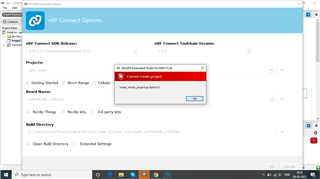
when i try to open this project using nrf connect .show error
please suggest me example or right way for read Serial data .

i also want to share my experience with nordic .

i have noticed that your documentation looks more complicated to   understand  as compare to arduino,respberry pi , ESP8266,Nuvoton.

but i am happy with your team support on Devzon.

  • Hello, 

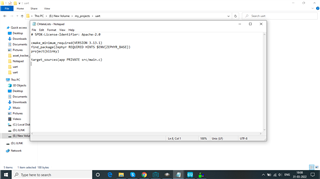
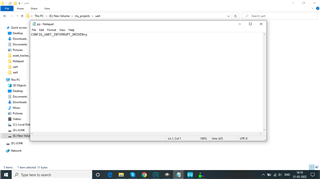
    i have tried the given example code on Devzon (link given below). 

    From what DevZone support ticket did you find this sample? What nRF Connect SDK version is this based upon? Is this based for nRF9160?

    I am new in nordic environment so i need your valuable guidance

    We have just released our Nordic Developer Academy which can provide some guidance, along with our nRF Connect SDK documentation

    when i try to open this project using nrf connect .show error

    The error is shown in the Output tab of Segger Embedded Studio, which you can see in the back, on the right hand side of attached image. (Red square with number 1)

    Kind regards,
    Øyvind

  • Thank you sir for Nordic developer academy, 

    now my problem is resolved i found another example , build and debug successfully ,

    but still not receiving data.

    #include <zephyr.h>
    #include <device.h>
    #include <devicetree.h>
    #include <drivers/uart.h>
    #include <sys/printk.h>
    static uint8_t uart_buf[1024];
    int count;
    void uart_cb(const struct device *x, void *user_data)
    {
    	uart_irq_update(x);
    	int data_length = 0;
    
    	if (uart_irq_rx_ready(x)) {
    		data_length = uart_fifo_read(x, uart_buf, sizeof(uart_buf));
    		uart_buf[data_length] = 0;
    	}
        uart_fifo_fill(x, uart_buf, data_length);
    }
    
    void main(void)
    {
    
        printk("sensor program start!\n"); //output on UART0, which is default for logging


    const struct device *uart = device_get_binding("UART_1");
    	uart_irq_callback_set(uart, uart_cb);
    	uart_irq_rx_enable(uart);
    	
    	printk("main function!\n"); //output on UART0, which is default for logging
    	while (1) {
            uart_fifo_fill(uart, "UART loopback start!\r\n", 22);
            printk("receiveing data! %c %c %x\n",uart_buf[0],uart_buf[1],uart_buf[2]); //output on UART0, which is default for logging
    		///k_cpu_idle();
    	}
    }


    please help me , what to to read data

  • Hello, 
    Still missing some information in order to help. What kind of sample are you working on? On what board are you trying to read UART, is it the nRF9160DK or a Thingy:91, or is this a custom board?

    What does the output log show, can you please provide the log for me to see?

    Kind regards,
    Øyvind

  • You are right. My apologies, I was answering too quick and did not do my job of reading the provided information. 

    It would be great if you could share the files as files, not screenshots. You can use the Insert --> Image/Video/File to upload files, or you can drag and drop files to the "text field" to attach files.

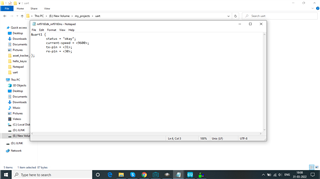
    That said, what sample are you working on? You write that you found another sample, but from where? What version of nRF Connect SDK (NCS) is this written for? I see that the overlay file is named nrf9160dk_nrf9160ns, however, in the latest version of NCS (tag v1.9.1) it should be nrf9160dk_nrf9160_ns

    That said, have you verified that the pins in the overlay are available? See our nRF9160 DK Hardware user guide

    Mohit Nama said:
    but still not receiving data.

    What are you connecting your device to?  From where do you expect data from? From a computer, sensor, or another MCU?

    Kind regards,
    Øyvind

Related