This discussion has been locked.
You can no longer post new replies to this discussion. If you have a question you can start a new discussion

Nrf9160 problem with custom Secure Partition Manager

Hello!
I'm trying to use a custom SPM using this guide: https://devzone.nordicsemi.com/guides/nrf-connect-sdk-guides/b/software/posts/using-a-custom-secure-partition-manager-wtih-your-application
I would like to be able to read some data through the uart and save them in memory by running this code in the secure domain.
While in the non-secure domain i would like to obtain the current position using the gps module.
The two projects work correctly but when I enter in non-secure domain through the command "spm_jump ()" the uart stops working.

  • Hi Gioele, 

    Which UART peripheral are you planning to use ? Is it UARTE2 ? 

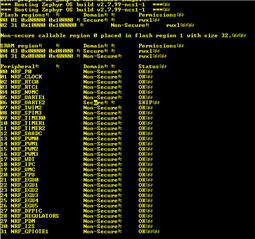
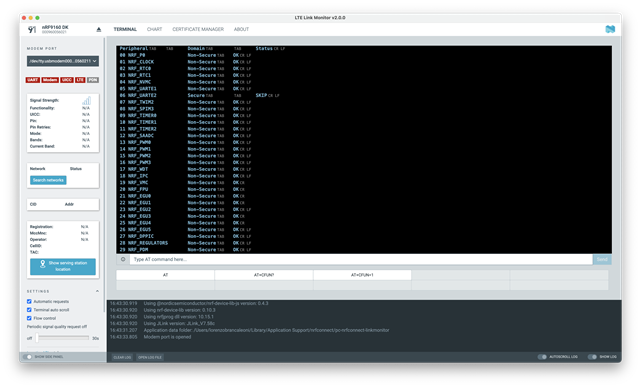
    Could you capture the log when you booting up, it should show which peripheral is secure and which is non secure. Something like this: 

    You may need to set CONFIG_SPM_NRF_UARTE2_NS=y in the spm project if you want to use UARTE2 in non-secure domain. 

    Could you let me know if you are testing with the example from the blog you referred to or you are testing with your own application ? 

  • Hi,

    I use UARTE1.
    This is my log:
    And this is my .prj file:

    CONFIG_UART_INTERRUPT_DRIVEN=y
    CONFIG_RESET_ON_FATAL_ERROR=n

    And this is my .overlay file:

    &uart1{
    	rx-pin = <10>;
    	tx-pin = <11>;
    	current-speed = <115200>;
    };

  • Hi Gioele, 

    UART1 is disabled by default, see nrf9160dk_nrf9160_ns.dts in \zephyr\boards\arm\nrf9160dk_nrf9160. 

    So you need to configure this in the overlay: 

    &uart1{

    status = "okay";
    rx-pin = <10>;
    tx-pin = <11>;
    current-speed = <115200>;

    };

    In addition, if you use the same pins on UARTE1 as the UART that used by SPM then you may need to disable the CONSOLE and UART on SPM child image. 

    I attached here an example that worked for me. 

    uart_loopback.zip

Related