

Hello, I'm working with board nRF5340 DK. I'm using the peripheral uart0. I want to be able to send data through uart0_tx (P0.22) and to receive the same data through uart_rx (P0.20). So, I decided to use a cable to link both pins (uart0_tx and uart0_rx). Before doing that, I cut solder bridges SB52 and SB53 to disconnect the nRF5340 RxD and TxD lines from the signal switch and the interface MCU. I expected uart reception to work properly but when I observe signals in an oscilloscope, I saw that they are modified. Signals don't go from 0V to 3V but from 1.5V to 3V. Only when switch SW6 is on the nRF ONLY state, everything works fine.
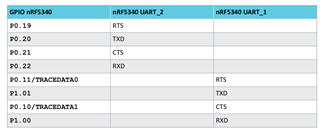

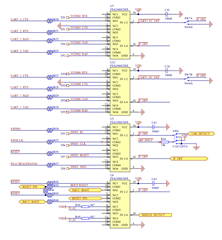
In the example here below, I send message "test" through uart_tx (signal in white) and I received the same message through uart_rx (signal in brown), which is normal because they are connected. I got the correct data because SW6 is on the nRF ONLY state.
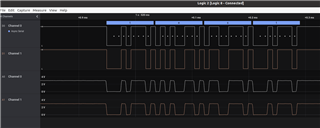
But when SW6 is on the DEFAULT state for the same data "test", I got the signals here below. As I said before signals do not change between 0V and 3V but between 1.5V and 3V. So, when analog signals (A0 and A1) are transformed in digital signals (D0 and D1), they are interpreted as a constant signal at the high state.
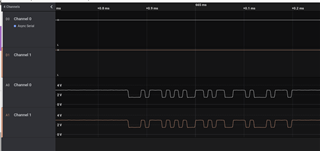
Why signals are modified when SW6 is in the DEFAULT state? How can I make to get the correct signals with SW6 on the DEFAULT state? I need to do that, to be able to debug my program. I don't want SW6 to be on the nRF ONLY state because I can not program and debug the board when interface UART is disconnected.
I send you the nRF5340 DK schematic and the user guide.
PCA10095_Schematic_And_PCB.pdf nRF5340_DK_User_Guide_v2.0.0-1.pdf
Thanks !
