Hi,
I would like to know where I can find the source code inside GitHub for the default software provided in Thingy:91?
Hi,
I would like to know where I can find the source code inside GitHub for the default software provided in Thingy:91?
Hi,
You can download the source code for our website: Nordic Thingy:91 - Downloads - nordicsemi.com
And the Thingy91 depending on what version(release) you have will come Asset tracker V1 or V2. You can find v2 here in our github repo. It is recommend to use v2 of asset tracker. Here is the doc link for v2: nRF9160: Asset Tracker v2 — nRF Connect SDK 1.9.1 documentation (nordicsemi.com)
Regards,
Jonathan
In the downloads (https://www.nordicsemi.com/Products/Development-hardware/Nordic-Thingy-91/Download#infotabs), I cannot find the source code. I can only find the hex files and other output files only. Could you please help me in finding the source code?
The Thingy 91 does come with a Asset Tracker application all ready on it, depending on what version of the Thingy91 you have it will be either Asset Tracker or Asset Tracker V2![]()
Link: Getting started with Thingy:91 — nRF Connect SDK 1.9.99 documentation (nordicsemi.com)
In the Download section of the product page the applications are already compiled so it does not include the source code. This you will find in the GitHub repo: sdk-nrf/applications at 935db5c5339824d2fc8ea53b45bb747c4ede846b · nrfconnect/sdk-nrf · GitHub
So for a Thingy 91 that is newer then v1.5.0 will have Asset Tracker V2 on it, the docs you can find here and the source code here.
Regards,
Jonathan
But I cannot download the files from gitHub from the link given. I can download only from the sdk-nrf. Do I need all these files from this folder or only inside the applications/asset_tracker_v2 files are sufficient?
Hi,
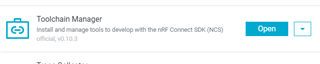
To build and work with the example code we have you will need to set up the entire SDK toolchain. Pleas follow the steps shown in the nRF Connect for Desktop application. There is a Toolchain mangaer that does all for you.
We do have a guide here Getting started — nRF Connect SDK 1.9.99 documentation (nordicsemi.com)
Full guide on how to install: Exercise 1 – Nordic Developer Academy (nordicsemi.com)
Regards,
Jonathan