Acceleration values on the LTE terminal for nRF9160

Hi,

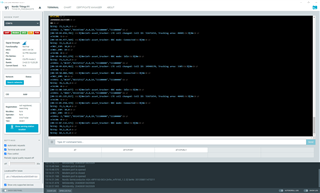
I'm using the default software to check the acceleration values when there is a movement in the Thingy:91 on the LTE Monitor terminal.

The document says that this type of output should be seen on the console: https://developer.nordicsemi.com/nRF_Connect_SDK/doc/1.9.1/zephyr/samples/sensor/adxl362/README.html#adxl362

But I'm unable to see anything on the console when I move the Thingy:91. Could you please tell me how to see the values acceleration values on the console?
Parents
  • Hello Harish,

    HarishNV said:
    Is there any software necessary to be downloaded exclusively for using "west" during compilation?

    Even though I don’t think this is the problem here, you have a typo in the build command, it should be:

    west build -b thingy91_nrf9160_ns

    HarishNV said:
    I have installed west using pip3. Should any environmental variables should be updated for Windows?

    If configured correctly, there should be no need to set an environment variable and west should be available within VS Code.

    user@user-ubu:~/work/VSCode/nrf52_uart_app$ west --version
    West version: v0.13.1

    Have you performed the steps described in the Quick Setup chapter?

    HarishNV said:
    When I'm trying to build the configuration with this sample, why there is no board for Thingy91 which is compatible? Is there any reason?

    You have to select "Nordic boards", then the Thingy91 should pop-up.

    Regards,

    Markus

Reply
  • Hello Harish,

    HarishNV said:
    Is there any software necessary to be downloaded exclusively for using "west" during compilation?

    Even though I don’t think this is the problem here, you have a typo in the build command, it should be:

    west build -b thingy91_nrf9160_ns

    HarishNV said:
    I have installed west using pip3. Should any environmental variables should be updated for Windows?

    If configured correctly, there should be no need to set an environment variable and west should be available within VS Code.

    user@user-ubu:~/work/VSCode/nrf52_uart_app$ west --version
    West version: v0.13.1

    Have you performed the steps described in the Quick Setup chapter?

    HarishNV said:
    When I'm trying to build the configuration with this sample, why there is no board for Thingy91 which is compatible? Is there any reason?

    You have to select "Nordic boards", then the Thingy91 should pop-up.

    Regards,

    Markus

Children
No Data
Related