This discussion has been locked.
You can no longer post new replies to this discussion. If you have a question you can start a new discussion

BLE Mesh Sensor Model issue

Hi everyone,


I have a preblem for BLE Mesh 5.0 version (board is nrf52840),

I found that in the Setting set function of the Sensor Model, it seems that the data is transmitted  by client to the server, but the server cannot receive it.

Does anyone have the same problem? How to solve it?

Best regards.

Parents
  • Hi,

    Are using an unmodified example when testing? Can you provide logs from both client and server?

    Can you describe the steps you have done to test this?

    Are you using the nRF Mesh to provision the devices?

  • Hi Mttrinh, Thank for your reply.

    Q1:Are using an unmodified example when testing?

    Answer:

    Yes, I'm using unmodified example when testing, but 

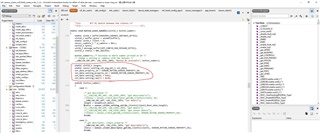
    I using client model button(1) trigger sensor_client_setting_set that data param is

    (sensor_client_t * p_client, const sensor_setting_set_msg_pkt_t * p_params, uint16_t length)

    , p_client using m_clients[client] (example client)

    , p_params using set_data (red circle of pitcture1)

    , length using set_data length  (sizeof(set_data )) , for (P1)

     (P1)

    static uint16_t length;
    static sensor_setting_set_msg_pkt_t set_data;
    set_data.property_id = SENSOR_MOTION_SENSED_PROPERTY_ID;
    set_data.setting_property_id = SENSOR_MOTION_SENSED_PROPERTY_ID;
    set_data.setting_raw[0] = 0x01;
    set_data.setting_raw[1] = 0x20;

    Q2: Can you provide logs from both client and server?

    Answer:

    sensor_client_setting_set is timeout for Client. (P2) 

    Client:

    But I using sensor_client_setting_get with Client, server has response.

    Client: (P3) 

     (P3)

    Server: (P4)

      (P4)

    Q3: Can you describe the steps you have done to test this?

    Answer 3: I using  using client model button(1) trigger sensor_client_setting_set .

    Q4:Are you using the nRF Mesh to provision the devices?

    Answer 4: Yes, Configuration was successful.

    Best regards.

Reply
  • Hi Mttrinh, Thank for your reply.

    Q1:Are using an unmodified example when testing?

    Answer:

    Yes, I'm using unmodified example when testing, but 

    I using client model button(1) trigger sensor_client_setting_set that data param is

    (sensor_client_t * p_client, const sensor_setting_set_msg_pkt_t * p_params, uint16_t length)

    , p_client using m_clients[client] (example client)

    , p_params using set_data (red circle of pitcture1)

    , length using set_data length  (sizeof(set_data )) , for (P1)

     (P1)

    static uint16_t length;
    static sensor_setting_set_msg_pkt_t set_data;
    set_data.property_id = SENSOR_MOTION_SENSED_PROPERTY_ID;
    set_data.setting_property_id = SENSOR_MOTION_SENSED_PROPERTY_ID;
    set_data.setting_raw[0] = 0x01;
    set_data.setting_raw[1] = 0x20;

    Q2: Can you provide logs from both client and server?

    Answer:

    sensor_client_setting_set is timeout for Client. (P2) 

    Client:

    But I using sensor_client_setting_get with Client, server has response.

    Client: (P3) 

     (P3)

    Server: (P4)

      (P4)

    Q3: Can you describe the steps you have done to test this?

    Answer 3: I using  using client model button(1) trigger sensor_client_setting_set .

    Q4:Are you using the nRF Mesh to provision the devices?

    Answer 4: Yes, Configuration was successful.

    Best regards.

Children
No Data
Related