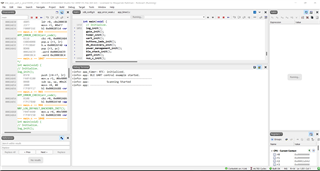
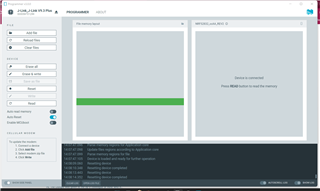
Unable to program using nRF Connect

Hi,
I am working on nRF52832 as central. When I program it to form Segger Embedded Studio it's working fine but when I upload that .hex file from the nRF Connect device did not show any response. It uploaded successfully but does not show any response. Do any suggestions please?

Parents
  • Hi,

    Please give some more information about your set up and the issue.

    By nRF Connect do you mean the Programmer application in nRF Connect for Desktop? Did you reset the device after programming it?

    Are you using nRF5 SDK or nRF Connect SDK? Is your project based on an example, and if so, which one?

    Best regards,

    Marte

  • I am working on a central example

    (C:\Nordic2\SDK\nRF5SDK1702d674dde\nRF5_SDK_17.0.2_d674dde\examples\ble_central\ble_app_uart_c).

    And when I upload code from Segger Embedded Studio device work properly.


    But when I upload hex file using nRF Connect for Desktop device don't give any response. I have also restarted the device.

    (C:\Nordic2\SDK\nRF5SDK1702d674dde\nRF5_SDK_17.0.2_d674dde\examples\ble_central\B_Central V3\pca10040\s132\ses\Output\Release\Exe\ble_app_uart_c_pca10040_s132.hex).

  • Hi,

    You must also program the SoftDevice, which you can find in nRF5_SDK_17.0.2_d674dde\components\softdevice\s132\hex.

    In SES the SoftDevice is automatically programmed when you download the application to the device if the project is configured to use SoftDevice. However, ble_app_uart_c_pca10040_s132.hex is only the hex file for the application, and does not contain the SoftDevice.

    Best regards,

    Marte

Reply Children
Related