This discussion has been locked.
You can no longer post new replies to this discussion. If you have a question you can start a new discussion

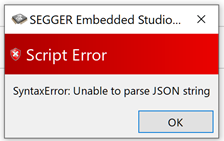
Script Error when Open nRF Connect SDK Project

Hello Group,

I got an error when I tried to “Open nRF Connect SDK Project” from the Segger Embedded Studio.

Do have any idea how to fix it? (the attached here my process)

Thanks a lot for your time,

Jack
  1. Open Segger Embeed Studio from the Toolchain Manager
  2. In the Segger Embedded Studio for ARM (Nordic Edition)

    Click File, Open nRF Connect SDK Project

  3. Then it pop-up the error with empty textboxes

Parents Reply Children
  • Hello Group,

    I uninstalled Nordic nRF Connect and Segger Embedded, and then reinstalled Nordic nRF Connect and Segger Embedded. But the problem is still the same.

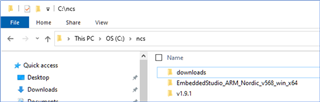
    I installed it in the very short path, C:\ncs, and C:\ncs\EmbeddedStudio_ARM_Nordic_v568_win_x64

    Note: my laptop is Dell XPS, Windows 10.

    Do you have any idea to help to solve this problem?

    Thanks a lot,

    Jack

    FolderLocation

Related