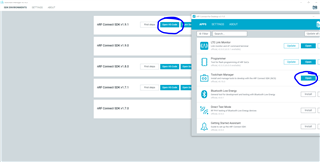
Not able to build VS code using nrf connect

I am having trouble to add the toolchain folder to the VS code setup. 

The nrf connect for VS code does not pop up on the side at all to add application folder. 

Tried to re install the nrf connect as well as VS cpde but did not help. Please advise to get the VS code setup build 

  • Hi,

    1) Could you explain and supply a link to the guides/tutorials you have been using to install nRF Connect SDK? Personally I recommend following this guide for installing nRF Connect SDK.

    2) Also could you list the following:
    - Operating system on the computer
    - Version of Visual Studio Code
    - Version of nRF Connect for Desktop

    Kind regards,
    Andreas

  • Windows 10

    VS code version: 1.66.2

    nRF connect for desktop : V3.11.0

    nRF connect for desktop works fine. I am not able to run the VS code and build the code. I do not see the nrf connect terminal icon in the side panel of my VS code

  • Hi,

    I see I wrote wrong for for the last item in 2) I ment "which version of nRF Connect SDK. 

    AHaug said:
    1) Could you explain and supply a link to the guides/tutorials you have been using to install nRF Connect SDK?

    I also need to know how you set up the environment to know if the issue is caused by how it was installed

    nandini singh said:
    I am not able to run the VS code and build the code. I do not see the nrf connect terminal icon in the side panel of my VS code


    Did you launch the toolchain manager in nRF Connect for Desktop to open Visual Studio Code? Opening it this way should prompt to add/install missing dependencies if there are any

    Kind regards,
    Andreas

  • This is the version we are currently using. It works for other teammates with the same versions.

  • Hi,

    AHaug said:
    1) Could you explain and supply a link to the guides/tutorials you have been using to install nRF Connect SDK?

    Can you please state how you installed everything, or which guides you followed in the installation procedure? I can not progress with helping you if you don't supply this information. 

    If you don't want to supply this for some reason or can not do so, then please state so. If so I recommend you try to uninstall everything (VSCode, nRF Connect for Desktop and also delete the VSCode Appdata  folder (By default, VS Code is installed under C:\Users\{Username}\AppData\Local\Programs\Microsoft VS Code .) and install everything again from scratch using this guide.

    Kind regards,
    Andreas

Related