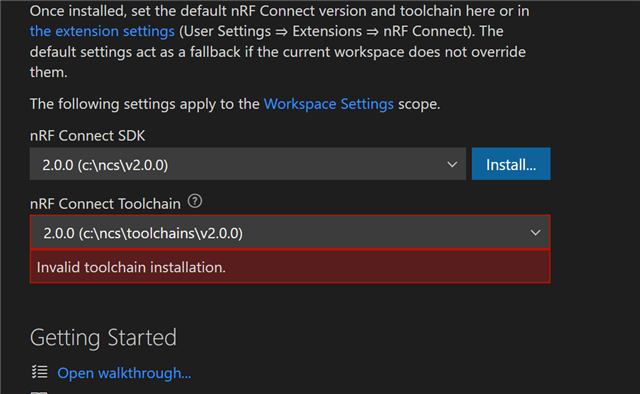
Invalid toolchain installation for 2.0.0 in VS Code

Hi,

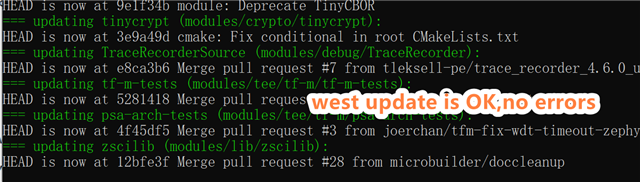
Automatic installation from ToolChain Manager, no errors. Perform west update ,no errors. Check all the files ,no problem found.

Have reinstalled NCS for many times.

So how to get it working? It seems the enviorment variables problems of cmake, how to fix that?

Thanks for any help.
Parents
  • Was this resolved? I am having a similar problem. I've restarted VS code, my computer, uninstalled and reinstalled v2.0.0 via Toolchain Manager with VS code closed. It seems the gnuarmemb executables (ie. arm-none-eabi-gcc.exe) are not being copied into the C:\ncs\toolchains\v2.0.0\opt\bin folder? For me, this 'toolchains' folder is new - previous versions had a path like C:\ncs\v1.9.0\toolchain\opt\bin for the arm tools. 

Reply
  • Was this resolved? I am having a similar problem. I've restarted VS code, my computer, uninstalled and reinstalled v2.0.0 via Toolchain Manager with VS code closed. It seems the gnuarmemb executables (ie. arm-none-eabi-gcc.exe) are not being copied into the C:\ncs\toolchains\v2.0.0\opt\bin folder? For me, this 'toolchains' folder is new - previous versions had a path like C:\ncs\v1.9.0\toolchain\opt\bin for the arm tools. 

Children
Related