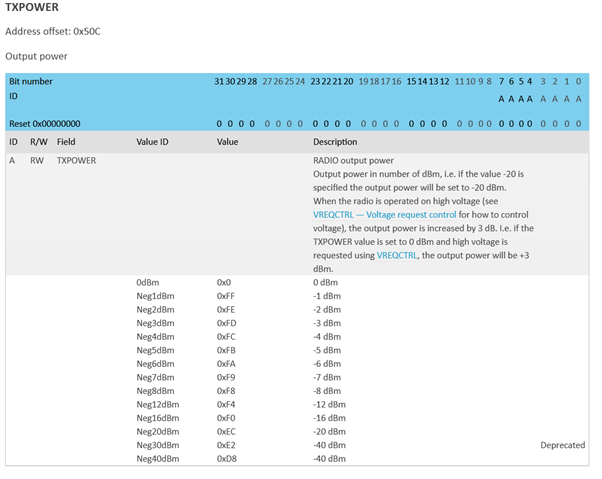
nRF5340 Audio TX power

Hi,

is there any way adjust the ISO channel transmission power (e.g. -20dBm, +2dBm, ...) in the new nRF5340 Audio application? I saw that one can select between 0dBm and +3dBm but nothing else (https://github.com/nrfconnect/sdk-nrf/blob/main/applications/nrf5340_audio/src/bluetooth/ble_hci_vsc.c#L20).

If not, is there a way to just set the global tx power?

Thank you!

Parents Reply
  • Hi Jonathan,

    I've already tried this (ncs v2.0.0, linked (LE Audio sample) controller) but I always get the following output and the BT_HCI_ERR_UNKNOWN_CMD error. My prj.conf file looks as follows:

    CONFIG_BT=y
    CONFIG_BT_DEBUG_LOG=y
    CONFIG_BT_PERIPHERAL=y
    CONFIG_BT_HRS=y
    CONFIG_BT_DEVICE_APPEARANCE=833
    CONFIG_BT_DEVICE_NAME="Dynamic test beacon"
    
    CONFIG_BT_HCI=y
    CONFIG_BT_CTLR=n
    CONFIG_BT_HCI_VS_EXT=n
    CONFIG_BT_ATT_ENFORCE_FLOW=n
    CONFIG_NCS_INCLUDE_RPMSG_CHILD_IMAGE=n


    Can you please provide me the correct kconf settings? I copied the ones I'm using mostly from the sdk-nrf nrf5340_audio sample.

    Thank you!

Children
Related