Drag and Drop Option not support for nRF52840 DK

Hi,

I have two nRF52840-DK boards. I would like to make these two boards as BLE Sniffer.

- #1. nRF52840-DK, Sticker Info.,PCA10056/ 2.0.1/2020.43

- #2. nRF52840-DK, Sticker Info.,PCA10056/ 3.0.0/2022.20

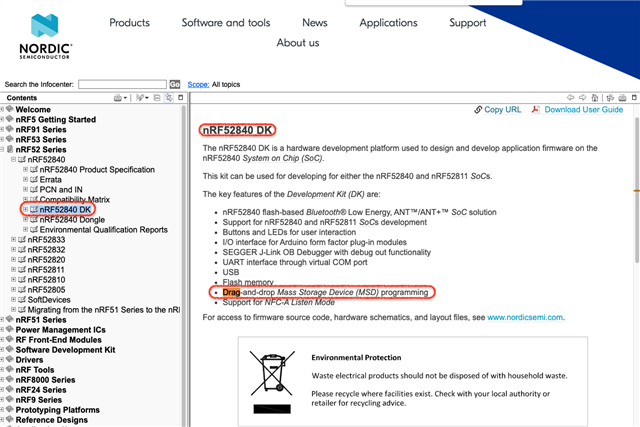
I was trying to use the drag-and-drop feature, but not work on the #1 board. #2 is working fine.

When I done the drag-and-drop a .hex file(sniffer_nrf52840dk_nrf52840_4.1.0.hex) into MSD, it will reture FAIL.TXT log when the board reboot.

COPY the error message below:

     The currently active SWD interface does not support MSD drag and drop.

What I have done

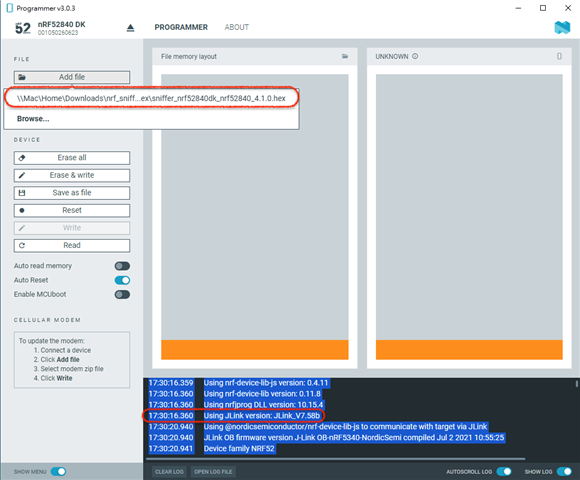
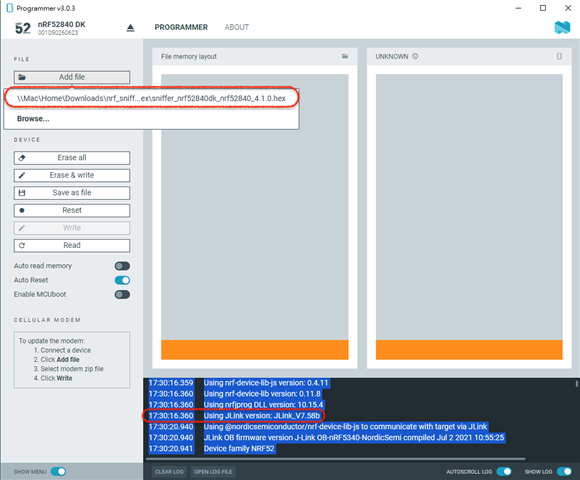
nRF Connect Programmer to program the image file, log been attached.

17:30:16.359	Using nrf-device-lib-js version: 0.4.11
17:30:16.360	Using nrf-device-lib version: 0.11.8
17:30:16.360	Using nrfjprog DLL version: 10.15.4
17:30:16.360	Using JLink version: JLink_V7.58b
17:30:20.940	Using @nordicsemiconductor/nrf-device-lib-js to communicate with target via JLink
17:30:20.940	JLink OB firmware version J-Link OB-nRF5340-NordicSemi compiled Jul 2 2021 10:55:25
17:30:20.941	Device family NRF52
17:30:20.941	Device version UNKNOWN
17:30:20.941	Board version PCA10056
17:30:20.941	Loading readback protection status for Application core
17:30:21.764	Readback protection status: NRFDL_PROTECTION_STATUS_ALL
17:30:21.770	Parse memory regions for Application core
17:30:21.775	Update files regions according to Application core
17:30:21.775	Parse memory regions for file
Similar Case:

-  RE: Drag and Drop Option for nRF52840 

-  NF52 DK Drag and drop 

Also,

I can find 2 UART COM ports in the #2 one, but the #1 is only one UART COM. Is there any difference when I open the Wireshark can't detect the #2 board?

Looking forward to your reply!

Thanks,

Will
Parents Reply Children
  • Hi Einar,

    Thanks for your reply,

    How can I make the new DK board work for the BLE sniffer?

    I have done the FW upgrade via nRF Connect for the Deskstop programmer, but it has not been detected by the Wireshark.

    I can confirm my laptop's environment can work for the #1. (nRF52840-DK, Sticker Info.,PCA10056/ 2.0.1/2020.43) with FW((sniffer_nrf52840dk_nrf52840_4.1.0.hex).

    Update the FW for BLE sniffer, PASS

    nFR52840_DK support drag and drop

    Thanks in advance,

    BRs,

    Will

  • Hi Will,

    I am unfortunately not able to test the nRF Sniffer with a new DK today, but I will try to get hold of one tomorrow and test on my end. In the mean time, a colleague of me suggested that it is worth trying to disable the MSD Device as explained here (copied from Segger wiki):

    • Start J-Link Commander
    • execute the following command (without quotes): "MSDDisable"
    • Quit J-Link Commander
    • Power-cycle J-Link-OB

    Does that help?

  • Hi Einar,

    No, it still did not work when I followed the instruction you shared(MSDDisable).

      >> I can make sure the "MSDDisable".

      >> The #2 board(New) is not working with MSD Disable and "2" Virtual COM Port.

      >> The #1 board(Old) is working with MSD Enable and "1" Virtual COM Port.

       >> Is there any possibility the VCP issue to be latched or Selected for the new one?

    Looking forward to your reply!

    Thanks,

    Will


  • Hi Will,

    I got hold of a revision 3 PCA10056 now and tested, and did not get it working out of the box as with the older DK. However, if you use the USB connector on the long side it should work, and do so when I test. This is also in line with the documentation (though the other connector also works with older DKs):

    kaircads said:
    Is there any possibility the VCP issue to be latched or Selected for the new one?

    I did not get this question. Can you elaborate?

    Einar

Related