Beware that this post is related to an SDK in maintenance mode
More Info: Consider nRF Connect SDK for new designs

Bootloader Update with new size over BLE DFU service

Hi

Is there a possibility to update the bootloader himself over the BLE DFU?

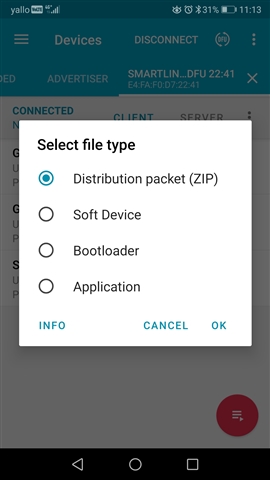
I have a new bootloader with a bigger size (MemoryMap changed) and I am wondering if I can upload old boards with the small bootloader over BLE DFU with the Nordic nrf Connect App, because there is under SelectFileType (Bootloader). Is this possible only if the size and memory map is equal or even if the size is bigger?

I checked if I can download te new Ditribution Packet (ZIP) on the old device with the old small bootloader, and yes, its possible. The application is new but the bootloader is still the old one. Even after Powereset the application is running wit the old bootloader, this makes me a little bit confusing, ow is this possible?

See: https://devzone.nordicsemi.com/f/nordic-q-a/89328/ota-dfu-bootloader-memory-map-increasing-size-in-pca10056_s140_ble

Regards, Dominik

  • Hi,

    Dominik Eugster said:
    I just checked the download of a faked (wrong keys) firmware over OTA. The bootloader check the downloaded files and detect the wrong key and close the connection. The old application is still in the flash (single image bootloader setup). This is really important that nobody can "kill" the application.

    Yes, that is correct. The first step in the DFU process is to transfer the init packet and validate the signature. If the signature is not valid, the DFU procedure will be aborted before any persistent changes are made.

    Dominik Eugster said:
    The only problem at the moment is, that in this case the bootloader remains in the bootloader after detection a new firmware with a wrong private key. Where can I change the bootloader to do a reset and load the application (exit the bootloader). Can you tell me the function in the bootloader which is detecting the wrong key to add a nrfreset function to change to application without power reset?

    The bootloader implements an inactivity timeout that applies in this and other cases. This is controlled by adjusting the NRF_BL_DFU_INACTIVITY_TIMEOUT_MS parameter in the bootloader's sdk_config.h. The default value in our examples are 120000 ms, so 2 minutes.

  • The bootloader implements an inactivity timeout that applies in this and other cases. This is controlled by adjusting the NRF_BL_DFU_INACTIVITY_TIMEOUT_MS parameter in the bootloader's sdk_config.h. The default value in our examples are 120000 ms, so 2 minutes.

    This is working, but only after flashing the RF over SWD with the programmer.

    If I update the file with nrf connect app and send the zip packet, this changing was not active. Why? The bootloader will be updated with the zip packet aswell, but the SDK config settings not?

  • I did not get this. Can you elaborate?

    Dominik Eugster said:
    The bootloader will be updated with the zip packet aswell, but the SDK config settings not?

    The sdk_config.h file for the bootloader is used when building the bootloader. That is then part of the resulting binary file. So regardless of how you update the bootloader, as long as it is successfully updated, all and any changes will be included (as you get the exact same binary bootloader file programmed in the end regardless of method being used).

  • checked again, not working with the new time if I choose this:

Related