How to create / open Application based on Shields downloaded from Github

I want to either create or open a MCP2515 CAN based application using https://github.com/zephyrproject-rtos/zephyr/tree/main/boards/shields link.

I am new to this platform. Kindly guide how to proceed ? Where is any CAN application inside the code of above link ? If not, then where should I create my custom folder and how to include kconfig, CMake, conf, overlay etc files from above link my custom code ?

  • Hello Gulzar, 

    I want to either create or open a MCP2515 CAN based application using https://github.com/zephyrproject-rtos/zephyr/tree/main/boards/shields link.

    First of all, which nRF device would you like to connect the MCP2515 to? And which shield would you like to use? Shall it act as a stand-alone or be attached to their supported boards? 

    Regards, 

    Markus 

  • First I shall build for any of the shield provided in the code, then modify for my custom board. You guide me for any shield. I working with VS opened in nRFConnect for 9160Dk board.

  • Hello Gulzar, 

    mexco said:
    First I shall build for any of the shield provided in the code, then modify for my custom board. You guide me for any shield. I working with VS opened in nRFConnect for 9160Dk board.

    Zephyr provides two CAN samples, the Controller Area Network and Socket CAN sample. It is up to your requirements/personal preferences which one to go for.  

    Both samples can be compiled using the two available CAN shields.

    DFRobot CAN BUS Shield V2.0 

    From the root of the zephyr repository 
    west build -b nrf52840dk_nrf52840 samples/drivers/can -- -DSHIELD=dfrobot_can_bus_v2_0 
    west flash 

    Keyestudio CAN-BUS Shield (KS0411)

    From the root of the zephyr repository 
    west build -b nrf52840dk_nrf52840 samples/drivers/can -- -DSHIELD=keyestudio_can_bus_ks0411 
    west flash 

    However, this implies that the DK itself has an Arduino SPI available, which is not the case for the nRF9160 DK. 

    spi3: arduino_spi: spi@4002f000 {
    	compatible = "nordic,nrf-spim";
    	#address-cells = < 0x1 >;
    	#size-cells = < 0x0 >;
    	reg = < 0x4002f000 0x1000 >;
    	interrupts = < 0x2f 0x1 >;
    	status = "okay";
    	label = "SPI_3";
    	cs-gpios = < &arduino_header 0x10 0x1 >;
    	pinctrl-0 = < &spi3_default >;
    	pinctrl-1 = < &spi3_sleep >;
    	pinctrl-names = "default", "sleep";
    	mcp2515: can@0 {
    		compatible = "microchip,mcp2515";
    		spi-max-frequency = < 0xf4240 >;
    		int-gpios = < &arduino_header 0xe 0x1 >;
    		status = "okay";
    		label = "MCP2515";
    		reg = < 0x0 >;
    		osc-freq = < 0xf42400 >;
    		bus-speed = < 0x1e848 >;
    		sjw = < 0x1 >;
    		sample-point = < 0x36b >;
    		can-transceiver {
    			max-bitrate = < 0xf4240 >;
    		};
    	};

    Hence, trying to add a shield to it will result in a build error: 

    samples/drivers/can on  HEAD (0a904d0) via △ v3.22.2 
    ❯ west build -b nrf9160dk_nrf9160_ns -p -- -DSHIELD=dfrobot_can_bus_v2_0  
    -- west build: making build dir /home/user/ncs/zephyr/samples/drivers/can/build pristine
    -- west build: generating a build system
    Loading Zephyr default modules (Zephyr base).
    -- Application: /home/user/ncs/zephyr/samples/drivers/can
    -- Found Python3: /usr/bin/python3.10 (found suitable exact version "3.10.5") found components: Interpreter 
    -- Cache files will be written to: /home/user/.cache/zephyr
    -- Zephyr version: 3.0.99 (/home/user/ncs/zephyr)
    -- Found west (found suitable version "0.13.1", minimum required is "0.7.1")
    -- Board: nrf9160dk_nrf9160_ns, Revision: 0.7.0
    -- Shield(s): dfrobot_can_bus_v2_0
    -- ZEPHYR_TOOLCHAIN_VARIANT not set, trying to locate Zephyr SDK
    -- Found host-tools: zephyr 0.14.1 (/home/user/.local/opt/zephyr-sdk-0.14.1)
    -- Found dtc: /home/user/.local/opt/zephyr-sdk-0.14.1/sysroots/x86_64-pokysdk-linux/usr/bin/dtc (found suitable version "1.6.0", minimum required is "1.4.6")
    -- Found toolchain: zephyr 0.14.1 (/home/user/.local/opt/zephyr-sdk-0.14.1)
    -- Found BOARD.dts: /home/user/ncs/zephyr/boards/arm/nrf9160dk_nrf9160/nrf9160dk_nrf9160_ns.dts
    -- Found devicetree overlay: /home/user/ncs/zephyr/boards/shields/mcp2515/dfrobot_can_bus_v2_0.overlay
    devicetree error: /home/user/ncs/zephyr/boards/shields/mcp2515/dfrobot_can_bus_v2_0.overlay:7 (column 1): parse error: undefined node label 'arduino_spi'
    CMake Error at /home/user/ncs/zephyr/cmake/modules/dts.cmake:213 (message):
      gen_defines.py failed with return code: 1
    Call Stack (most recent call first):
      /home/user/ncs/zephyr/cmake/modules/zephyr_default.cmake:121 (include)
      /home/user/ncs/zephyr/share/zephyr-package/cmake/ZephyrConfig.cmake:51 (include)
      /home/user/ncs/zephyr/share/zephyr-package/cmake/ZephyrConfig.cmake:76 (include_boilerplate)
      CMakeLists.txt:6 (find_package)
    
    
    -- Configuring incomplete, errors occurred!
    FATAL ERROR: command exited with status 1: /usr/bin/cmake -DWEST_PYTHON=/usr/bin/python3 -B/home/user/ncs/zephyr/samples/drivers/can/build -S/home/user/ncs/zephyr/samples/drivers/can -GNinja -DBOARD=nrf9160dk_nrf9160_ns -DSHIELD=dfrobot_can_bus_v2_0
    
    samples/drivers/can on  HEAD (0a904d0) via △ v3.22.2 
    ❯ 

    This implies that you manually need to add the MCP2515 to a nRF9160 SPI peripheral of your choice. However, I have not tried this myself. You should be able to do so, but initial errors and malfunctions are to be expected. 

    Alternatively, there are other MCP2515 CAN Bus Modules available which do not act as arduino-compatible shields and hence not require their SPI interface. 

    Regards, 

    Markus 

  • Hi, it seems that you tried to build ..ncs/zephyr/samples/drivers/can  or any internal folder in side ../drivers/can/.. ? My query is: after downloading code form above Git link,

    1. Is there any application folder (having src and prj.conf etc) integrated in downloaded code ? 

    2.  which folder should be selected in VS to open an existing application ?  

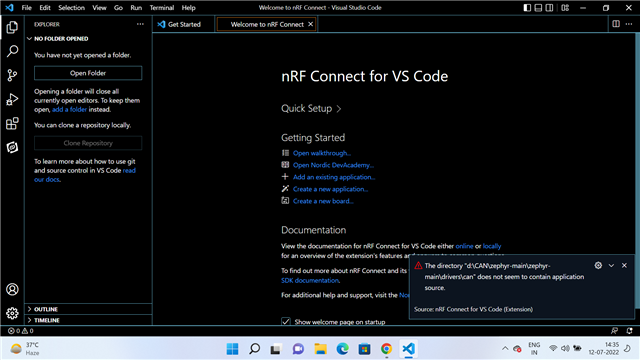
    3. I tried to open CAN folder as existing application, but the error appears as in attached image.

    4. download the whole code, see the project structure ? I am not able to find the application folder.

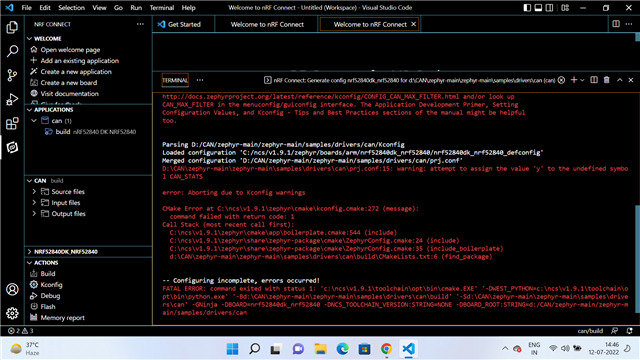
    5. Then I selected samples/ drivers/can folder as existing application and tried to build for default nrf52840 _... board. The error in below image appears 

    6. First objective is to build for default Nordic board either for DFRobot or Keysestudio shield. Pls, guide further. 

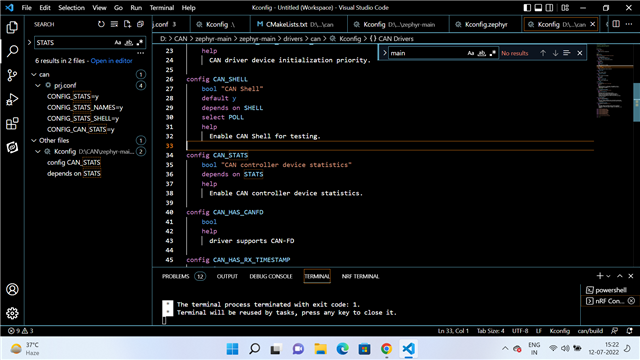
    7. The STATS is defined at points as shown in image below.

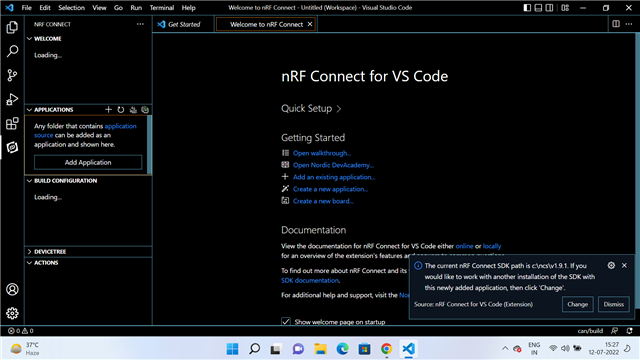
    7. The SDK is 1.9.1 as shown in image below. Will it work or need to change ? 

    8. The downloaded folder has west (yaml source file), zephyr-env (Windows Command Script) , Zephyr-env (SH Source ), etc files and many folders like .github, arch, boards, cmake, dts, include, kernel, modules, drivers, samples, script etc ... Which west should be configured  and how ?

    9. How you selected dfrobot shield in your build configurations ?

  • Hello Gulzar, 

    You need to have the nRF Connect SDK toolchain installed. It includes the mentioned repositories from GitHub. Referring to the Getting started guideline. 

    That way, you can perform a build for the two mentioned CAN samples via the command line, as described here or in the sample description for Controller Area Network or Socket CAN itself. 

    If you would like to use the VS Code extension instead, please follow this tutorial for how to set it up. However, a working nRF Connect SDK toolchain is required at this point, so you might want to perform a test build anyway before setting up the extension.

    FYI: Since many of my colleagues currently are out of office due to summer vacation period in Norway, delayed answers are to be expected. 

    Regards,  

    Markus 

Related