

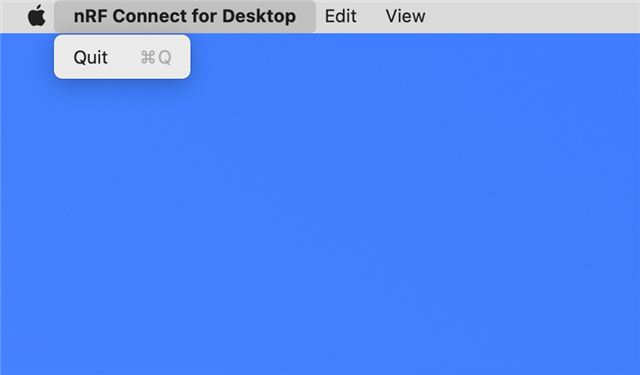
I've been using nRF Connect for Desktop a lot recently for power measurements with the PPK2 and to program nRF52840Dongles. I keep stumbling over a small missing feature: The nRF Connect for Desktop application on macOS doesn't implement the "Hide" or "Hide Others" commands.
These are standard commands for a macOS application. I don't know why they aren't a standard part of Electron-based applications on macOS, but they seem to get routinely missed.
I often use "Hide Others" to switch my focus between applications, and when I run into an app that doesn't implement it, it breaks my flow.
This command belongs in the application menu. Here's what the nRF Connect for Desktop application menu looks like:
In contrast, here's what a typical macOS application menu looks like:
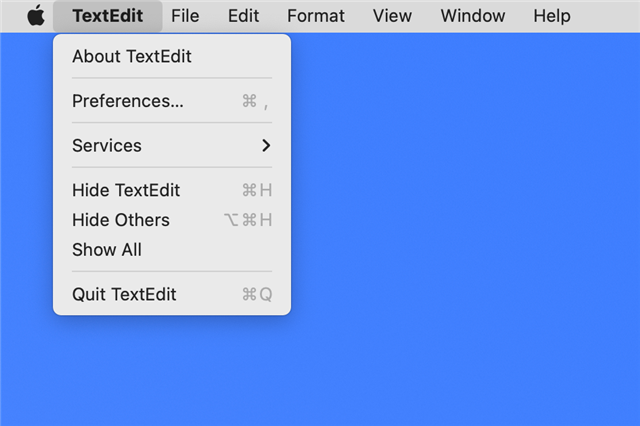
I would love to see "Hide nRF Connect for Desktop" and "Hide Others" in the nRF Connect for Desktop application menu!
Thanks!
