Invalid toolchain installation nrfprog path issue

Hi,

Fresh ubuntu install of 20.04

Followed the tutorial but still get the following error:
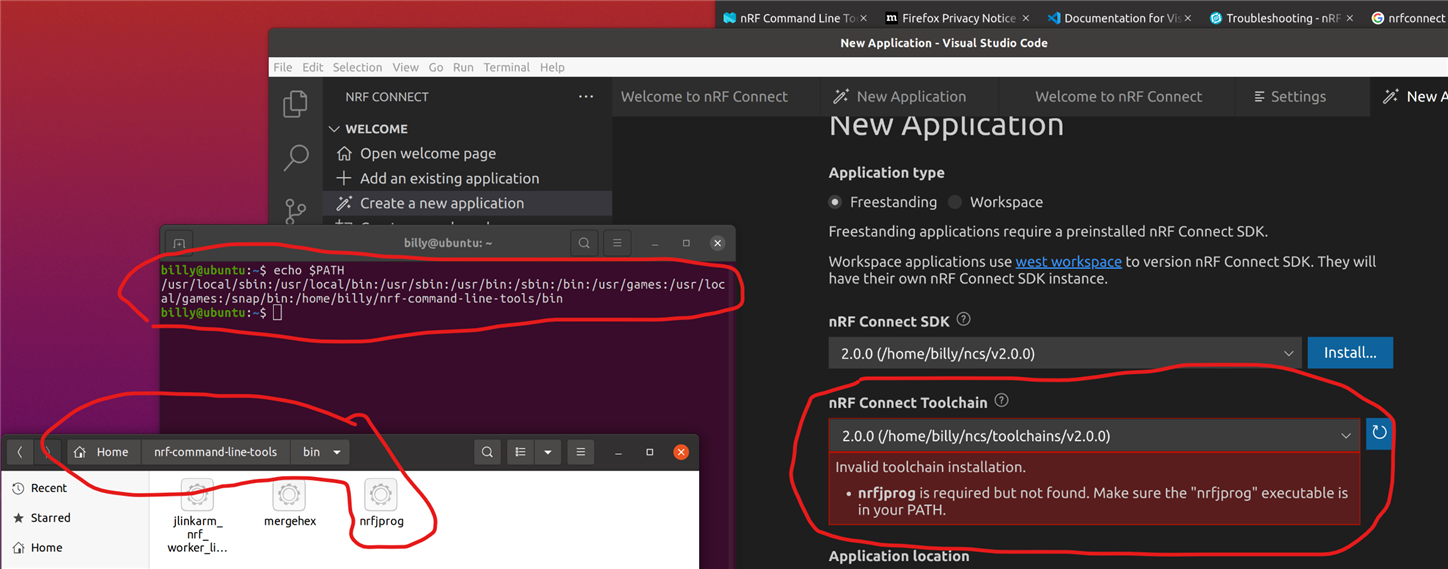
Is there a separate path setting inside visual code?

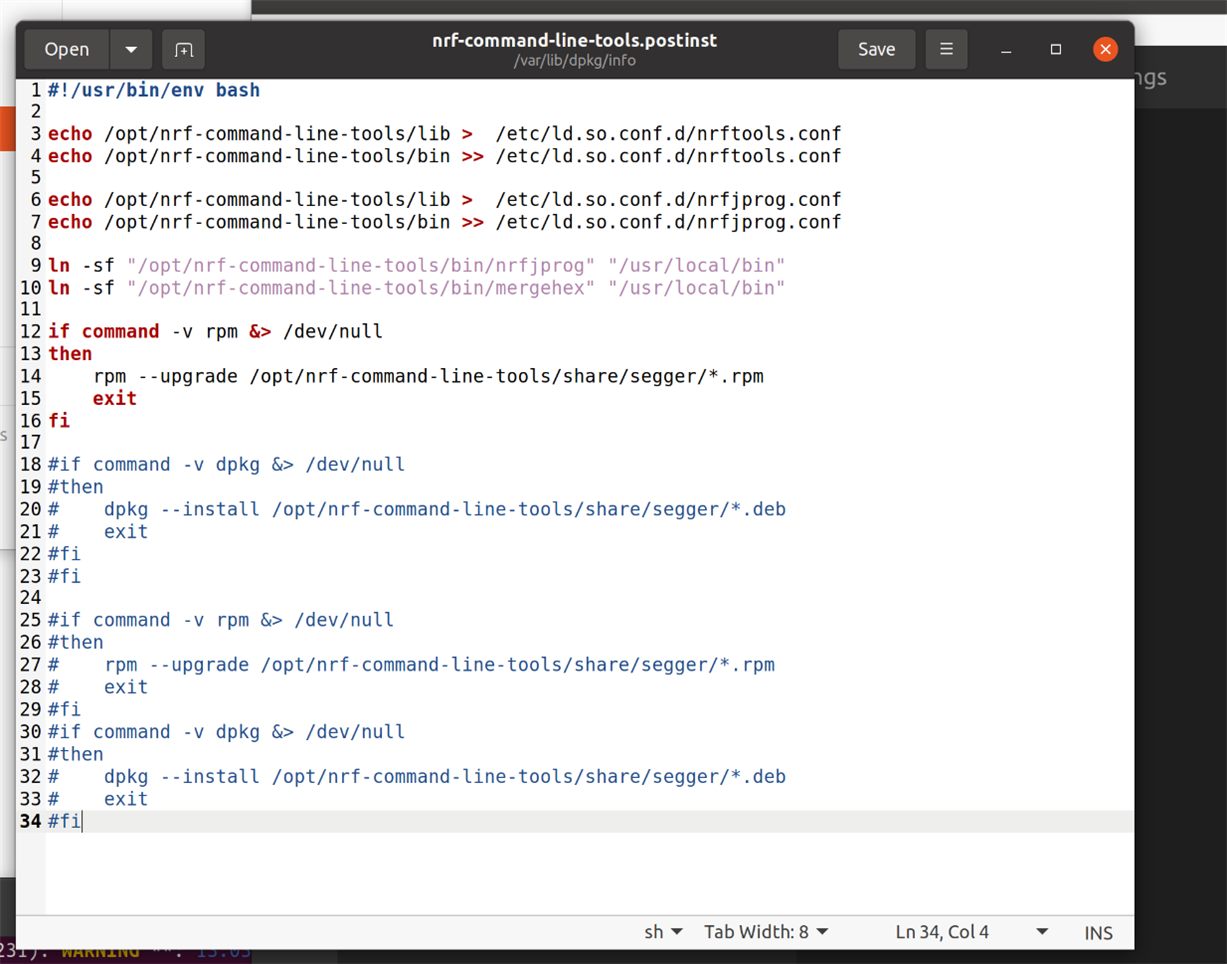
  • I had to comment out the following lines of the .postinst file to get the nrf tools properly installed and visible

  • Hello,

    This looks correct to me - apart from the error message - what happens when you attempt to flash an application through the VSC GUI? Are you able to perform commands such as nrfjprog --version in your terminal?

    Best regards,
    Karl

  • Oh, I did not see your comment until now.
    Strange that you have to comment out this - could you still show me the output of the two things I mentioned in my other comment, with these lines of code still in place?
    With these outputs I can mark this for internal review by our nRF Connect SDK command line tool developers.

    Best regards,
    Karl

  • Hi,

    The nrfjprog worked fine from the command line, But everything in VCS said i had not installed it, I am afraid I did not try the VCS terminal part at this stage.

    But when investigating, the .deb package gave me this error

    billy@ubuntu:~/Downloads$ sudo apt install ./nrf-command-line-tools_10.17.0_amd64.deb 
    Reading package lists... Done
    Building dependency tree       
    Reading state information... Done
    Note, selecting 'nrf-command-line-tools' instead of './nrf-command-line-tools_10.17.0_amd64.deb'
    nrf-command-line-tools is already the newest version (10.17.0).
    0 to upgrade, 0 to newly install, 0 to remove and 1 not to upgrade.
    1 not fully installed or removed.
    After this operation, 0 B of additional disk space will be used.
    Do you want to continue? [Y/n] y
    Setting up nrf-command-line-tools (10.17.0) ...
    dpkg: error: dpkg database lock is locked by another process
    dpkg: error processing package nrf-command-line-tools (--configure):
     installed nrf-command-line-tools package post-installation script subprocess returned error exit status 2
    Errors were encountered while processing:
     nrf-command-line-tools
    E: Sub-process /usr/bin/dpkg returned an error code (1)
    

    This is what I fixed by commenting the lines previously mentioned.  I am in a VMWare VM, after the fix, everything installed without error and VCS works now

  • Hello,

    Thank you for the detailed report and log of the update - I will forward this to the developers.

    I am glad to hear that your issue is resolved now! :) 

    Please do not hesitate to open another ticket if you should encounter any other issues or questions in the future.

    Good luck with your development!

    Best regards,
    Karl

Related