How to start nRF5340 netcore DFU?

Hi,

I am trying to update nRF5340 netcore application, but i don't know how to start.


Here is what i tried:

1. I created two custom applications for nRF5340 appcore and netcore. Very simple, just print the compile time. Appcore additionally has the function of enter the DFU mode.

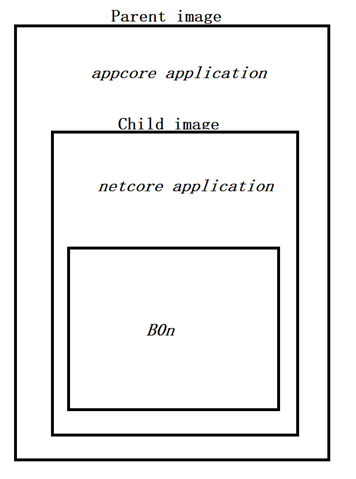
2. In my appcore application, it has one child image named "MCUboot", and the other child image named "netcore". Looks like this as follow:
          

Note:

- mcuboot_primary: is appcore application running location.

- mcuboot_secondary: is appcore application upgrading location.

mcuboot_primary_1: is netcore application transmission location.

mcuboot_secondary_1: is netcore application upgrading location.

3. I flash appcore upgrading package to ''mcuboot_secondary", and call 'boot_request_upgrade_multi(0, BOOT_UPGRADE_TEST)' in my appcore application.

After reboot, the appcore application can upgrading, but can not reverse. In addition, appcore application confirmed image by 'boot_write_img_confirmed_multi(0)'.

4. I try to flash netcore upgrading package to "mcuboot_secondary_1", and call 'boot_request_upgrade_multi(1, BOOT_UPGRADE_TEST)' in my appcore application.

But the netcore application can not upgrading after reboot.

What did i miss?

Best regards,

Yang Hu

Parents
  • Hi,


    Is your application based on any of the existing NCS samples?

    You could take a look at the discussion in this thread. More information about fota upgrades is available in the documentation.


    Best regards,
    Dejan

  • Hi,

    Is your application based on any of the existing NCS samples?

    No, It's a new application,although it looks like 'hello world' samples.

    You could take a look at the discussion in this thread.

    No storage related subsystems are used in my application.


    In steps 3, after reboot, i see log as follow:

    Image upgrade secondary slot -> primary slot
    I: Erasing the primary slot

    I add 'CONFIG_BOOT_UPGRADE_ONLY=y' in mcuboot.conf, refer to simultaneous-multi-image-dfu. In this link, It's only say the simultaneous update of multiple images does not support network core image reversion, so i think the appcore image should support exchange.

    In steps 4, the netcore upgrading package is not from ~/build/zephyr/core_net_xxx.bin, because there are no files starting with core_net_xxx in this path. It is from ~/build/cpunet/zephyr/signed_by_b0_app.bin, 'cpunet' is the name of the child image.

Reply
  • Hi,

    Is your application based on any of the existing NCS samples?

    No, It's a new application,although it looks like 'hello world' samples.

    You could take a look at the discussion in this thread.

    No storage related subsystems are used in my application.


    In steps 3, after reboot, i see log as follow:

    Image upgrade secondary slot -> primary slot
    I: Erasing the primary slot

    I add 'CONFIG_BOOT_UPGRADE_ONLY=y' in mcuboot.conf, refer to simultaneous-multi-image-dfu. In this link, It's only say the simultaneous update of multiple images does not support network core image reversion, so i think the appcore image should support exchange.

    In steps 4, the netcore upgrading package is not from ~/build/zephyr/core_net_xxx.bin, because there are no files starting with core_net_xxx in this path. It is from ~/build/cpunet/zephyr/signed_by_b0_app.bin, 'cpunet' is the name of the child image.

Children
Related