Beware that this post is related to an SDK in maintenance mode
More Info: Consider nRF Connect SDK for new designs

SDK Config editing and organization

Hello all,

while I am developing the project, I need to add certain configs to the SDK ... it is becoming an extremely complex configuration, of course I am totally new to this, hence the word extreme.

Anyway, how does someone organize the editing of the SDK config ? Currently I am opening the file within the emStudio and finding the needed config via the ctrl+F ...

The thing is that sometimes, most of the times, I am not sure what has to be added where etc, for example, certain configs are not in the file yet, and so on.

Is there another, particular way to deal with this file?

Best.

  • Hi,

    The sdk_config.h is large, and the example projects typically do not include complete sdk_config.h files, so you will often have to copy-paste sections from elsewhere and modify. There is unfortunately no other way to do this part. However, an existing sdk_config.h file can be edited by a GUI if you want, either via Keil uVision or CMSIS Configuration Wizard (which is bundled with the SDK under external_tools). See SDK configuration header file for more details.

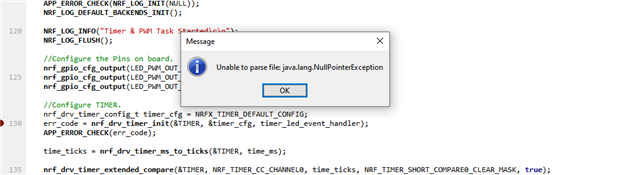
  • Hello and thanks for the input, the CMSIS is installed, however, I get an error when trying to open it, have a look at the pic!

    The interesting part is that this does not happen to all of my project examples, for example, so far, only to  one. 

    Is this connected to the SDK config file? For example, I have been trying to setup this file manually, although the project functions, etc. is currently working just fine!

    Best.

  • It looks like there is an error in the sdk_config.h file that prevents CMSIS Configuration Wizard from parsing it properly. It uses tags in the comments, and those seem to be the problem here (I cannot say more closely what it is). This is only relevant for the CMSIS Configuration Wizard, so if you are happy with editing the file manually you can ignore it. If not, you need to go over it and fix it. That can be quite tedious though, and the best is to copy-past existing configuration files and take care that you copy the tags etc from the comments as you should, and the same when pasting, so that the file remains valid.

Related