Hello,
I am stuggling to understand how to set the RAM and FLASH size for the nRF52833 DK. I managed to get normal blinky working, and now trying to get ble_app_blinky working. I am using the S113 softdevice, and as there are no examples for using this softdevice with the PCA10100 ble_app_blinky modified the PCA10056 S140 example.
The changes I done in Common Project Options (ble_blinky_pca_10056_s140):
Preprocessor Definitions:
- BOARD_PCA10056 to BOARD_PCA10100
- NRF52840_XXAA to NRF52833_XXAA
- S140 to S113
User Include Directories
- ../../../../../../components/softdevice/s140/headers to ../../../../../../components/softdevice/s113/headers
- ../../../../../../components/softdevice/s140/headers/nrf52 to ../../../../../../components/softdevice/s113/headers/nrf52
Both clean and rebuild both solution and build works. Now I need to change the linker FLASH and RAM settings.
The Section Placement Macros is changed to which was taken from the ble_app_hids_keyboard_pca10100 S113 example:
FLASH_PH_START=0x0
FLASH_PH_SIZE=0x80000
RAM_PH_START=0x20000000
RAM_PH_SIZE=0x20000
FLASH_START=0x1c000
FLASH_SIZE=0x64000
RAM_START=0x20001d80
RAM_SIZE=0x1e280
I am not sure if I need to change the Memory Segments, but I changed to match the keyboard example: FLASH1 RX 0x0 0x80000;RAM1 RWX 0x20000000 0x20000
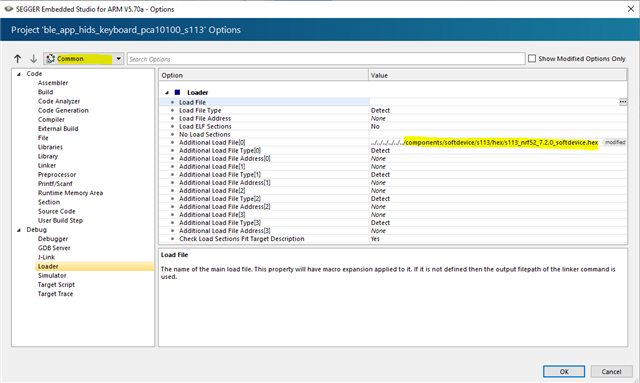
I am getting and error when trying to build the project: "Error Reported - Cannot download multiple load files because they overlap". I've followed the guide and changed the flash and ram start based on the table previously, and still get the same error.