Thngy53 matter weather station app, build error.

Hello, I recently acquired the thingy53 device and I am trying to use the example of the weather station with matter:

Weather Station

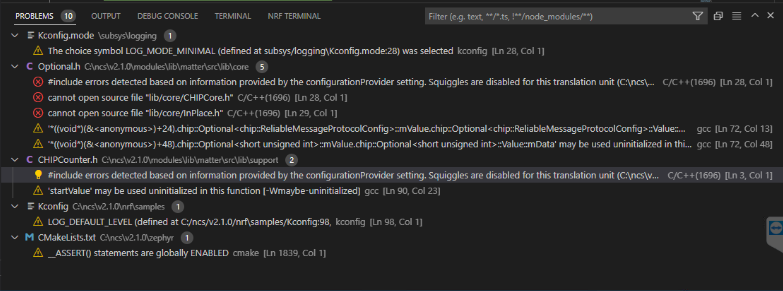
. I am following what the documentation tells me, in the construction part of the application, but every time I want to build it, the following error appears:

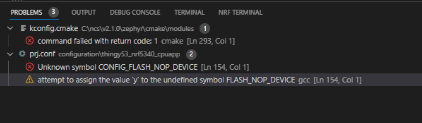
I'm not sure what they mean, since I'm not very familiar with the use of thingy 53,  except what I saw in the basic course, could you tell me what this could be due to?

Parents Reply Children
  • thanks maría I'll be waiting, i try to use with two versions of sdk, the 2.0 and 2.1, so i find this new errors, in addition to the aforementioned.

  • Hello again Brando,

    I have tried to reproduce your error on my end. I was not able to identically reproduce it, but I did get another error related to CMakeLists when building the Matter Weather Station application from my existing install of nRF Connect SDK (NCS) v2.1.0.

    I did some tests on different setups, which resulted in a few configurations where the application was able to build successfully. These configurations were:

    1. installing NCS v2.1.0 on a computer where NCS v2.1.0 had not been installed before
    2. changing the directory for the install in the Toolchain Manager to a different location on my work computer (where I have installed NCS v2.1.0 before)
    3. removing and deleting my installed NCS v2.1.0 in the default location (C:\ncs) and then installing it again with the Toolchain Manager. 

    I have not come to a conclusion on why the application is not able to build on my install that was not new. I suspect that installing the GN tool manually breaks the automatic install, and I will examine this further.

    You are free to test any of the solutions listed above. Follow the detailed description below if you want to use workaround 3.

    1. Take backup of any local changes you have made within NCS and want to keep.
    2. Close any instances of NCS v2.1.0 that are open.
    3. Remove NCS v2.1.0 by selecting "Remove" from the dropdown menu in the Toolchain Manager.
    4. Delete the v2.1.0 folder from C:/ncs/
    5. Delete the v2.1.0 folder from C:/ncs/toolchains/
    6. Install NCS again from the Toolchain Manager.

    Let me know if your building problems are still not solved.

    Kind Regards,

    Maria

  • ok thanks for the help, I tried next:

    First:

    1) I Removed de NCS v2.1.0 fromo Tool Chain Manager
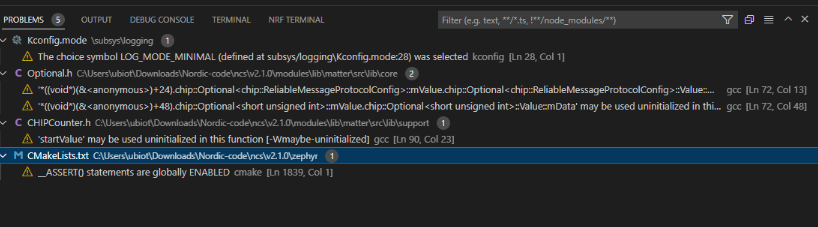
    2) I Deleted all data from ncs folder and reinstall the ncs again. but It doesn't work I still recive the follow errors:


    Second:

    1) I changed the directory for the install in the Toolchain Manager to a different location. but I receive the same errors. 


  • Hello Brando,

    The warnings listed in the Problems tab should not stop the application from building.

    What is printed to the terminal when you build the application now?

    Kind Regards,

    Maria

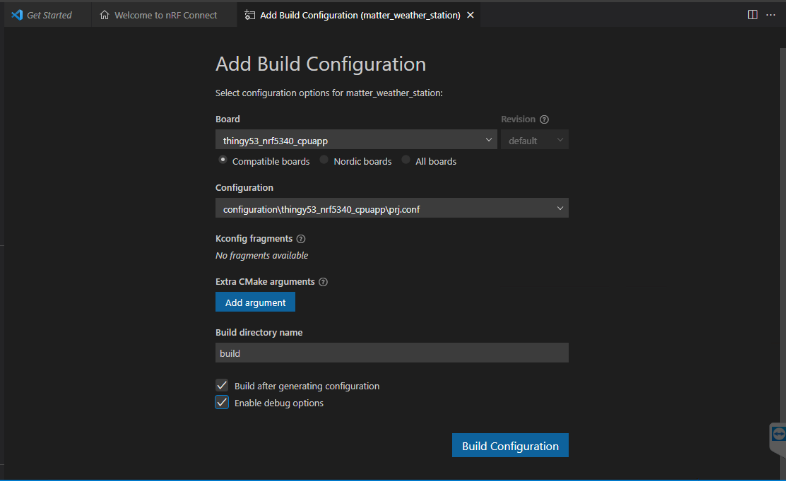
  • Hello, When I begin to build the app, I use this configuration:


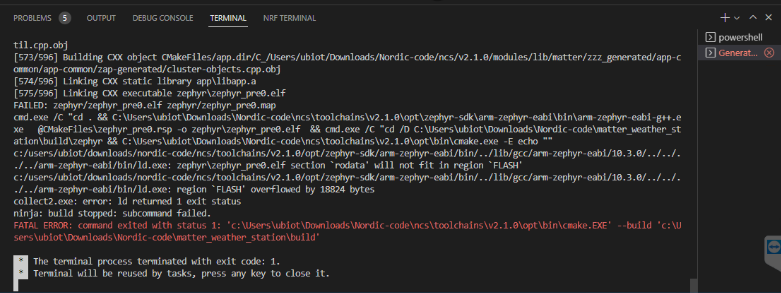
    When the code finish the build process this messages is appears:


    I

    i

    I

Related