Issues with NCS LOGS with Particle Xenon

Hi there,

I have just started the NCS Fundamental Course and I am stuck on Exercise 4 Lesson 1 and Lesson 2. There are two problems that I am facing.

1) If I use the nrf52832DK board for build configuration. I get the logs but my button press won't be recognized.

2) If I change the board, to Particle Xenon and connect using the debug-out port. I am able to get the button press that I check using a debugger. but I am unable to see any log no matter if I use printk or LOG_INF commands. I even downloaded the solution and then flash it but it shows the same behavior.

Parents
  • I am stuck on Exercise 4 Lesson 1 and Lesson 2.

    Do you mean Lesson 4, exercise 1 and 2?

    1) If I use the nrf52832DK board for build configuration. I get the logs but my button press won't be recognized.

    Let's focus on issue 1 first. Try to execute these steps:

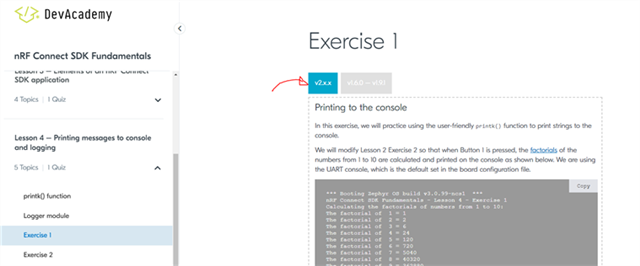
    • Click on the V2.x.x button (to make it work with NCS v2.1.0)

    • Go all the way to the bottom and download the complete solution

    Here it is: 0882.fund_less4_exer1_solution.zip

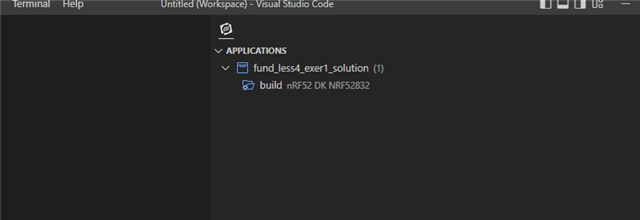
    • Open the sample in VS Code and add a build folder for nRF52 DK nrf52832
    • Make sure you're using NCS v2.1.0

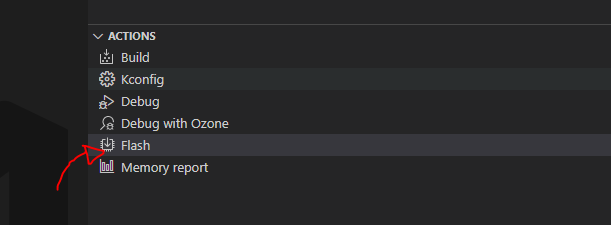
    • Flash the sample

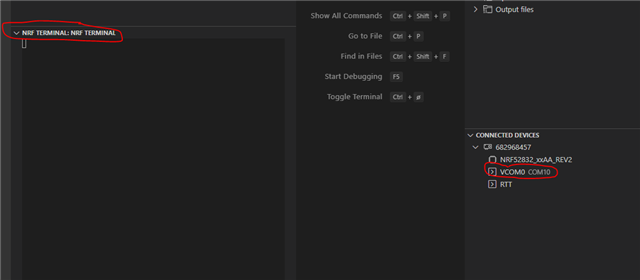
    • Open COM port

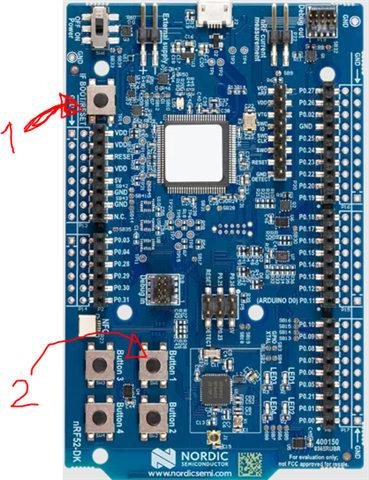
    • Reset the nRF52 DK (nrf52832) and press button 1

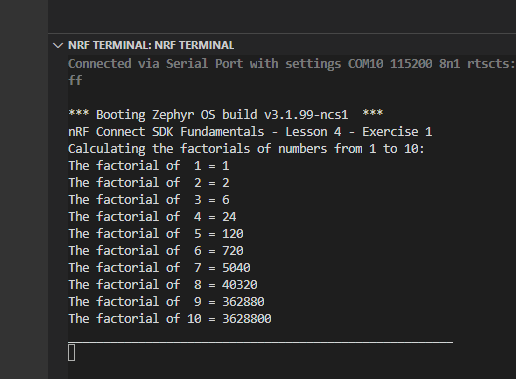
    • Then you should see the following log

    When you have gotten this to work, we can look into your 2nd issue.

    Best regards,

    Simon

Reply
  • I am stuck on Exercise 4 Lesson 1 and Lesson 2.

    Do you mean Lesson 4, exercise 1 and 2?

    1) If I use the nrf52832DK board for build configuration. I get the logs but my button press won't be recognized.

    Let's focus on issue 1 first. Try to execute these steps:

    • Click on the V2.x.x button (to make it work with NCS v2.1.0)

    • Go all the way to the bottom and download the complete solution

    Here it is: 0882.fund_less4_exer1_solution.zip

    • Open the sample in VS Code and add a build folder for nRF52 DK nrf52832
    • Make sure you're using NCS v2.1.0

    • Flash the sample

    • Open COM port

    • Reset the nRF52 DK (nrf52832) and press button 1

    • Then you should see the following log

    When you have gotten this to work, we can look into your 2nd issue.

    Best regards,

    Simon

Children
No Data
Related