Moving from nRF Connect SDK v2.0.2 to nRF Connect SDK v2.1.0

I'm moving an application from NCS v2.0.2 to NCS v2.1.0

Everything compiles properly in v2.0.2.

I think I've converted all of the pin definitions properly from the v2.0.2 .dts file to a new v2.1.0 .dts file and added a .dtsi file.

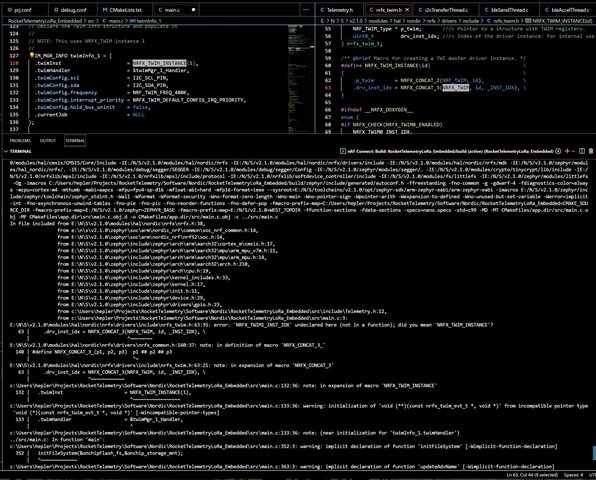
I have my own I2C/TWIM manager, so I instantiate a TWIM device using the macro NRFX_TWIM_INSTANCE(id).     Compilation fails in v2.1.0 but I have no problem with compilation in v2.0.2.

The prj.conf file has the statement:    CONFIG_NRFX_TWIM1=y    in both versions.

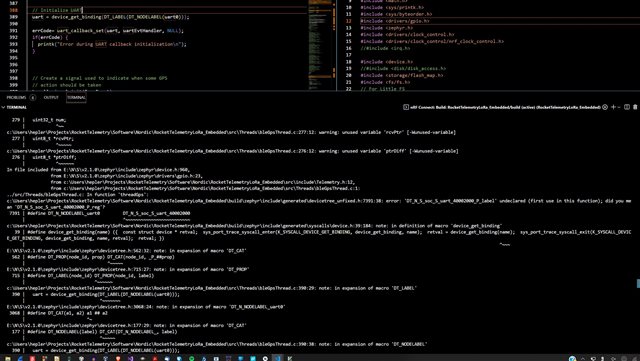
From the error message, it looks like "NRFX_TWIM1_INST_IDX" is not being defined (because the first argument of NRFX_CONCAT_3 is not defined??

Is there some other change I need to make this work in v2.1.0?   

Here is a partial screen capture of the error:
Thanks!

Parents
  • Hi,

    You need to enable the I2C1 in devicetree. Based on the tag I assume you are using nRF52 DK with nRF52832. If that is the case, you need to create a file called nrf52dk_nrf52832.overlay with the following:

    &i2c1 {
        status = "okay";
        compatible = "nordic,nrf-twim";
        clock-frequency = < I2C_BITRATE_STANDARD >;
    };

    Best regards,

    Marte

  • Yep, have that already.  This compiles using V2.0.2.

  • Hi,

    I was able to reproduce the error when not having the overlay, and it disappeared after adding the overlay, using v2.1.0. Sometimes there might be issues with cache when it comes to configurations related to devicetree. In those cases, just rebuilding or pristine build is not enough, and you have to delete the build folder completely before rebuilding. Can you removing the build folder before building again?

    Best regards,

    Marte

  • OK, thanks... 

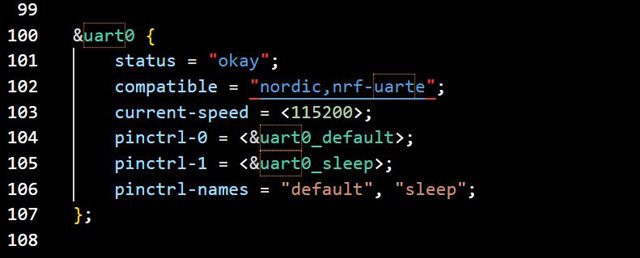
    I have a custom board, so the appropriate node is defined right in the .dts   (no overlay needed).

    Deleting the build directory seemed to fix the i2c (TWIM) issue, but then a similar error popped up for uart0.

    uart0 is also defined directly in the .dts file, but I added it into an overlay file to see if that helped.    It didn't.

    Again, this all compiles properly when using v2.0.2

    (To move forward in the meantime, I excluded the part of the design that uses the UART.   It then compiles, but uses more SRAM than the version compiled by v2.0.2.     Are there different default options that I should know about?    It seems strange that the usage of SRAM should grow with a version switch.)

    I then put the file that uses the UART back in, but tried specifying the UART differently:

    uart = DEVICE_DT_GET(DT_CHOSEN(zephyr_gps_uart));
    where:
        chosen {
                    zephyr,gps-uart = &uart0;
        };
    is included in the .dts file.     This worked.   
    Also tried:
    uart = DEVICE_DT_GET(DT_NODELABEL(uart0));
    and this also worked.
    But why didn't the other style work??   
    Shouldn't I be able to specify the UART directly by name (as I did when using v2.0.2)?
    However the design won't fit in the available SRAM when compiled using v2.1.0 (when it does fit when using v2.0.2).   The "Size" report for each of the source files reports the same size for all files in my application in both versions, except for "main" where the v2.1.0 SRAM size is 0.22kB larger (even though the files are identical).   Overall, the v2.1.0 version is 3359 bytes larger than the v2.0.2 version.   My source code is the same, so I'm trying to figure out where the difference might be...
    Looking in the "map" output file, it looks like one of the things that has grown is the "sdc_mempool"  -- going from 0x11e4 in v2.0.2  to 0x14c4 in v2.1.0.    But that is only 736 bytes of the 3359 byte growth...
     

    Thanks!

  • Hi,

    The reason this does not work is because the label property has been removed, see Zephyr 3.2 release notes - Devicetree. So you cannot use DT_LABEL since the UART does not have a label. The last way you mention, using DEVICE_DT_GET(DT_NODELABEL(uart0)), is the correct way.

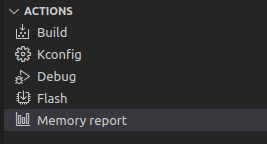
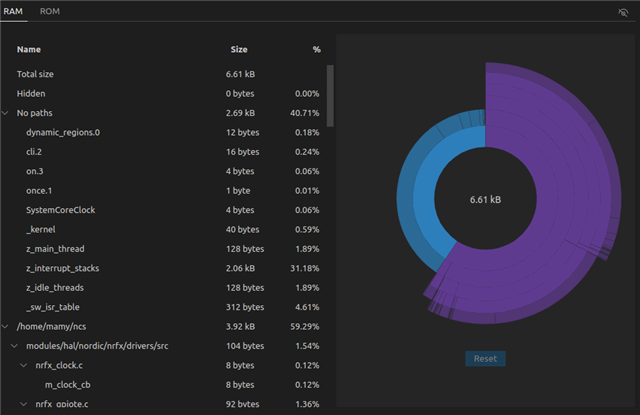
    You can find information on how to reduce RAM in the Memory footprint optimization guide. There is also two ways to look at RAM usage. One is to use the command west build -t ram_report, which will give you a list over RAM usage by objects. The other is to use the "Memory report" action in the VS Code extension:

    This also runs the ram_report command, but you get a visual overview and can hover over the pie chart to see what the different parts are:

    Best regards,

    Marte

  • OK, thanks...    I see that I can no longer use DT_LABEL..    Thanks.

    For the memory issue, I find it strange that there is such a difference in size between builds using the same source code, but (slightly) different releases.

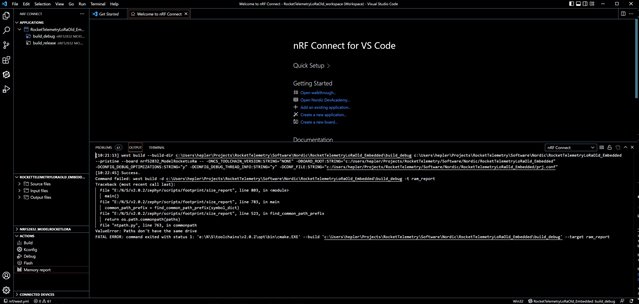
    I tried using the "Memory Report" tool, but it failed:

    The same error appears using both v2.0.2 and v2.1.0

    Not sure what "drive" the error is referring to...    Does it require that the tools be on the same volume as the project?

    Thanks again...

  • Hi,

    Yes, this seems to be an issue caused by ntpath.py. I found that this issue has recently been reported internally, but it is a Zephyr issue and not something that can be fixed in the VS Code extension. It has been reported to Zephyr here: https://github.com/zephyrproject-rtos/zephyr/issues/51549, so if you want to follow the development you can look there.

    One thing you can try is to move your project, or make a copy of it, on the same drive as your nRF Connect SDK installation.

    Best regards,

    Marte

Reply Children
No Data
Related