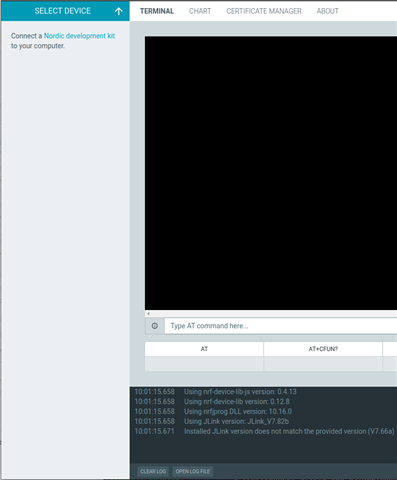
nRF Connect LTE Link Monitor and Programmer do not show device

Using Ubuntu (same behavior on 20.04, 22.04, and 22.10) and nRF Connect for Desktop 3.12.0. I have my J-Link hooked up to an nRF9160 on a custom board. When I check it at the command line, everything looks good:

me@computer:~$ nrfjprog --version
nrfjprog version: 10.18.1 external
JLinkARM.dll version: 7.82b

me@computer:~$ nrfjprog -i
261008254

me@computer:~$ nrfjprog --deviceversion
NRF9160_xxAA_REV2

The Segger software works great - JFlash, JLinkConfig, etc. But none of the nRF Connect apps see my J-Link. I have "Show only supported devices" unchecked:
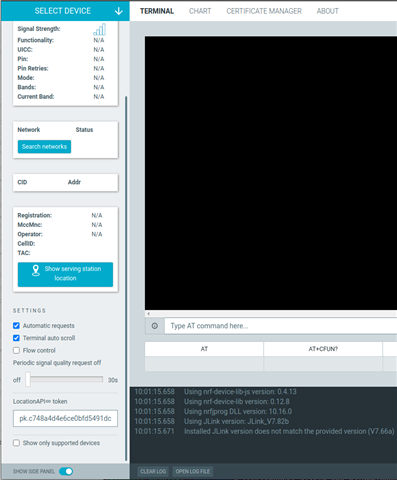
uncheck only supported devices

But no device:

No device

No idea where to go from here. It typically works fine.

Parents
  • Hi James,

    I am on windows, programmer v3.0.4, JLink version 7.66a installed.
    nRF9160 DK hooked to computer through usb port. I can see that programmer detects the DK and in the bottom panel it shows "Using Jlink version: JLink_V7.66a".
    However in your case it says "Installed JLink version does not match the provided version (V7.66a)".
    As you have 7.82b, can you revert to 7.66a and check again.

    Naeem

Reply
  • Hi James,

    I am on windows, programmer v3.0.4, JLink version 7.66a installed.
    nRF9160 DK hooked to computer through usb port. I can see that programmer detects the DK and in the bottom panel it shows "Using Jlink version: JLink_V7.66a".
    However in your case it says "Installed JLink version does not match the provided version (V7.66a)".
    As you have 7.82b, can you revert to 7.66a and check again.

    Naeem

Children
No Data
Related