Differnt buold configurations

Hi!

We would like to build two different sw variants from same source code and mostly the same config options, probably only needing a single "define"-difference in code.

I can't find any relevant information on how to setup a project for this kind of scenario.

Came across information regarding different build type-s and using different build configurations, but that would not help to keep all the common options in one single file.
Is there any way to have mutiple prj.conf-like files and merge them? Or "include-like" functionality for the .conf files?

BR,
Mårten

Parents
  • Hi,

    You can create multiple software variants by generating a new build with a different folder name. The default name chosen when using either the command line with "west build -b <board>" or with the VSCode extension is "build". So depending on if you're working with command line or if you're working with the VSCode extension on nRF Connect SDK you can do one of the following:

    In command line you can create multiple build configurations with "west build -b <board_type> -d <build_folder_name", for instance "west build -b nrf52840dk_nrf52840 -d build_1", which will create a new build configuration. Remember to also select which build configuration you want to flash with "west flash -d build_1" if you want to flash the non-default build configuration.

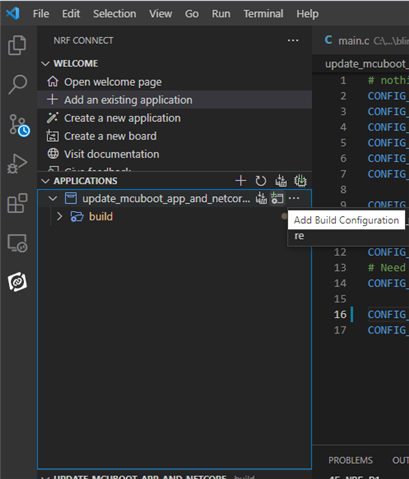
    In the VSCode extension, you can press "Add build configuration" under your project after you've done the modifications you wanted to do.

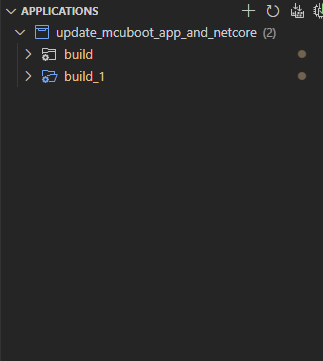
    This will open the build configuration page where you can create a new build. Select a different name than "build", press "Build Configuration" and see the new build show up under your applications-list in the extension:

    A third option is of course to create a copy of your project and keep the two software variations separated by folders to make it easier to see and remember the changes between the projects.

    Kind regards,
    Andreas

  • Hi!

    Thanks for the answer, but how would I then go about to have basically one setting be different between the two build configurations and all the rest in a common file?

    BR,
    Mårten

  • Hi,

    The easiest way* is to generate the build with settings A, then making the changes with in your project with the setting set B and generate the new build. *But this will lead to you having to manage the two build variations manually, and will be tedious in the long run.

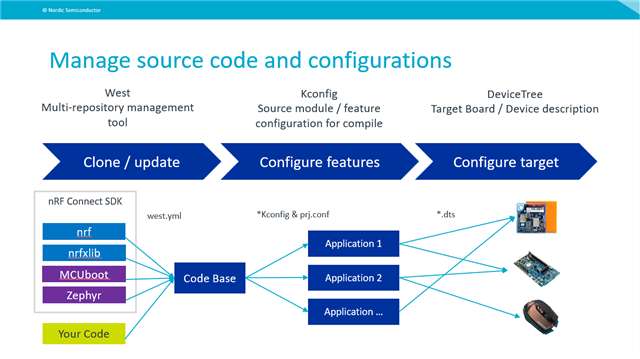
    A second way is to have a look at https://developer.nordicsemi.com/nRF_Connect_SDK/doc/latest/zephyr/build/kconfig/setting.html#the-initial-configuration to get some more information about how configuration files can be used. Here you could use Kconfig file where you can create your own configurations (and use configurations from the KConfig reference), that you can enable/disable based on which software variation you want to build for. This should allow you to change your application without changing the source code

    See more here: developer.nordicsemi.com/.../index.html

    If your SW is ment to be used for other physical boards, you will have to make changes to the devicetree files instead

    I hope this answers your question,

    Kind regards,
    Andreas

  • Hi!

    Thanks for the explanation and link.
     
    If I understand the link correctly it is almost but not quite what I was looking for...
    I was more looking for something like:
    "the result of merging prj_<build>.conf and prj.conf is used."

    My main concern is that I wanted all the common options in one .conf file.

    BR,
    Mårten

  • Hi,

    Apologies for the delayed response. I've been out of office and will be out of office until Friday. I will do my best to get you an answer to your latest question on Friday, and no later than the upcoming Monday.


    Kind regards,
    Andreas

  • Hi again,

    Apologies for the long wait time. 

    If I understand you correctly, then we unfortunately don't have any standardized way to attempt what you're looking for other than what you can see on the configuration page previously linked and its parent page https://developer.nordicsemi.com/nRF_Connect_SDK/doc/latest/zephyr/build/index.html. You will unfortunately have to create a custom way to configure your project (custom linking based on conditioning) and ensure that all your configuration files are linked properly so that the toolchain will know where to fetch the build settings from. 

    Kind regards,
    Andreas

Reply Children
No Data
Related