

Hi all, I have used the nRF mesh app to provision three nodes into a mesh and verified the functionality using the mesh app. I used the export function to dump the mesh configuration data to a json file. The net key and app key were then updated in the mesh proxy client example provided in "MeshProxyDeveloperStudyGuideV2_1_2". I am trying to control the lights of a generic on off server using the client but no success in doing so. As far as I understand I need to ensure the correct sequence number (SEQ 24 bit field) and IVI (32 bit field) has to be set in order for the Mesh client code to be able to change the state of the node. Please help me understand how to get these values from the mesh node.
So far I have changed the following in the client code:
- NetKey (As found in json config file)
- AppKey (As found in json config file)
- Initialised SEQ to 0x000000
- Set IV index to 0x00000000
- Set SRC to 0x0001 (Address of original provisioner)
- Set DST to 0x000C (Unicast address of generic on/off server)
Tried sending the generic ON without acknowledgement. On Raspberry pi I get the following decrypted PDU:
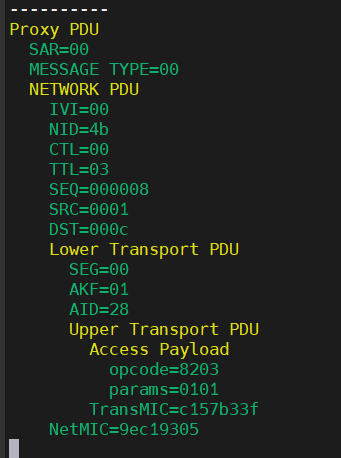
I feel sequence number and IV index are the only links I am missing here and so if I can get these out of the BLE node device, it would be helpful.

