Hi!
Which is the right way to install nrfconnect SDK for VS Code for linux? Is it automatically or manually as described in the documentation?
Regards.
Hi!
Which is the right way to install nrfconnect SDK for VS Code for linux? Is it automatically or manually as described in the documentation?
Regards.
Hi,
If you have Ubuntu 20.04 or 22.04 you can install automatically using the Toolchain Manager. If you have another distribution or prefer doing a manual installation you can do so following our nRF Connect SDK - Installing manually guide. It is possible that the Toolchain Manager works with other distributions as well, but this has not been tested.
Best regards,
Marte
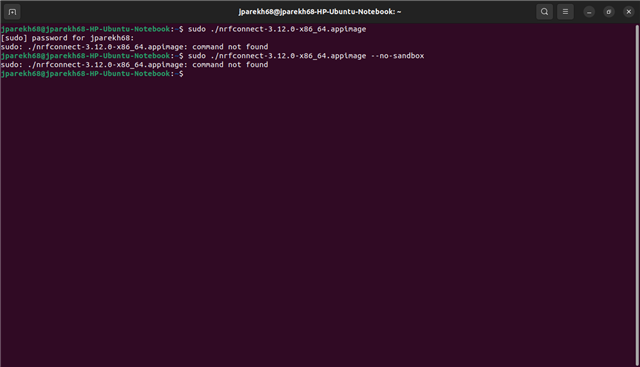
Hi, How to launch the appimage that has been downloaded from the NORDIC website. I am little new to LINUX.
Hi!!
Its installed. You may close the ticket.
Thanks.
Hi,
You must run the command in the folder that the program is in or add the path to the command.
cd Downloads
./nrfconnect-3.12.0-x86_64.appimage
When you add the path to the command you can use the following if you are in home (~), as in your pictures:
./Downloads/nrfconnect-3.12.0-x86_64.appimage
Or you can use the following with absolute path, which you can run from anywhere:
~/Downloads/nrfconnect-3.12.0-x86_64.appimage
You do not need to use sudo to run it.
Best regards,
Marte