I'm using a nRF7002 DK board with the prj_no_dfu.conf configuration.
Matter sample: light_bulb NCS 2.2.99.


The program cannot run after debugging.
I'm using a nRF7002 DK board with the prj_no_dfu.conf configuration.
Matter sample: light_bulb NCS 2.2.99.


The program cannot run after debugging.
Hi,
Do you get any logs from the device?
Can you try with nRF Connect SDK v2.2.99-dev3?
Best regards,
Marte
No log is generated from the serial port. Procedure VS code Start debugging button is invalid. Using the nRF Connect SDK v2.2.99-dev3
Hi,
Do you only see the issue when using prj_no_dfu.conf as the configuration file, or do you see the issue with other configs?
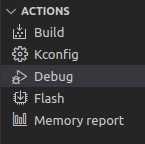
Are you starting debugging using the 'debug' action in the nRF Connect for VS Code extension?

What is the debugging backend in your nRF Connect extension settings?

I am testing on my side, and I have not been able to reproduce the issue so far.
Best regards,
Marte
Yes, only prj_no_dfu.conf. I am using prj.conf is fine.
Yes. I am starting debugging using the 'debug' action in the nRF Connect for VS Code extension.
Is this problem related to nRF Debug? I will try it tomorrow.
Hi,
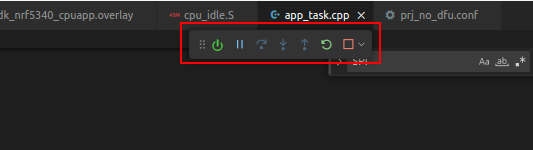
There are no problems related to nRF Debug that I am aware of. I see that debugging is running in your picture, so I assume you are able to start the debugging session?

Can you share the log from the debug console?

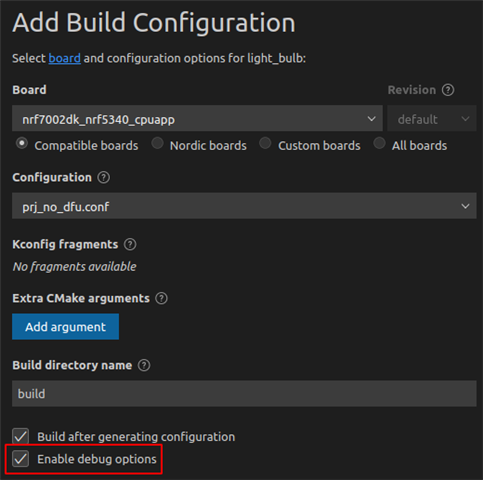
Do you see any difference if you enable debug options in the build configuration?

xinjiang said:No log is generated from the serial port
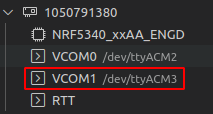
Are you using the correct serial port? The nRF7002 DK has two serial ports, one for the network core and one for the application core. The logging is generated on the serial port for the application core, which should be the second one:

Please provide support information from the VS Code extension:
Make sure to remove confidential information you do not want to be shared in a public case.
Best regards,
Marte