Programming Thingy:53 with Bluetooth Mesh sensor_server example

I have successfully built the Bluetooth Mesh sensor_server example, using the thingy53_nrf5340_cpuspp_ns build configuration.

But when I come to try and program the Thingy:53, it does not appear in the Connected Devices list, when connected to an nRF5340-DK board with a standard 10-pin cable (I used one from a STLink-V3). The RGB LED on the Thingy:53 illuminates on power up and cycles through the three colours a couple of times before going out, as it does when not connected via the 10-pin cable. When the Thingy:53 is connected via the 10-pin cable to the nRF5340-DK, the LEDs on the latter are not illuminated and neither appear in the Connected Devices list.

When I unplug and replug the USB cable to the nRF5340-DK board without the Thingy:53 connected, then the nRF5340-DK is detected and does appear in the Connected Devices list.

What else do I need to do for the Thingy:53 to be detected please?

I am using nRF Connect SDK v2.3.0 on Windows 11.

Parents
  • alwalker said:
    I do not see NRF5340_xxAA_ENGD on the Connected Devices list when the Thingy:53 is switched off and/or disconnected from the nRF5340DK.

    So you do not see this exact part on the connected devices list, but I assume the rest of the section belonging to that DK is still there? Could you show me a screenshot of how this looks?

    What is the version of your Thingy:53? You should be able to see this number underneath the NFC tag, right below "PCA20053".

    alwalker said:
    and also to check using the same hardware setup?

    I haven't tried using your exact versions, but yeah I have tried it. The interface chip on the DK should read the UICR of the chip its programming and give it to you there. NRF5340_xxAA_ENGD should be referring to the SoC on the Thingy. I do not know exactly what you mean by selecting it though, would you mind expanding a bit on that?

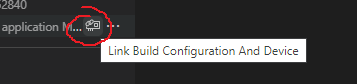
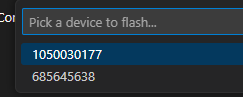
    You could in a way select something using the symbol in the image on the left, or after flashing when there are multiple options available. Though when making this selection you choose an id of the interface chips, not the name of the SoC.


    Regards,

    Elfving

  • Hi Elfving,

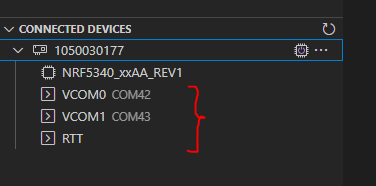
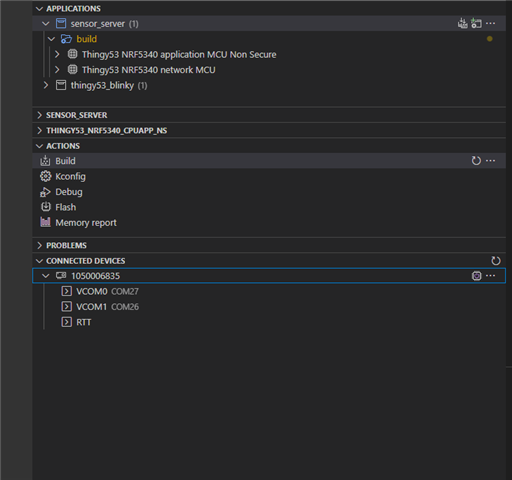
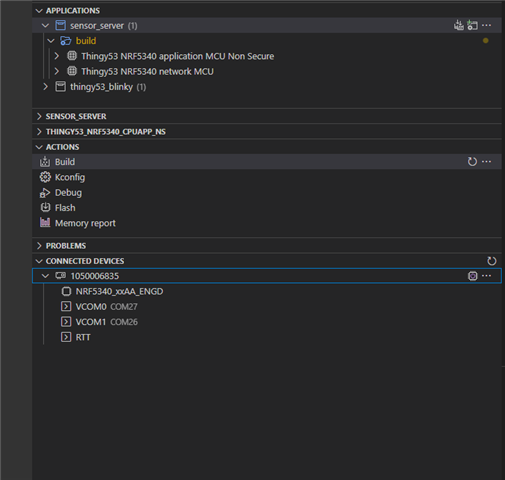
    This is what I see on the list of Connected Devices without the Thingy:53 connected/powered on:

    This is what I get with the Thingy:53 connected via the 10-pin cable and powered on:

    I select the NRF5340_xxAA_ENGD option in the normal way using the mouse pointer and right-clicking.

  • Well it might be that the SoC on that DK has been bricked somehow. Could you run through the steps in this guide

    alwalker said:
    What should the syntax be for using the logging please?

    Could you expand a bit on what you mean by this?

    Regards,

    Elfving

  • Hi Elfving,

    As I have two other nRF5340DK board that program just fine, I think we can eliminate the computer,  USB cable and the J-Link driver as issues.

    For both good and bad boards, when I power on the board (connected to the PC via USB)  I get a window pop up called JLINK (E:) that only shows two files:

    Segger.html

    README.TXT

    I have the view hidden files option selected in File Explorer, but these are the only two files shown.

    The guide that you link to describes a folder called BOOTLOADER, I do not see that appear for either the good or bad boards.

    Should I follow this instruction please?

    If on step 4 the kit does not show up as "BOOTLOADER", try to download and install the mbed Windows serial port driver

    Regarding the syntax for logging, it is the format for the nrfjprog command to allow for logging as indicated in the above screen capture with the --log option. for example, what should I add to make this the complete command that can be executed?

    nrfjprog --recover --log

    I also note the suggestion to use J-Link Commander, but I am not sure whether the instructions are correct for the nRF5340DK.

    r

    w4 4001e504 2

    w4 4001e50c 1

    w4 4001e514 1

    qc

    Could you confirm please?

    Kind regards,

    Al

  • Hello,

    alwalker said:
    For both good and bad boards, when I power on the board (connected to the PC via USB)  I get a window pop up called JLINK (E:) that only shows two files:

    That is the interface chip showing up as a mass storage device. You can for instance flash your board by simply dropping the .hex file there. It is expected that it pops-up for all boards as there is nothing wrong with the interface chip on any of them. There shouldn't be anything else in the folder besides what you listed.

    alwalker said:
    The guide that you link to describes a folder called BOOTLOADER, I do not see that appear for either the good or bad boards.

    Ah yes for that you need to enter bootloader mode. That way you can do a DFU on the interface chip. Though I do not think that is necessary as this chip works as intended. Though are you saying that when you press the IF BOOT/RESET button while power cycling the kit the bootloader folder does not show up? Though once again, I do not think you need to reinstall the J-LINK interface MCU firmware.

    alwalker said:

    Regarding the syntax for logging, it is the format for the nrfjprog command to allow for logging as indicated in the above screen capture with the --log option. for example, what should I add to make this the complete command that can be executed?

    nrfjprog --recover --log

    Not sure if I understand what you mean here. Are you saying running nrfjprog --recover --log doesn't work for you?

    alwalker said:
    I also note the suggestion to use J-Link Commander, but I am not sure whether the instructions are correct for the nRF5340DK.

    No you don't have to worry about that step.

    Regards,

    Elfving

  • Hi Elfving,

    I confirm that even the working the nRF5304DK does not go into Bootloader mode when the RESET switch SW5 is kept pressed down on power up. As you say that the other measures identified are not necessary, how should I proceed with resolving the programming issue with the non-functioning nRF5340DK please? Especially as the JLINK (E:) folder contents appears to be ok.

    Kind regards,

    Al

  • Hi Elfving,

    Reading through a similar post, I found a link to this page:

    Getting started with Thingy:53 — nRF Connect SDK 2.3.99 documentation (nordicsemi.com)

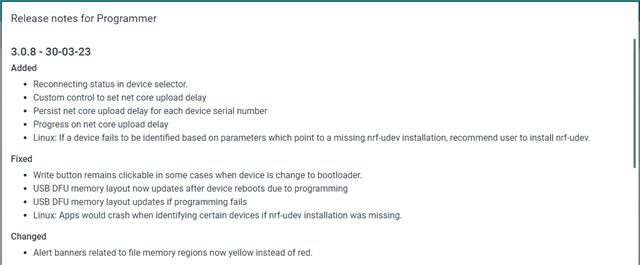
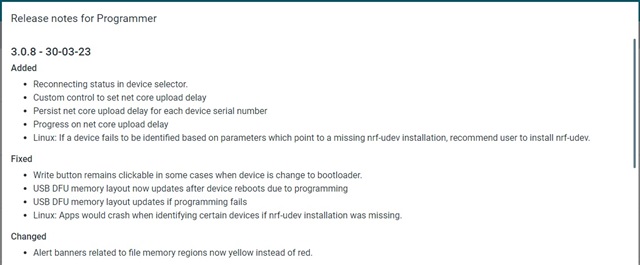
    And i note that the latest version of nRF Connect for Desktop Programmer has changes to the USB DFU:

    Should I be using the Programmer application instead to fix the non-working nRF540DK board please? If so, what process should I follow, and can you provide a link to the file to program it with please?

    Kind regards,

    Al

Reply Children
No Data
Related