Programming Thingy:53 with Bluetooth Mesh sensor_server example

I have successfully built the Bluetooth Mesh sensor_server example, using the thingy53_nrf5340_cpuspp_ns build configuration.

But when I come to try and program the Thingy:53, it does not appear in the Connected Devices list, when connected to an nRF5340-DK board with a standard 10-pin cable (I used one from a STLink-V3). The RGB LED on the Thingy:53 illuminates on power up and cycles through the three colours a couple of times before going out, as it does when not connected via the 10-pin cable. When the Thingy:53 is connected via the 10-pin cable to the nRF5340-DK, the LEDs on the latter are not illuminated and neither appear in the Connected Devices list.

When I unplug and replug the USB cable to the nRF5340-DK board without the Thingy:53 connected, then the nRF5340-DK is detected and does appear in the Connected Devices list.

What else do I need to do for the Thingy:53 to be detected please?

I am using nRF Connect SDK v2.3.0 on Windows 11.

Parents
  • alwalker said:
    I do not see NRF5340_xxAA_ENGD on the Connected Devices list when the Thingy:53 is switched off and/or disconnected from the nRF5340DK.

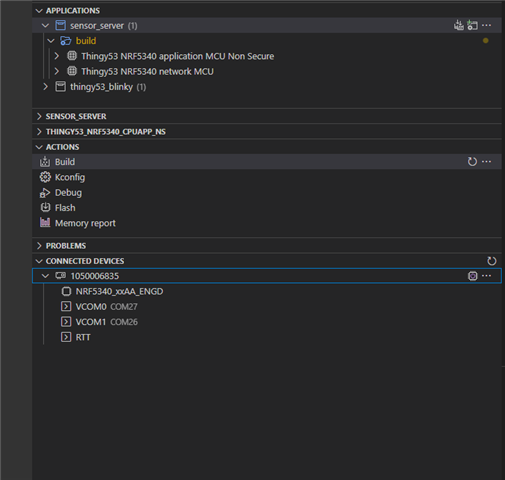
    So you do not see this exact part on the connected devices list, but I assume the rest of the section belonging to that DK is still there? Could you show me a screenshot of how this looks?

    What is the version of your Thingy:53? You should be able to see this number underneath the NFC tag, right below "PCA20053".

    alwalker said:
    and also to check using the same hardware setup?

    I haven't tried using your exact versions, but yeah I have tried it. The interface chip on the DK should read the UICR of the chip its programming and give it to you there. NRF5340_xxAA_ENGD should be referring to the SoC on the Thingy. I do not know exactly what you mean by selecting it though, would you mind expanding a bit on that?

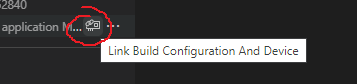
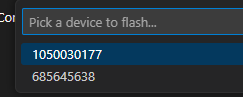
    You could in a way select something using the symbol in the image on the left, or after flashing when there are multiple options available. Though when making this selection you choose an id of the interface chips, not the name of the SoC.


    Regards,

    Elfving

  • Hi Elfving,

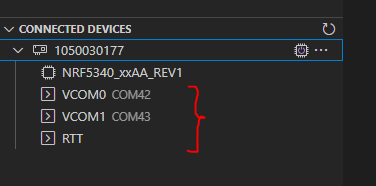
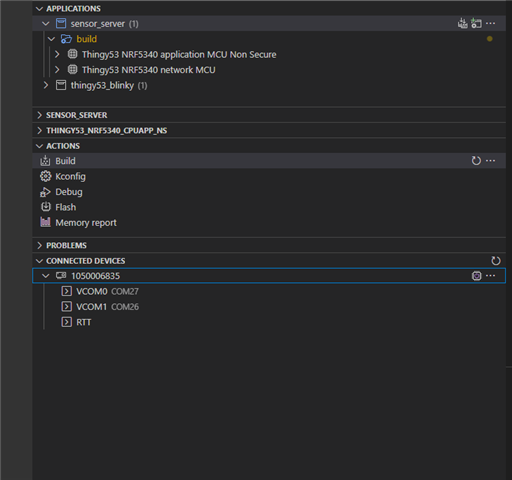
    This is what I see on the list of Connected Devices without the Thingy:53 connected/powered on:

    This is what I get with the Thingy:53 connected via the 10-pin cable and powered on:

    I select the NRF5340_xxAA_ENGD option in the normal way using the mouse pointer and right-clicking.

  • Hi Hung Bui,

    I also produced a log file that same way on the E: drive for the working board. Please see attached.

    Kind regards,

    Al

    230511 Working.log

  • Hi Al,

    I have forwarded the log to our R&D team and they said that it looks like the chip was not powered hence the programmer can not program the chip. 

    Could you please check what's the voltage on the VDD pins ? Also please check the voltage on the 5V pin. 

    Is there any chance that you were flashing anything that change the VREGHVOUT ? 


    With the other board that works, have you managed to program the Thingy 53 with that board (make sure to turn Thingy53 on when you flash) ?

  • Hi Hung Bui,

    I checked the 5V and VDD rails on both working and non-working boards using an oscilloscope, includng when running nrfjprog (with the same results per the supplied log files). There is no difference in the measured voltages between the two baords:

    5V Rail: +5.0V

    VDD Rail: +3.0V

    I am not sure where to measure VREGHVOUT, could you confirm please?

    I have not tried programming the Thingy:53 using another nRF5340DK for the specific reason that I want to understand why the board previously used is now no longer works, and do not want to risk damage to any other nRF5340DK boards without identifying the problem with this non-working board.  

    Kind regards,

    Al

  • Hi Al, 
    We running out of idea on why it wouldn't work. 
    I think the way to go is that we will send you a replacement board and you can try doing programming the nRF53 again. If you can record your test step by step and if you reproduce the issue, we can start from there and track down what causes the problem. 

    We haven't received other reports about this issue and in my test here on my desk it all worked fine. 

  • Hi Hung Bui,

    Thank you very much for the kind offer. I don't want to give out my delivery address on a public ticket, could one of your representatives contact me by email please for the delivery of the replacement board?

    Kind regards,

    Al

Reply Children
Related