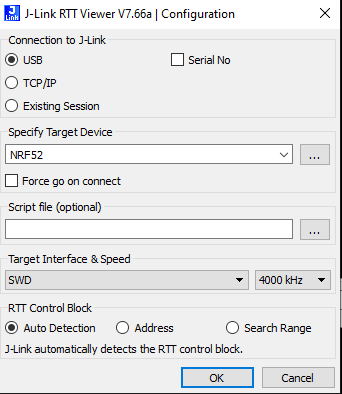
Hello,
I am beginner with Zephyr and for sure i have problems. I am trying to make simple app in order to get "hello World" via RTT viewer without success. I have read a lot of cases with similar problems and i have tested all solutions but no way.
I am using PCB MDK dongle with nrf52840 assembled (https://wiki.makerdiary.com/nrf52840-mdk-usb-dongle/). I have access to pins SWD (RST, SWDCLK and SWDIO, but SWO is not HW mapped). I could flash the PCB without problems using external J-Link and RTT viewer is conneted correctly but once APP is running there is no output in the terminal.
RTT viewer version 7.80C
Zephyr version 3.2.99
prj.conf is
# nothing here

CONFIG_PRINTK=y

CONFIG_CONSOLE=y
CONFIG_UART_CONSOLE=n
CONFIG_RTT_CONSOLE=y
# Enable RTT
CONFIG_USE_SEGGER_RTT=y

CONFIG_LOG=y
CONFIG_LOG_BACKEND_RTT=y
CONFIG_LOG_BACKEND_UART=n
CONFIG_LOG_PRINTK=y
source:
#include <zephyr/kernel.h>
#include <zephyr/sys/printk.h>
#include <zephyr/logging/log.h>
LOG_MODULE_REGISTER(main);

void main(void)
{
	while (1){
		printk("Test printk\n");
		k_sleep(K_SECONDS(1));
		LOG_INF("Info message example.");
		k_sleep(K_SECONDS(1));
	}
}
Could any body help me, please?
Thanks in advance!