How to use NRF RADIO in nrf5340 audio sample?

Hello,

I am using nrf5340 audio sample with the custom board. The nRF Connect SDK I use is v2.3.0.

According to this document, I refer to Bluetooth: Direct Test Mode sample to set FEM with my application.

However, the nrf5340 audio sample build fail when include <hal/nrf_radio.h>.

I know that Bluetooth: Direct Test Mode sample build on network core and nrf5340 audio sample build on application core. Is "build on application core" the reason that nrf5340 audio sample build fail when adding <hal/nrf_radio.h>?

According to this document, nRF radio driver is in network core, is it mean that I only can use NRF RADIO in the sample I build with network core?

Parents Reply Children
  • Thank you for your reply.

    I read the answers of the issue you provided.

    According to this document, nRF radio driver is in network core, is it mean that I only can use NRF RADIO in the sample I build with network core?
    It seems that this is correct, I can only use NRF RADIO in network core.

    Generally, if I want to use DTM mode, I just need to run DTM program in network core and my own project in application core. right?

    What I still have doubts about is that when burning nrf5340 audio sample, there is a ble5-ctr-rpmsg_3310.hex that must be burned together with the application firmware to be used. That is to say, it is originally two images.

    I guess ble5-ctr-rpmsg_3310.hex is the firmware executed in the network core, although I don't know what its function is. But anyway, if I want to add DTM firmware to nrf5340 audio sample, hex files overlapping issue will definitely happen.

    Can DTM mode be used in nrf5340 audio sample?

  • I don’t see any other way than;

    1. First program DTM project
    2. Run DTM
    3. Program application firmware

    You can bundle the DTM or application project with other tests you want to perform at the same time.

    Kenneth

  • 1. First program DTM project
    2. Run DTM
    3. Program application firmware

    I am using Programmer Tool to burn firmware. If I use this method, DTM will be erased in step 3: Program application firmware.

    Sorry I don't know how to bundle a project with another project at the same time. Are there any documents I can refer to?

  • Hello,

    LandyWang said:
    If I use this method, DTM will be erased in step 3: Program application firmware.

    That is correct, you can't bundle the two. So you need to program the device two times, one time to execute DTM, and a second time to program the product application.

    Kenneth

  • If I program the device two times, will the DTM of the first program be overwritten when I program the device for the second time?

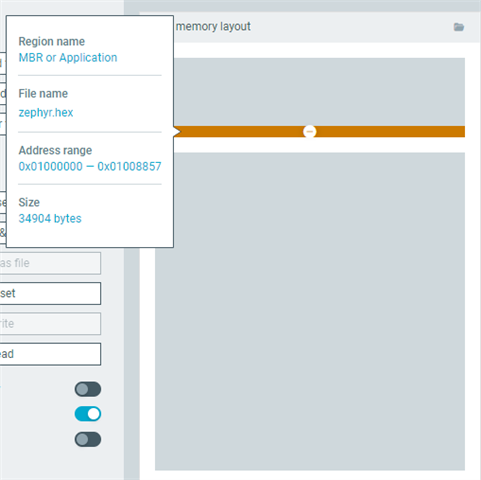
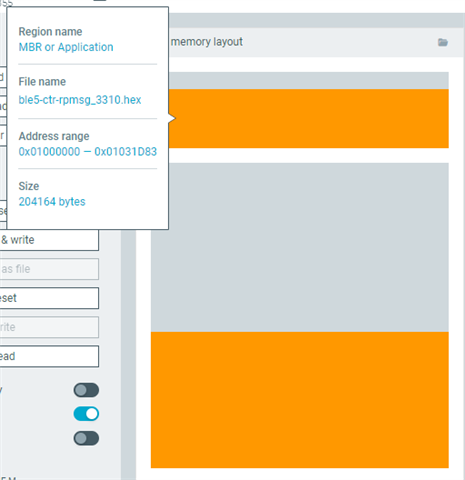
    As shown in the picture, this is the file memory when nrf5340 audio sample is programmed.

    And this is the file memory when DTM is programmed.

    Their address ranges overlap. When I program the device two times, the device only perform the function of the second application.

Related