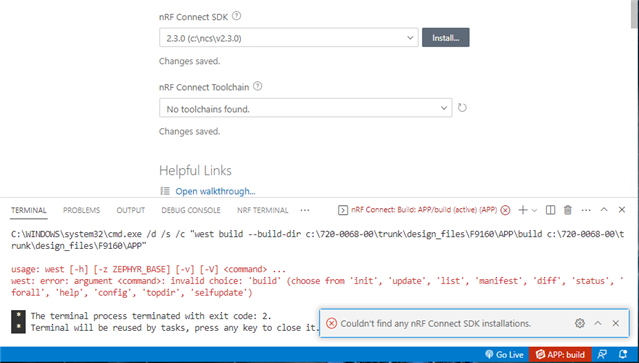
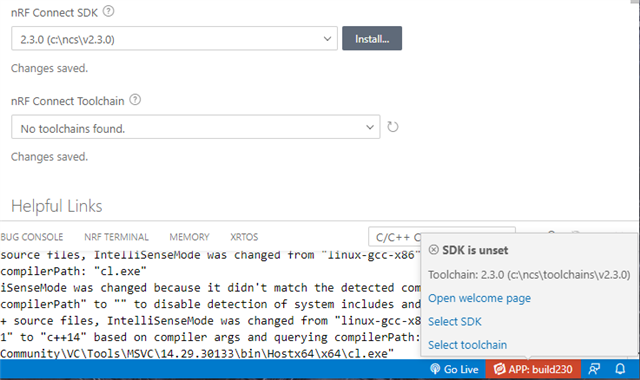
I can no longer compile my projects after updating extension "nRF Connect for VS Code" to v2023.4.148 today.
Up to v2023.2.56 it worked fine!
From version v2023.4.148 comes:CMake Error at D:/Nordic/v2.2.0/zephyr/cmake/modules/FindZephyr-sdk.cmake:56 (find_package): Could not find a configuration file for package "Zephyr-sdk" that is compatible with requested version "0.15".
The following configuration files were considered but not accepted:
D:/Nordic/toolchains/v2.1.3/opt/zephyr-sdk/cmake/Zephyr-sdkConfig.cmake, version: 0.14.1
Call Stack (most recent call first): D:/Nordic/v2.2.0/zephyr/cmake/modules/FindHostTools.cmake:53 (find_package) D:/Nordic/v2.2.0/zephyr/cmake/modules/dts.cmake:8 (find_package) D:/Nordic/v2.2.0/zephyr/cmake/modules/zephyr_default.cmake:108 (include) D:/Nordic/v2.2.0/zephyr/share/zephyr-package/cmake/ZephyrConfig.cmake:66 (include) D:/Nordic/v2.2.0/zephyr/share/zephyr-package/cmake/ZephyrConfig.cmake:92 (include_boilerplate) CMakeLists.txt:5 (find_package)
It might be interesting that I have several SDK versions installed (NCS 1.9.1, 2.0.2, 2.1.3, 2.2.0, 2.3.0).
I have my projects in a workspace with: "nrf-connect.topdir": "${nrf-connect.sdk:2.1.3}", "nrf-connect.toolchain.path": "${nrf-connect.toolchain:2.1.3}",
Apparently the new extension mixes v2.1.3 and v.2.2.0:-- Found Python3: D:/Nordic/toolchains/v2.1.3/opt/bin/python.exe (found suitable exact version "3.8.2") found components: Interpreter-- Cache files will be written to: D:/Nordic/v2.2.0/zephyr/.cache-- Zephyr version: 3.2.99 (D:/Nordic/v2.2.0/zephyr)-- Found west (found suitable version "0.14.0", minimum required is "0.7.1")