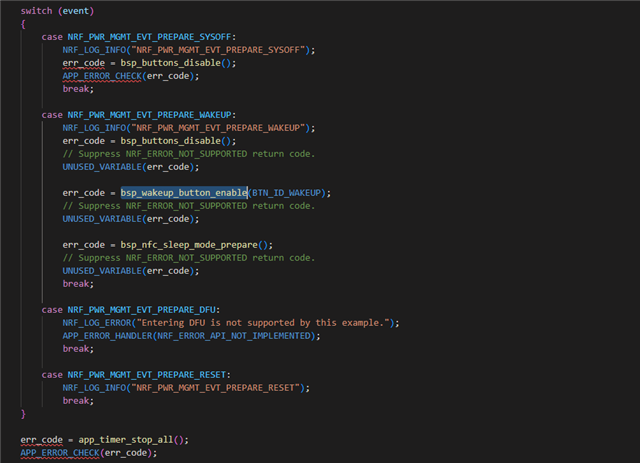
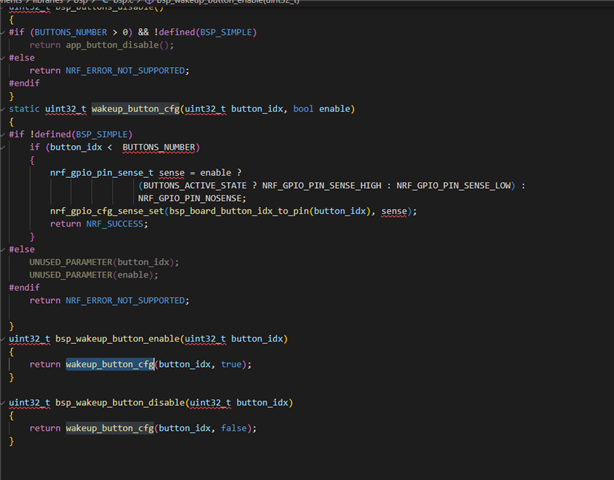
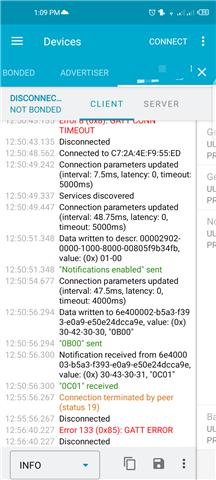
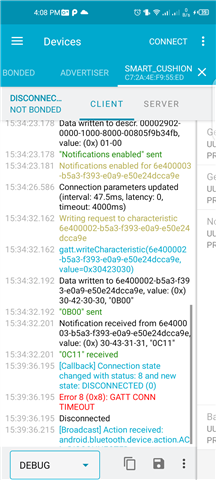
I am utilizing the nRF52811 with SDK version 16.00 for a project. However, I have encountered an issue related to the function sd_power_system_off, which is intended to put the device into a sleep mode. Instead of entering sleep mode, the function triggers an error labeled as "GATT_CONN_ERROR" on the nRF Connect mobile application.
I have taken the necessary steps to debug the issue, and through this process, I have confirmed that the sd_power_system_off function is indeed the source of the problem. To resolve this, I have conducted extensive research on various forums, but unfortunately, I have not yet identified a suitable solution to rectify this specific error.
In my pursuit of resolving the problem, I considered the potential influence of debugging on the deep sleep functionality. However, even after disconnecting the debugger and allowing the nRF52811 to run independently, the error persists unchanged.
For contextual clarity, I have provided a segment of the relevant code below, where I am implementing the deep sleep functionality:
Given the current situation, I am seeking assistance to address this issue and enable the intended sleep functionality on the nRF52811. Any insights, guidance, or recommendations that can be provided regarding this matter would be greatly appreciated. Thank you in advance for your help.
static void app_timer_callback(void* p_context)
{
    // Add your desired functionality here
}

static void timer_timeout_handler( void* p_context)
{ret_code_t err_code;

  UNUSED_PARAMETER(p_context);
nrf_timer_event_t event_type;

if(normalmode==false){
    timer_counter += 5000;
  NRF_LOG_DEBUG(" = timer_counter %d .",timer_counter );
  NRF_LOG_INFO(" = timer_counter %d.",timer_counter );

 if( timer_counter >= 120000)
   {


    NRF_LOG_DEBUG(" done;.");
  NRF_LOG_INFO(" done;.");

      app_timer_stop(m_app_timer);
 NRF_LOG_DEBUG(" cleared.");
  NRF_LOG_INFO(" cleared.");

// Configure the App Timer for the desired time interval (5 minutes)
interval_ms =  300 * 1000;  // 5 minutes
err_code = app_timer_start(m_app_timer, APP_TIMER_TICKS(interval_ms), NULL);
APP_ERROR_CHECK(err_code);

    NRF_LOG_DEBUG(" shifted.");
  NRF_LOG_INFO(" shifted.");
 }

    }

    else if (normalmode==true){
    if(f1<0.05 && f2<0.05 && f3<0.05 && f4<0.05){
    ds_counter+=5000;
    if(ds_counter>=5000){

  err_code = app_timer_stop(m_app_timer);
APP_ERROR_CHECK(err_code);
//sleep_mode_enter();
    // Go to system-off mode (this function will not return; wakeup will cause a reset).
    err_code = sd_power_system_off();
     if (err_code != NRF_SUCCESS) {
        NRF_LOG_WARNING("sd_power_system_off() failed, errCode=0x%x\n", err_code);
        return;
    //APP_ERROR_CHECK(err_code);

}}}}}