Generate OTA file

Hi,

I'm really sorry but I can't figure out how to do this.  I've added FOTA to my ZigBee project (using the light switch example) but I can't find anything on how to generate an *.ota file that I can use to do the update via ZigBee2MQTT.

Am I able to do this on the NRF52840? Is there any documentation on this? I feel like I've been looking for too long and have subject blindness.

Thank you

Parents
  • Hello,

    What kind of bootloader do you have? And what SDK version are you using?  Based on your other tickets, it looks like you are using NCS. So if you have added a bootloader to your application, then your build folder should include the ota file.

    The file is located in build\zephyr\dfu_update.zip, and is called app_update.bin.

    However, this bootloader is not tailored for Zigbee, so where you would typically use something called mcumgr for performing the FOTA via bluetooth or serial, mcumgr doesn't do zigbee. As you can see here, we are currently using a tool called nrfutil to generate the ota image. 

    What I am not sure of, however, is how to transfer this file over ZigBee2MQTT (Z2M). Is this some sort of Home Assistance thing, by chance? In our guides, we use nrfutil with an additional DK to transfer the image to the OTA target, but I am not sure whether this will work with Z2M. You will have to test that. 

    Best regards,

    Edvin

  • Hi Edvin,

    I'm using MCUBoot and v2.5.2 of the SDK.

    I found app_update.bin Thursday evening after submitting this ticket and was wondering if that would be it.

    Yes, ZigBee2MQTT is a Home Assistant thing.  I've been pulling my hair out trying to figure out how to do both the NRF side of things and the Z2M side of things.

    I'll give this all another read with fresh Monday eyes and report back.

    Thank you

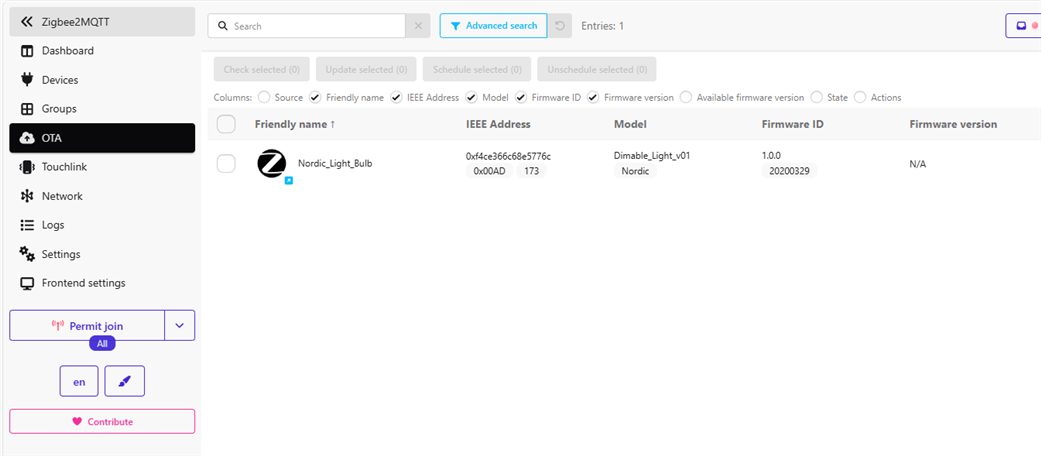
  • Thanks for the information. I can now see the device listed under the OTA tab, but when I try to trigger an update through MQTT Explorer, I get the following error:

    update = {"data":{},"error":"Update of 'Nordic_Light_Bulb' failed (No image currently available)","status":"error"}

    I’ve placed the file 127F-0141-02000000-light_bulb.zigbee in my MQTT local server directory. Do I need to use a .ota file instead, or is the .zigbee format acceptable?

  • The file within .zigbee is ok. But the model ID in zboss must match the model in z2m

    For example: 127F-0141-02000000-Dimable_Light_v01.zigbee

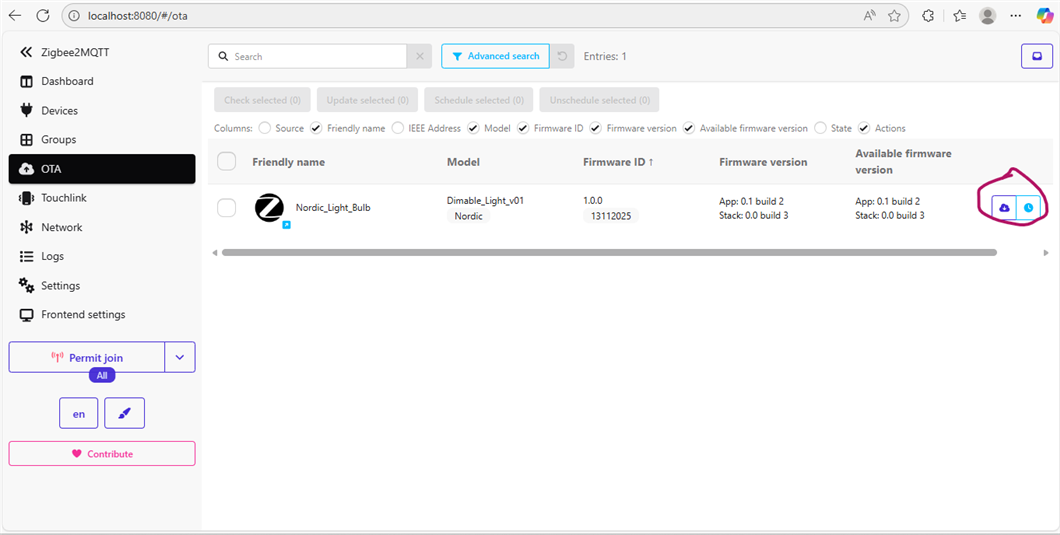
  • When I perform a “Check for update” action, I receive an “OK” response, but the “Firmware Update” button does not appear. Please help me resolve this issue.

  • You must check the version of the .zigbee again

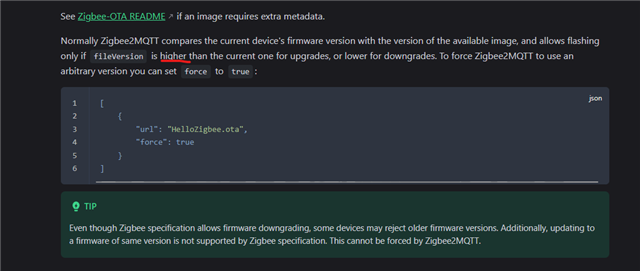
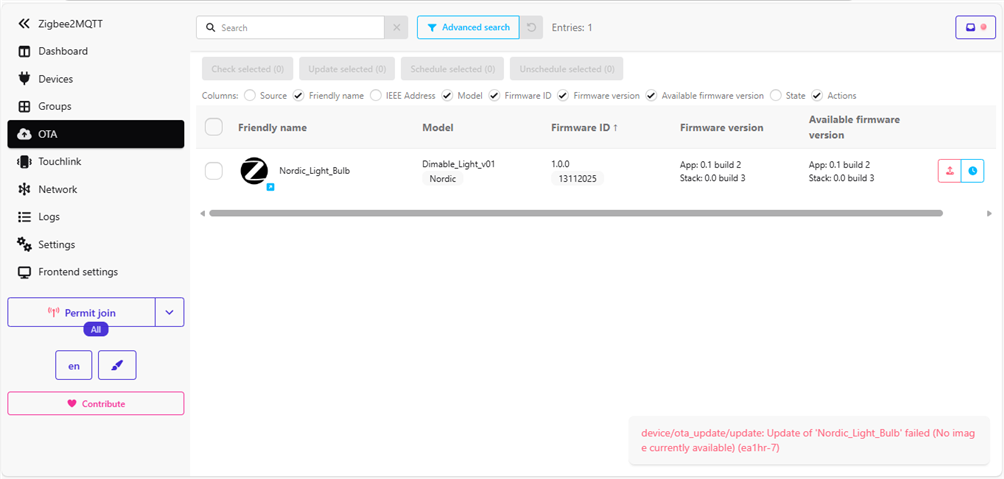
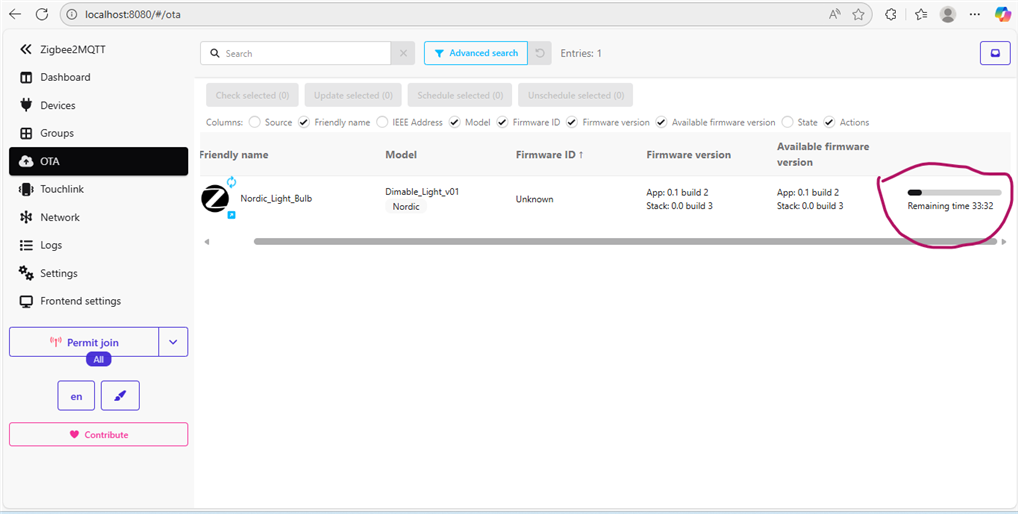
  • I was able to get the update button and set force to true, but when I click the update button, I receive the following error message.

    configuration.yaml

    mqtt:
    base_topic: zigbee2mqtt
    server: mqtt://localhost:1883
    ota:
    update_check_interval: 1440
    disable_automatic_update_check: false
    image_block_response_delay: 250
    default_maximum_data_size: 50
    ota_base_url: http://localhost:8081/
    zigbee_ota_override_index_location: my_index.json
    zigbee_ota: true

    external converter
    [
    {
    "url": "http://localhost:8081/127F-0141-02000000-Dimable_Light_v01.zigbee",
    "force": true
    }
    ]

Reply
  • I was able to get the update button and set force to true, but when I click the update button, I receive the following error message.

    configuration.yaml

    mqtt:
    base_topic: zigbee2mqtt
    server: mqtt://localhost:1883
    ota:
    update_check_interval: 1440
    disable_automatic_update_check: false
    image_block_response_delay: 250
    default_maximum_data_size: 50
    ota_base_url: http://localhost:8081/
    zigbee_ota_override_index_location: my_index.json
    zigbee_ota: true

    external converter
    [
    {
    "url": "http://localhost:8081/127F-0141-02000000-Dimable_Light_v01.zigbee",
    "force": true
    }
    ]

Children
Related