

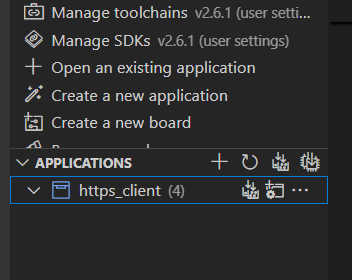
nRF Connect for VS Codev2024.7.18 (pre-release)
Tried to select General Support Information icon and received:
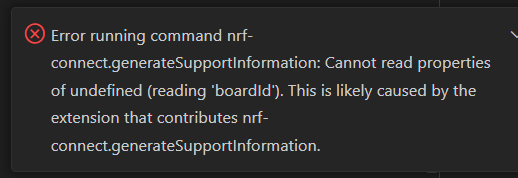

nRF Connect for VS Codev2024.7.18 (pre-release)
Tried to select General Support Information icon and received:
Hi Michael,
Are there any other issues that you noticed apart from missing build folders in VS Code?
Did you have this problem previously? Have you tried closing and reopening VS Code and reinstalling the extension?
How did you build your application? Was build successful?
Have you tried building from VS Code terminal or from command line terminal opened from the Toolchain Manager?
You could try building from command line and then opening existing application in VS Code.
nRF Connect for VS Codev2024.7.18 (pre-release)
If you used pre-release version of the extension, you could try to use release version and test again.
Best regards,
Dejan
Hi Dejan, thank you for the reply. I know there is not much to go on here so I appreciate the sugestions you have provided.
dejans said:Are there any other issues that you noticed apart from missing build folders in VS Code?
Not at the moment.
dejans said:Did you have this problem previously? Have you tried closing and reopening VS Code and reinstalling the extension?
I had this problem when using the release version of nRF Connect for VS Code extension so I tried the pre-release and the problem still exists.
I also tried View -> Command Palette -> Extensions: Refresh
I have this problem regardless of whether I close/open VS Code and open the existing applications. To be fair though, I have not tried from scratch to reproduce this again.
I tried uninstall/install of the nRF Connect for VS Code extension, release and pre-release, same problem.
dejans said:How did you build your application? Was build successful?
I was able to successfully compile and flash all 4 build directories before my ability to view them separately in VS Code became a problem.
dejans said:Have you tried building from VS Code terminal or from command line terminal opened from the Toolchain Manager?
From VS Code terminal I can build the build_1 directory.
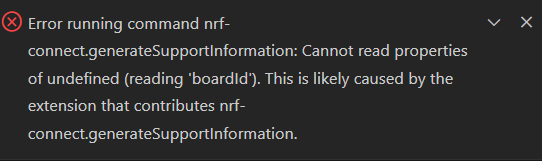
Is there a different way to get a user report when the Generate Support Information icon results in:
Hi Michael,
I know of 2 ways to Generate Support Information:
1. choose Welcome, press Generate Support Information button
2. CTRL+SHIFT+P, type nRF Connect: Generate Support Information, press Enter
Have you tried both ways?
EDIT: One of the reasons for build folders not showing up could be that you have nested directories. Could this be the reason in your case?
Best regards,
Dejan
Hi Dejan,
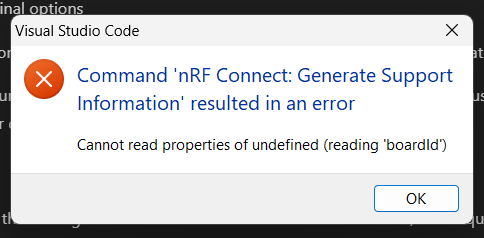
I get this pop-up when using Command Palette to generate the support information. Are you aware of what may cause this?
Project directory structure is C:\MJ\NCSv2.6.1\https_client.
If I open another sample with multiple builds in the same directory, C:\MJ\NCSv2.6.1\hello_world_9160, it is displayed correctly in VS Code:
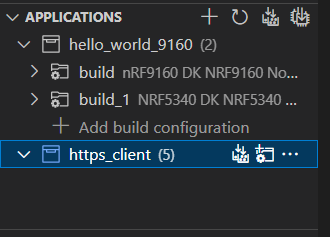
I feel at this point it may be better for me to try and reproduce this again. Though if you have information regarding the pop-up error when trying to generate support information from command palette then that may shed some light for me in the future.
Hi Michael,
According to VS Code team, boardid error could come from the use of stable release. Please try to reproduce the behavior using pre-release version of the extension and make sure that you do not have nested directories. You could also try to open https_client sample in a separate VS Code window.
Best regards,
Dejan

