nrf91 downloads nrf52 firmware from nrf cloud and save it temporarily into secondary image slot

Hi,
I want nRF91 to download the nrf52840 firmware update image from nrf cloud and then pass it to nRF52 using SMP over UART.
1.How can I use the nrf cloud FOTA UI to deploy nrf52 to nrf91? So far I managed to use REST fota download library to do the nrf91 firmware update from the nrf cloud.
2.If there is a solution for item 1, can I save the nrf52 firmware temporarily into nrf91's secondary image slot, transfer it to nrf52 and erase the secondary slot? 
Thanks
/CJ
Parents
  • Hello,

    1.How can I use the nrf cloud FOTA UI to deploy nrf52 to nrf91? So far I managed to use REST fota download library to do the nrf91 firmware update from the nrf cloud.

    I believe you can use a similar approach as described here. Use an nrf52 firmware image and upload it as described.

    2.If there is a solution for item 1, can I save the nrf52 firmware temporarily into nrf91's secondary image slot, transfer it to nrf52 and erase the secondary slot? 

    It should work, considering the nrf52 and nrf91 use the same flash page size, so there shouldn't be a conflict with that.

  • Hi,

    I just give it a try but it shows me "REJECTED" in the nrf cloud, and in the device log:


    <inf> download_client: Downloaded 1400/199140 bytes (0%)
    <err> dfu_target: No supported image type found
    <err> fota_download: Unknown image type
    <inf> download_client: Fragment refused, download stopped.
    

    What I did was to compile a bluetooth peripheral lbs sample, update the zephyr.bin as a bundle and deploy a FOTA job to my dedicated nrf91 device. I was using the REST fota download which worked for nrf91 firmware update.

    Best

    /CJ

  • Ok, so the compatibility is being checked by the DFU library it seems. I believe you can still store the image in the mcuboot slot, but you need to find some other way to download the firmware image.

  • Hi, after I added CONFIG_BOOTLOADER_MCUBOOT=y in prj.conf in the lbs sample and rebuild again, I got app_update.bin. And after I deployed this app_update.bin to the nrf91 from nrf cloud, the nrf9160 managed to downloaded it successfully.

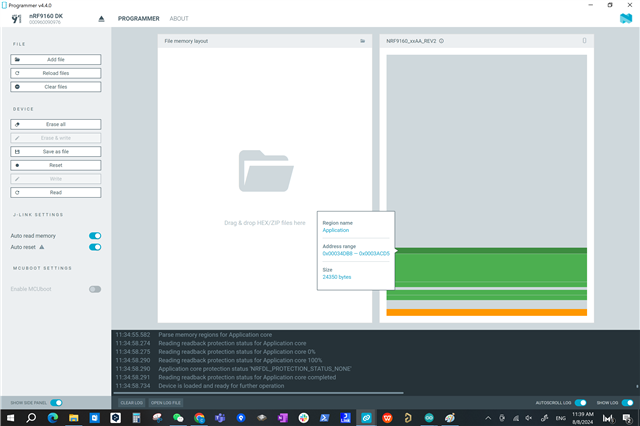
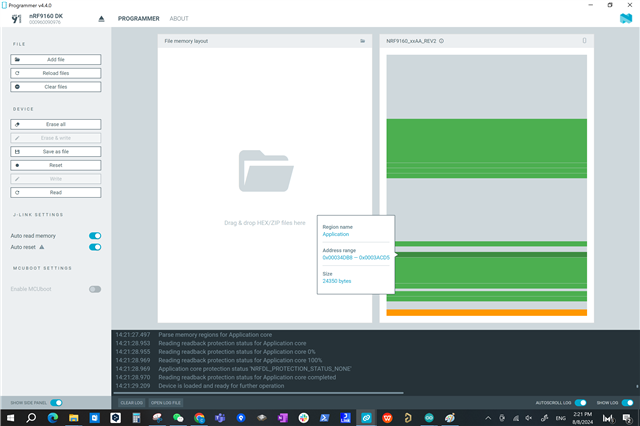
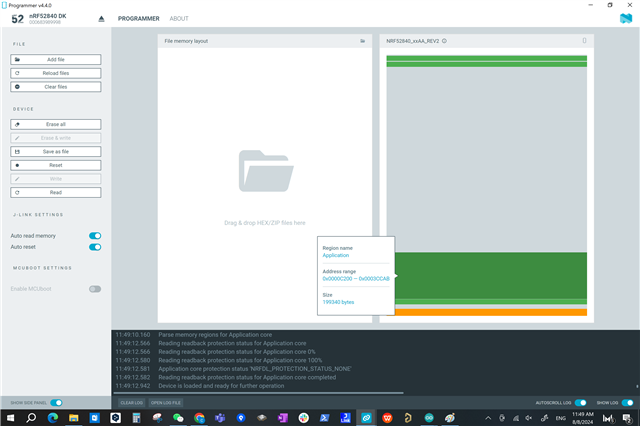
    Now it is time to retrieve the data from nrf91 and forward it to nrf52. But when I check the device memory layout of nrf9160, specifically the downloaded nrf52 part, it doesnt follow the same layout as it is before in the nrf52840DK, which make it tricky to retreive the data from nrf91 and forward it to exact where it should be in the nrf52840DK.

    Any idea how to fix it?

    Thanks

    /CJ

    Below I attach the pictures of how the memory layouts look like before and after downloading the nrf52 firmware to nrf91.  

    1.nrf9160DK before downloading nrf52840 firmware

    2.nrf9160DK after downloading nrf52840 firmware

    3.nrf52840DK with nrf52840 firmware, note that there is a settings_storage at the top of the layout

    and it is moved to other places after downloading to the nrf9160DK.

  • harry4951 said:

    3.nrf52840DK with nrf52840 firmware, note that there is a settings_storage at the top of the layout

    and it is moved to other places after downloading to the nrf9160DK.

    Then can you not just handle that specific part manually?

Reply Children
No Data
Related