Problem writing to nrf52840

I am using the following chip: NRF52840-QIAA-R

boggi@getshop-boggi:~/....$ nrfjprog --program /home/boggi/..../build_1/zephyr/zephyr.hex --sectoranduicrerase --verify -f NRF52 --snr 1050385234 --log
[ #################### ] 5.321s | Erase file - Done erasing
[error] [ Client] - Encountered error -102: Command program_file executed for 389 milliseconds with result -102
[error] [ nRF52] - The write access failed, but no cause could be determined.
[error] [ nRF52] - It may be due to an unaligned access, accessing a nonexistent memory, or a communication issue.
[error] [ nRF52] - Failed while performing 'Write' operation on target address 0x00000000.
-102: An unknown error.
[error] [ nRF52] - Failed while reading device information.
[error] [ Worker] - An unknown error.
ERROR: JLinkARM DLL reported an error. Try again. If error condition
ERROR: persists, run the same command again with argument --log, contact Nordic
ERROR: Semiconductor and provide the generated log.log file to them.
boggi@getshop-boggi:~/....$ nrfjprog --memwr 0x00000000 --val 0x12345678 -f NRF52 --log
Parsing parameters.
Writing.


boggi@getshop-boggi:~/....$ nrfjprog --memwr 0x20000000 --val 0x12345678 -f NRF52 --log
Parsing parameters.
Writing.

boggi@getshop-boggi:~/....$ nrfjprog --memwr 0x00000000 --val 0x12345678 -f NRF52 --log
Parsing parameters.
WARNING: Writing to a non-empty address may result in unexpected behavior.
Would you like to continue with the operation? [Y]/N
Writing.

boggi@getshop-boggi:~/....$ nrfjprog --memwr 0x00000000 --val 0x12345678 -f NRF52 --log
Parsing parameters.
WARNING: Writing to a non-empty address may result in unexpected behavior.
Would you like to continue with the operation? [Y]/N
Writing.

boggi@getshop-boggi:~/....$ nrfjprog --program /home/boggi/..../build_1/zephyr/zephyr.hex --sectoranduicrerase --verify -f NRF52 --snr 1050385234 --log
[ #################### ] 5.327s | Erase file - Done erasing
[error] [ Client] - Encountered error -102: Command program_file executed for 392 milliseconds with result -102
[error] [ nRF52] - The write access failed, but no cause could be determined.
[error] [ nRF52] - It may be due to an unaligned access, accessing a nonexistent memory, or a communication issue.
[error] [ nRF52] - Failed while performing 'Write' operation on target address 0x00000000.
-102: An unknown error.
[error] [ nRF52] - Failed while reading device information.
[error] [ Worker] - An unknown error.
ERROR: JLinkARM DLL reported an error. Try again. If error condition
ERROR: persists, run the same command again with argument --log, contact Nordic
ERROR: Semiconductor and provide the generated log.log file to them.

Is there anything I am missing here?

I attach the log for all executions above.

316576.log.log

I have also tried nrfjprog --recover --log, it executes correct, but does not help

Parents
  • Hello,

    First, can you please try:

    nrfjprog --program /home/boggi/..../build_1/zephyr/zephyr.hex --recover --verify -f NRF52 --snr 1050385234

    So exchange the --serialanduicrerase with --recover.

    Next, for the remaining "small" writes, you should add "--verify"

    What you are seeing is probably that you have the new nRF52840's which has a bit different readbackprotection. Therefore, if it is empty, readbackprotection is enabled, so the FW needs to unlock it. If you have the latest MDK, this is done automatically. 

    And you should stick to the latest version of nrfjprog, as the older ones may not be aware of this new readback protection.

    The reason --recover before doing the --program in two different options is that the recover will write a small application to the nRF, turning off readback protection. 

    Give it a go, and let me know if it doesn't work.

    Best regards,

    Edvin

  • Hi Edvin.

    Thanks for following me up.

    I still get issues.

    boggi@getshop-boggi:~/Downloads$ nrfjprog --program /home/boggi/..../build_1/zephyr/zephyr.hex --recover --verify -f NRF52 --snr 1050385234


    [ #################### ] 1.113s | Erase file - Done erasing
    [error] [ Client] - Encountered error -102: Command program_file executed for 397 milliseconds with result -102
    [error] [ nRF52] - The write access failed, but no cause could be determined.
    [error] [ nRF52] - It may be due to an unaligned access, accessing a nonexistent memory, or a communication issue.
    [error] [ nRF52] - Failed while performing 'Write' operation on target address 0x00000000.
    -102: An unknown error.
    [error] [ nRF52] - Failed while reading device information.
    [error] [ Worker] - An unknown error.
    ERROR: JLinkARM DLL reported an error. Try again. If error condition
    ERROR: persists, run the same command again with argument --log, contact Nordic
    ERROR: Semiconductor and provide the generated log.log file to them.
    NOTE: For additional output, try running again with logging enabled (--log).
    NOTE: Any generated log error messages will be displayed.


    boggi@getshop-boggi:~/Downloads$ nrfjprog --version
    nrfjprog version: 10.24.2 external
    JLinkARM.dll version: 7.94e
    boggi@getshop-boggi:~/Downloads$

    Attached log:

  • Hello.

    I am able to program the dev board NRF52.

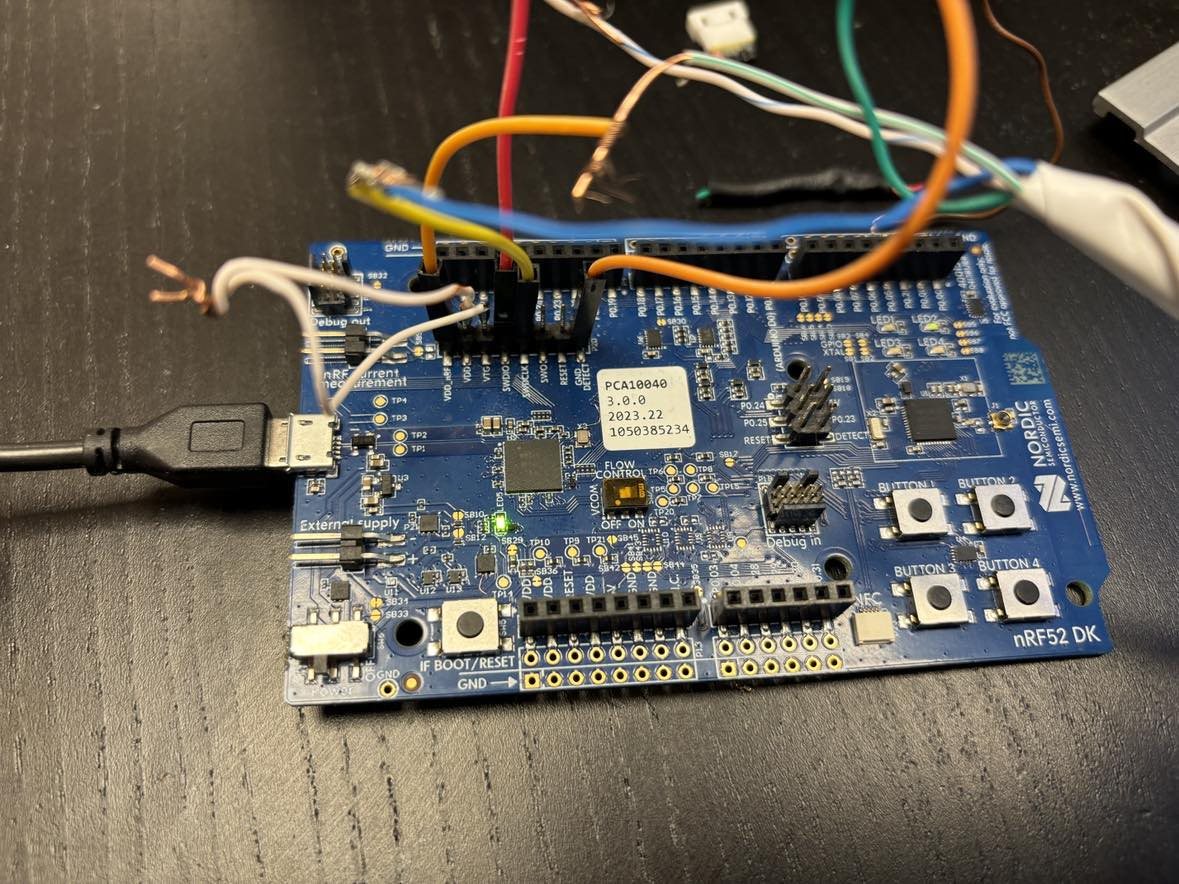
    I am programming a custom board using the NRF52 dev board by shortening VDD and VTC. The custom board is connected to the SWDIO and SWDCLK, VDD_nRF, GND, and GND detect on he dev board.  The dev board is connected usb.

    If i disconnect VDD and VTC the programming possible:

    -- west flash: using runner nrfjprog
    -- runners.nrfjprog: Flashing file: /home/boggi/..../build_1/zephyr/zephyr.hex
    [ ###### ] 0.000s | Erase file - Check ima[ ##### ] 0.000s | Check image validity -[ ########## ] 0.000s | Check image validity -[ ############### ] 0.000s | Check image validity -[ #################### ] 0.006s | Check image validity -[ ############# ] 0.000s | Erase file - Erasing [ ########## ] 0.000s | Erasing non-volatile m[ #################### ] 1.514s | Erase file - Done erasing
    [ #################### ] 3.665s | Program file - Done programming
    [ #################### ] 1.354s | Verify file - Done verifying
    Enabling pin reset.
    Applying pin reset.
    -- runners.nrfjprog: Board with serial number 1050385234 flashed successfully.
    * Terminal will be reused by tasks, press any key to close it.

  • Boggibill said:
    If i disconnect VDD and VTC the programming possible:

    But then it will program the DK, right?

    So the custom board is powered externally, right? What voltage is the nRF running on on the custom board? What version is your nRF52 DK? What does it say on the white sticker, other than the serial number (1050385234)? And can you please take a picture of the P20 header (the one with VDD_nRF, GND detect, SWDIO and SWDCLK, and so on), and upload it here?

    Are you sure you didn't mix up the SWDIO and SWDCLK lines? It should be SWDIO DK -> SWDIO custom board and SWDCLK DK -> SWDCLK custom board.

    BR,
    Edvin

  • Hi.

    Yes, i am sure I don't mix the SWDIO and SWDCLK. I am able to program other custom boards with a different chip (NRF52840-QFAA-F-R7).

    Im not sure what the voltage is, I am powering using the DK, and the (the standard voltage on the DK).

    Attached is a picture of the board.

  • Boggibill said:
    I am able to program other custom boards with a different chip (NRF52840-QFAA-F-R7).

    Using this DK as the programmer?

    Boggibill said:
    I am powering using the DK, and the (the standard voltage on the DK).

    As shown in this picture? If so, can you please try the following:

    1: Disconnect the VDD_nRF on the far left, and plug it in VDD near the bottom of the picture. (not sure if this is needed, but it is worth a shot)

    2: Disconnect the GND DETECT and plug it in GND near the bottom of the picture. 

    3: Short GND to GND DETECT. 

    (4: Keep the white cable, shorting VDD to VTG)

    The reason is that GND DETECT is not actually ground. It is used to detect whether GND is GND on the connected device. So right now you are probably having a floating GND on your custom board, unless you power it externally. 

    Best regards,

    Edvin

  • Hi Edvin.

    I will try what you say. It is not easy to see from the picture, but GND and GND detect are already connected here.

    I tested connceting VDD to a different port, with no luck.

    nrfjprog --recover --log works just fine.

Reply Children
  • You can try to decrease the SWD speed. No offence, but this looks a bit home-made with a lot of connections that may not be 100%. 

    Add the argument: 

    --clockspeed 500

    or

    -c 500

    and see if that changes anything. 

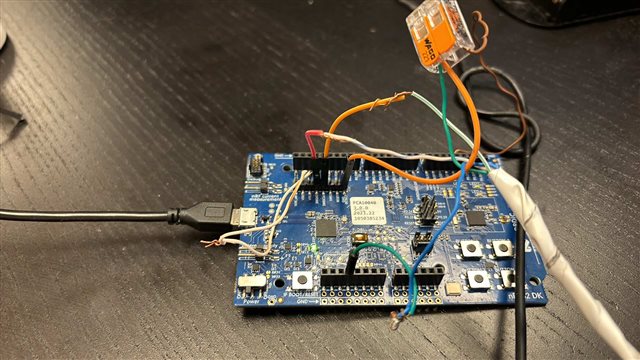
  • I know it is a bit "home-made". But i run out if wires and needed to remove soldered connection since that could be that somewhere it was improper connections. It is like this to make sure all connections where connected..

    Anyway it did not help..

    boggi@getshop-boggi:~$ nrfjprog --program /home/boggi/..../build_1/zephyr/zephyr.hex --recover --verify -f NRF52 --snr 1050385234 -c 500 --log
    [ #################### ] 1.147s | Erase file - Done erasing
    [error] [ Client] - Encountered error -102: Command program_file executed for 58 milliseconds with result -102
    [error] [ nRF52] - The write access failed, but no cause could be determined.
    [error] [ nRF52] - It may be due to an unaligned access, accessing a nonexistent memory, or a communication issue.
    [error] [ nRF52] - Failed while performing 'Write' operation on target address 0x00000000.
    -102: An unknown error.
    [error] [ nRF52] - Failed while reading device information.
    [error] [ Worker] - An unknown error.
    ERROR: JLinkARM DLL reported an error. Try again. If error condition
    ERROR: persists, run the same command again with argument --log, contact Nordic
    ERROR: Semiconductor and provide the generated log.log file to them.


    boggi@getshop-boggi:~$ nrfjprog --recover
    Recovering device. This operation might take 30s.
    Erasing user code and UICR flash areas.


    boggi@getshop-boggi:~$ nrfjprog --program /home/boggi/..../build_1/zephyr/zephyr.hex --recover --verify -f NRF52 --snr 1050385234 --clockspeed 500 --log[ #################### ] 1.148s | Erase file - Done erasing
    [error] [ Client] - Encountered error -102: Command program_file executed for 57 milliseconds with result -102
    [error] [ nRF52] - The write access failed, but no cause could be determined.
    [error] [ nRF52] - It may be due to an unaligned access, accessing a nonexistent memory, or a communication issue.
    [error] [ nRF52] - Failed while performing 'Write' operation on target address 0x00000000.
    -102: An unknown error.
    [error] [ nRF52] - Failed while reading device information.
    [error] [ Worker] - An unknown error.
    ERROR: JLinkARM DLL reported an error. Try again. If error condition
    ERROR: persists, run the same command again with argument --log, contact Nordic
    ERROR: Semiconductor and provide the generated log.log file to them.
    boggi@getshop-boggi:~$

    Attached log

    4454.log.log

    BTW; I have not nReset connected, could that cause this problems?

  • Boggibill said:
    BTW; I have not nReset connected, could that cause this problems?

    Should not be needed. The debugger usually uses software reset, not pin reset.

    Does flashing that particular firmware work if you flash it to another nRF52840 device, like a DK? (I don't care if it doesn't run, but if it is possible to just flash it).

    And similarly, does it work programming other .hex files to that particular board?

    And finally, can you try with another DK as a debugger, or even an external debugger with your custom board.

    Best regards,

    Edvin

  • Does flashing that particular firmware work if you flash it to another nRF52840 device, like a DK? (I don't care if it doesn't run, but if it is possible to just flash it).

    Yes

    And similarly, does it work programming other .hex files to that particular board?

    No

    And finally, can you try with another DK as a debugger, or even an external debugger with your custom board.

    I don't have another DK, but I am able to program other custom boards the same way with the same DK, so I don't think there is a problem with the DK.

  • Ok, so you have one custom board that can't be programmed, and you don't have an external debugger to test with.

    So do you have several physical copies of that same custom board? And some of them are working, but one particular does not work?

    Or does none of that custom board work?

    Did the faulty device work at some point? Or did it never work?

    Best regards,

    Edvin

Related