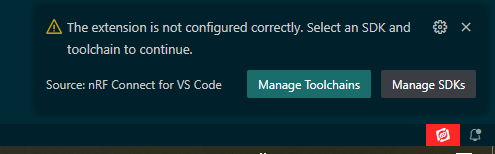
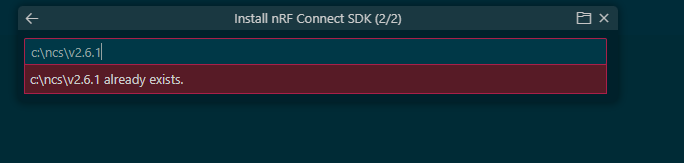
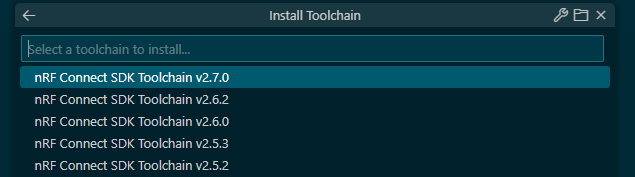
Hi Nordic community,
I'm starting this course as I'd like to start with Nordic.
I can't continue (better to say, start) the course as the instructions are different from the menu option I have.
At this point:
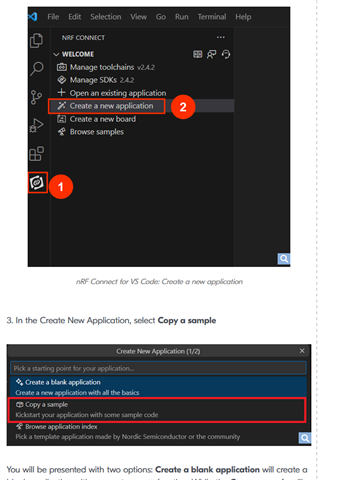
I don't have the option "Copy a sample". I then went to the installation folder (C:\ncs\v2.6.1\zephyr\samples\basic\blinky) and I copied to a local folder.
Unfortunately from that point onwards I couldn't continue, as the IDE doesn't allow me to execute the "Add build configuration".
How should I proceed?
I'm currently using the following versions:
VSCode:
Version: 1.94.0 (system setup)
Commit: d78a74bcdfad14d5d3b1b782f87255d802b57511
Date: 2024-10-02T13:08:12.626Z
Electron: 30.5.1
ElectronBuildId: 10262041
Chromium: 124.0.6367.243
Node.js: 20.16.0
V8: 12.4.254.20-electron.0
OS: Windows_NT x64 10.0.19045
nRF Connect for VS Code Extension Pack
v2024.9.5
Kind regards,
AGA