General Configuration for Bluetooth Direct Test Mode application

Hi there,

I am able to access associated documentation under

https://docs.nordicsemi.com/bundle/ncs-latest/page/nrf/samples/bluetooth/direct_test_mode/README.html

Found a sample application available here

https://github.com/nrfconnect/sdk-nrf/tree/main/samples/bluetooth/direct_test_mode

I am able to create a local copy under VS Code using nRF Connect

I am also able to compile it successfully for a 52840DK target, using the default

+ prj.conf

+ app.overlay

+ nrf52840dk_nrf52840 (from under the boards folder); this was critical to resolve linking issues related to _TIMER3

+ by default, it seems to use the Kconfig file

I am also able to flash it into an nRF52840-DK board

Last I am able to connect to it from "nRF Connect Desktop / Direct Test Mode" PC application, version 2.4.1

One of the issues I was dealing with

Re: missing debug traces from the devkit DTM application

has subsided

Realized afterwards that those debug message was routed to RTT, so I was able to capture them with a J-Link RTT Viewer

I do have further questions on the DTM application...

Here is the first one:

1-How to enable/disable specific configurations

For example how to make sure

config DTM_TRANSPORT_TWOWIRE

is enabled

but

config DTM_TRANSPORT_HCI

is disabled

2-Second question:

From the "nRF Connect Desktop / Direct Test Mode" PC application,

how long do I need to wait for a test to complete once it is started using the "Start Test" button

More questions later...

Thank you

Parents
  • Hi, 

    1. If you are using NCS v2.7.0, you can check .config file under build/direct_test_mode/zephyr. 

    2. You will observe the value from the Direct Test Mode app in nRF Connect for Desktop if the settings are correct. Please refer to the Testing with nRF Connect for Desktop doc.

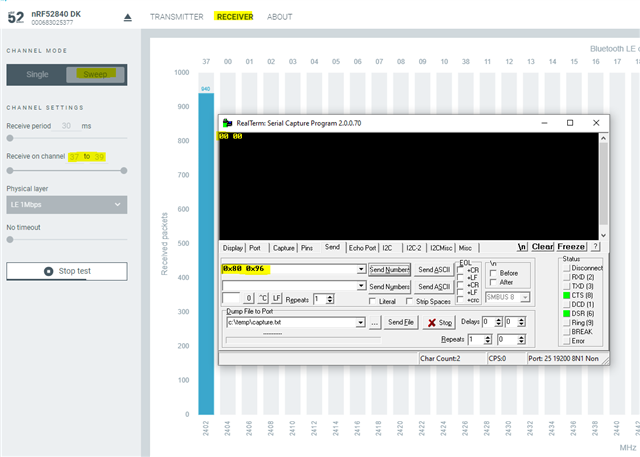
    In the Sweep mode, the number of RX packets is increasing for the 2402 MHz channel on the application chart.

    With single mode, it will show the value when you stop the test.

    Regards,
    Amanda H.

  • Hi,

    Let me restate my questions please:

    1-How to enable/disable specific configurations on the devkit application?

    for example, how to explicitly disable DTM_TRANSPORT_HCI

    build/direct_test_mode/zephyr contains the build results, it does not answer the question

    2-Second question:

    From the "nRF Connect Desktop / Direct Test Mode" PC application,

    how long do I need to wait for a test to complete once it is started using the "Start Test" button

    Thank  you

Reply
  • Hi,

    Let me restate my questions please:

    1-How to enable/disable specific configurations on the devkit application?

    for example, how to explicitly disable DTM_TRANSPORT_HCI

    build/direct_test_mode/zephyr contains the build results, it does not answer the question

    2-Second question:

    From the "nRF Connect Desktop / Direct Test Mode" PC application,

    how long do I need to wait for a test to complete once it is started using the "Start Test" button

    Thank  you

Children
Related